

Table of Contents
- Introduction
- About the Author and Editorial Standards
- What an On-Device Intelligent Agent Actually Is
- What Agents Do on a Laptop or PC Right Now
- Direct Computer Control
- Agentic Coding
- Document and Spreadsheet Automation
- What Agents Do on Your Phone
- The Hardware Behind the Shift: NPUs and Hybrid Intelligence
- Adoption Reality Check: Who Actually Runs Agents
- The Security Problem: Handing an Agent the Keys to Your Device
- How to Try an Agent on Your Own Hardware Without Breaking Anything
- Limitations, Costs and Alternatives Worth Considering
- Frequently Asked Questions
- Conclusion
- References
- Related Reading
Intelligent agents on your own devices are software that plans and executes multi-step tasks for you — opening apps, editing files, filling forms, and triggering system functions — instead of just answering questions. On PCs they automate desktop and Office workflows: Microsoft made Copilot’s Agent Mode the default in Word, Excel and PowerPoint for subscribers in September 2026. On phones they call app functions programmatically through Android 16’s AppFunctions API rather than tapping through menus. The limiting factor in late 2026 is trust, not capability — Deloitte’s 2026 Tech Trends report found 38% of organizations piloting agents but only 11% running them in production.
Introduction
The practical question about intelligent agents on your own devices is no longer whether they can hold a conversation — it is what they are permitted to do while you are not watching. These are task executors: software that takes a goal, breaks it into steps, and then operates your apps, files and system functions to finish the job. This moved from conference demo to shipped default because two things landed within roughly a year of each other — NPU-equipped silicon that makes continuous local inference power-feasible, and operating-system APIs such as Android 16’s AppFunctions and Windows’ hybrid intelligence architecture that let an agent call an app’s capabilities directly instead of simulating clicks on a screen.
The consequence for anyone buying hardware is direct. Agent capability has become a specification question, which means VRAM, NPU throughput and installed memory now determine what your next phone or laptop does locally versus what it has to ship to a data centre. For broader context on where this sits among 2026’s hardware shifts, see our ongoing coverage of tech trends and innovations. This explainer covers what agents do today on consumer hardware, what the adoption data actually shows, and where they fail — not vendor roadmaps.
About the Author and Editorial Standards
About the Author
This article was written and reviewed by The Tech ABC editorial team, consumer hardware and AI features desk. Our experience comes from hands-on testing of flagship phones, laptops, and self-built desktop PCs, and from covering on-device AI as a device feature — something you evaluate at purchase alongside battery life and thermals — rather than as an industry beat. We have tracked agent features since they shipped to consumers.
>
Transparency
This article synthesises vendor announcements, published research and third-party adoption surveys dated through November 10, 2026. No agent product named here was supplied by its maker in exchange for coverage. Capability claims we have not personally verified are attributed to their source in the text. Our full editorial disclaimer explains how we handle vendor relationships and affiliate arrangements.
What an On-Device Intelligent Agent Actually Is
Intelligent agents on your own devices are programs that accept a goal, decompose it into steps, and then act on local software and files to complete it — reading a document, calling an app function, writing output — with the user reviewing results rather than performing each individual step.
| Dimension | Voice Assistant / Chatbot | Intelligent Agent |
|---|---|---|
| Input it accepts | A command | A goal |
| Steps performed | One | Multi-step, chained |
| Local file and app access | Read-only or none | Read and write |
| Who clicks through the app | You | The agent |
| Typical failure mode | A wrong answer | A wrong action |
The distinction is architectural rather than promotional. A chatbot returns text; an agent requires three additional components — a planner that sequences work, tool access that connects it to real software, and permission to write. That dependency explains why agent features arrived alongside new operating-system APIs. Without a sanctioned route to call an app’s capabilities, an agent has to simulate taps and clicks on whatever is rendered on screen, which is slow and breaks whenever a developer redesigns a layout. Android 16’s AppFunctions API exists specifically because UI simulation proved too brittle, resulting in agents that failed silently when an app updated. Our earlier reporting on Gemini 2’s real-world focus tracked the same transition from conversation to execution.
Everything You Need to Know About the Nintendo Switch 2
Autonomy, meanwhile, is a spectrum, and almost everything shipping to consumers sits at the supervised end: the agent proposes and executes, a human approves. Anthropic’s 2026 Agentic Coding Trends Report found that developers route roughly 60% of their work through AI but fully delegate only 0% to 20% of tasks, which means “autonomous” in 2026 marketing describes capability rather than how people actually operate these systems. Research from the Stanford Institute for Human-Centered Artificial Intelligence has consistently framed human-in-the-loop oversight as the governing design question once software is granted execution authority — and that framing matches the delegation numbers precisely.
What Agents Do on a Laptop or PC Right Now
On a Windows PC, Mac or Linux laptop, agents do three things in late 2026 — they drive the desktop directly, they work inside code repositories, and they operate productivity documents end to end. Each of these shipped as a product feature rather than a research demo.
Desktop Agent Tasks That Work Today
- Opening a browser, navigating to a site, filling and submitting a form
- Reading, renaming and rewriting local files across folders
- Reading an entire code repository, making edits, running tests and returning a reviewable diff
- Reconciling data between spreadsheets and generating a presentation from the result
- Chaining actions across two or more desktop applications in a single run
Direct Computer Control
Anthropic’s “Claude computer use” and OpenAI’s ChatGPT desktop agents open browsers, click through websites, fill out forms, and read or write local files. Dedicated desktop agents including Manus and Genspark execute multi-step workflows directly against the local operating system. The cause of this breakthrough is specific: screen-reading models combined with accessibility-layer control removed the need for per-application integrations, resulting in automation that generalises across any software but runs considerably slower than a native API call. There is a practical cost attached — a computer-control run occupies the machine, because the agent is driving your actual pointer and windows while it works.
Agentic Coding
Claude Code, GitHub Copilot’s agent mode, and open-weight models such as Ripple-65B read whole local repositories, write and run code, fix failing tests, and hand a diff to a human for review. A JetBrains survey published in August 2026 found that 90% of professional developers now use AI coding agents at least weekly — the highest adoption rate of any agent category. The counterweight arrives immediately, though: delegation stays between 0% and 20%, therefore the measurable productivity gain comes from tight review-and-accept loops rather than unattended work. The capability has a documented research lineage: the model architectures and tool-use methods behind repository-scale agents were published as pre-prints on arXiv before any of them became products, which distinguishes the technique from the marketing built on top of it.
Document and Spreadsheet Automation
Microsoft made Copilot’s Agent Mode the default in Word, Excel and PowerPoint for subscribers in September 2026, which means the agent reconciles data across sheets and builds a deck from a brief without step-by-step prompting. The consequence for ordinary buyers is larger than it first appears: the most widely distributed agent in the world now ships switched on inside Office, so most people’s first encounter with agentic AI is a spreadsheet that rewrote itself. That default placement also transfers a review burden to users who never opted into it, because an agent that reconciles figures autonomously has produced a draft document, not a verified one.
What Agents Do on Your Phone
On a phone, an agent reads your screen and your messages, calls functions inside third-party apps, and chains the results — turning a flight confirmation into a calendar entry with a commute estimate, or a package notification into a timed reminder.
Phone Agent Tasks Demonstrated in 2026
- Creating a calendar event and commute estimate from a flight or ticket receipt
- Reading an incoming message and setting a time-based reminder from its contents
- Triggering a function inside a third-party app without opening its interface (Android 16 AppFunctions)
- Controlling smart home devices as one step inside a longer task
- Answering questions from a local document store without sending data off the device
Google’s 2026 rollout of Android 16 introduced AppFunctions, an API that lets an app expose its capabilities as on-device tools. Because Gemini calls those functions programmatically instead of navigating a user interface, actions complete faster and survive app redesigns, resulting in the first generation of mobile agent behaviour that does not break with every update. Contrast that with the open-source frameworks Droidrun and Mobilerun, which gained substantial developer traction in 2026 by letting anyone plug an arbitrary large language model into screen understanding and action execution on Android — flexible, but dependent on what happens to be visible on screen at that moment. Our analysis of Gemini’s Imagen 3 on Android covers the same model stack from the generative side.
iPhone 17 Colors: Expected Variants and Themes
The trade is permissions. Xiaomi’s March 2026 internal testing of an agent called “micLaw” demonstrated reading text messages, controlling smart home devices, and generating calendar events with commute estimates from a flight ticket receipt. That capability requires standing access to messages, location and app data, which means the most interesting agent on a phone is simultaneously its most permission-hungry software. On Apple hardware, Railtown AI’s November 2026 release of the open-source Railtracks Swift RAG framework lets developers build local knowledge bases so retrieval and inference stay entirely on the iPhone or Mac, addressing that exposure by never moving the data. Readers tracking how Apple ships on-device intelligence as a shipped feature will find useful baselines in our write-ups of iPhone 17 camera AI features and iOS 18 key features.
The Hardware Behind the Shift: NPUs and Hybrid Intelligence
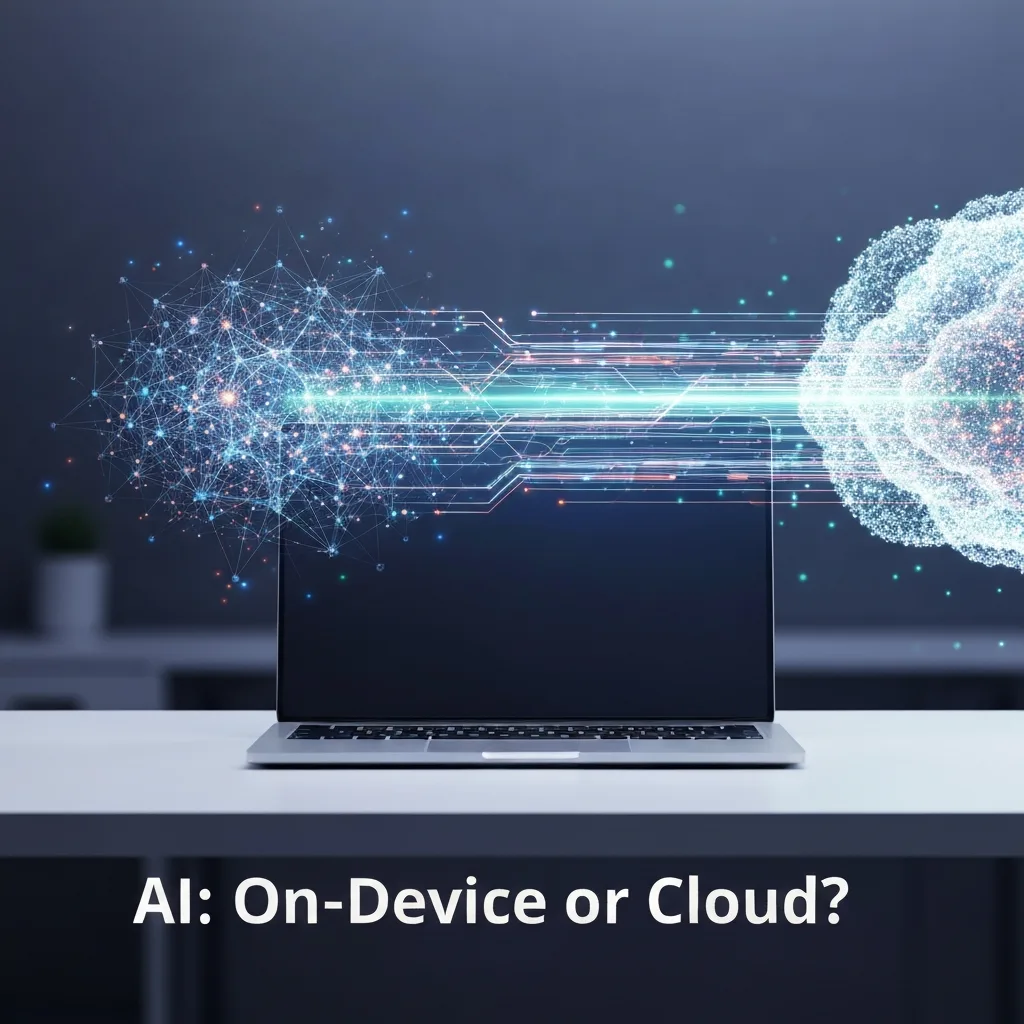
Agents run locally because Neural Processing Units made continuous inference affordable in power terms. In October 2026, Microsoft’s Corporate Vice President of Windows + Devices, Pavan Davuluri, described Windows’ “hybrid intelligence” architecture: privacy-sensitive and latency-sensitive tasks execute on the device NPU, while heavier workloads route to the cloud.
| Product / Platform | Announced | Silicon | Where the agent runs |
|---|---|---|---|
| Dell XPS 16 Creator Edition and Creator Edition Desktop | October 2026 | NVIDIA RTX Spark (Grace CPU, Blackwell RTX GPU) | Local, without cloud dependency |
| HP 2026 mobile workstations for local agents | 2026 | Not stated; marketed on VRAM capacity | Local |
| Windows hybrid intelligence architecture | October 2026 | Device NPU plus cloud | Split: NPU for private or immediate steps, cloud for heavy work |
| Qualcomm Snapdragon Wear Elite | March 2026 | Integrated NPU | On the watch |
| Railtown AI Railtracks Swift RAG (Apple devices) | November 2026 | Apple iPhone and Mac silicon | Entirely on device |
What this means at the till is that intelligent agents on your own devices shift the specification that actually constrains you. Because a supervised agent keeps a model resident in memory for the duration of a run, installed memory and NPU throughput bind performance more tightly than peak CPU clock does. That is the reason Dell built its October 2026 XPS 16 Creator Edition and Creator Edition Desktop on NVIDIA RTX Spark silicon — a Grace CPU paired with a Blackwell RTX GPU — explicitly for continuous autonomous agent operation without cloud dependency, and why HP marketed its 2026 mobile workstations on VRAM capacity rather than clock speed. Anyone sizing a desktop for sustained local inference should also look at real draw figures, which is why we measured how many watts the RTX 5080 really needs.
The pattern extends past phones and PCs. Qualcomm’s Snapdragon Wear Elite platform, announced in March 2026, reframed the pitch from smartphone-centric to agent-centric computing by putting an integrated NPU on the wrist, which means personal agent workloads now execute on a smartwatch. None of this silicon reaches retail unmediated: accredited independent laboratories such as Micom Labs test wireless and IT products against EMC and regulatory compliance standards before launch, which is the step between an October announcement and a shipping box. Further upstream, the fundamental computer-science and materials research behind accelerator design has been sustained for decades by federally funded programmes at the National Science Foundation, which is why the efficiency gains arrived as an industry-wide capability rather than one vendor’s advantage.
Adoption Reality Check: Who Actually Runs Agents
Capability has outrun deployment. Deloitte’s 2026 Tech Trends report found 38% of organizations piloting AI agents and only 11% running them in production, because agents lack contextual grounding and organizations fear hallucinated output reaching real business records.
| Metric | Figure | Source and date |
|---|---|---|
| Professional developers using AI coding agents weekly | 90% | JetBrains report, August 2026 |
| Share of developer work routed through AI | ~60% | Anthropic 2026 Agentic Coding Trends Report |
| Tasks fully delegated to agents without review | 0–20% | Anthropic 2026 Agentic Coding Trends Report |
| Organizations piloting AI agents | 38% | Deloitte 2026 Tech Trends |
| Organizations running agents in production | 11% | Deloitte 2026 Tech Trends |
Read those numbers against each other and developers emerge as the clear outlier. JetBrains reported in August 2026 that 90% of professional developers use AI coding agents weekly, yet Anthropic’s own data puts full delegation between 0% and 20%. Therefore the honest description of 2026 agent use is high frequency with low autonomy — people run agents constantly and approve nearly everything they do. For a consumer the implication is immediate: budget time for review, because an agent’s output is a draft action rather than a completed one. Peer-reviewed work on evaluation methodology in the European Journal of Engineering and Computer Sciences makes the underlying point explicit — frequency of use is not evidence of algorithmic reliability, and the two have to be measured separately.
The Security Problem: Handing an Agent the Keys to Your Device
Intelligent agents on your own devices change the threat model, because an agent that can click, write files and call app functions converts a wrong answer into a wrong action. Prompt injection delivered through a web page or a document therefore becomes a route to local file access rather than merely a route to bad text.
“You cannot scale what you cannot secure, govern, or observe.”
— Jeetu Patel, President and Chief Product Officer, Cisco, announcing the integration of Anthropic’s Claude Mythos into Cisco’s AI Defense framework, November 10, 2026
The industry response has concentrated on containment rather than capability. In November 2026, NVIDIA partnered with the Korean security firm AIM Intelligence to deploy OpenShell, a secure runtime environment that sandboxes AI agents, manages their access to enterprise tools, and blocks data leakage during autonomous operation. Sandboxing arrived because unrestricted tool access and credential reuse were the observed failure points, resulting in a visible shift of industry attention from expanding what agents do to constraining where they do it. Analysis from Lawfare has examined the accountability gap this creates — when autonomous software acts on a user’s behalf and causes harm, the legal question of who authorised the action is unsettled.
For a single user, the controls that apply are the familiar ones, applied more strictly. The National Institute of Standards and Technology frames AI risk management around identifying what a system is permitted to affect before it is deployed, and the Cybersecurity and Infrastructure Security Agency publishes least-privilege and credential-hygiene practices that translate directly: scope permissions to the task at hand, keep the agent out of credential stores and banking software, and personally review any action touching money or identity. The hidden dangers of storing money in payment apps illustrate exactly the permission an agent should never hold, and Gmail’s security changes matter more once an agent has mailbox access. State plainly: consumer agent sandboxing is immature compared with the enterprise tooling described above, which means you are currently the control layer.
How to Try an Agent on Your Own Hardware Without Breaking Anything
The order below matters because each step narrows the damage the next step can do. Start inside an application you already own rather than installing a general-purpose computer-control agent, since Office Agent Mode and Gemini’s AppFunctions calls operate within permissions you have already granted — which means a mistake stays inside a boundary you understand.
- Check what you already have: Copilot Agent Mode in Word, Excel and PowerPoint, or Gemini on an Android 16 device.
- Pick one repeatable, reversible task — reformatting a spreadsheet or drafting a recurring report.
- Work on a duplicate file or a test folder, never the original.
- Grant the narrowest permission the task needs, and decline standing access to messages, photos and payment apps.
- Run the task with review enabled, and read every action the agent proposes before approving it.
- Compare the output against the result you would have produced manually, and log where it went wrong.
- Only widen scope — more folders, more apps, full computer control — after the agent has been correct on the narrow task repeatedly.
Limitations, Costs and Alternatives Worth Considering
Limitations. Contextual grounding is the documented weak point, which is why Deloitte identified hallucinated business data as the main reason organizations stop at pilots rather than reaching production. Computer-control agents occupy the machine while they work because they drive your actual pointer and windows. Screen-reading mobile frameworks such as Droidrun and Mobilerun break when a UI changes. Local inference drains battery and competes for memory with everything else you have open. No public benchmark establishes reliability for multi-app consumer workflows, therefore any vendor claim of autonomous operation should be read as capability under supervision.
Costs. Agent features are mostly gated behind subscriptions — Office Agent Mode requires a Microsoft subscription — and fully local operation requires hardware chosen for memory and NPU capacity rather than for price. Time is the hidden cost: because delegation sits between 0% and 20% even among professional developers, every run carries a review burden that does not disappear with practice.
Alternatives. For repeatable, deterministic tasks, conventional automation still wins. Shortcuts on Apple devices, scheduled scripts, spreadsheet formulas and macros produce identical output every time, which an LLM-driven agent does not guarantee. Rule-based automation is also auditable, so a failure is diagnosable. Use an agent where the task varies and judgment is required; use deterministic automation where it does not. Readers evaluating AI feature claims on new hardware should also follow our AI coverage for feature-by-feature testing.
Frequently Asked Questions
What do intelligent agents actually do on a phone, laptop, or PC?
They execute multi-step tasks rather than answer questions. On PCs they control the desktop and browser, fill forms and rewrite local files. In software development they read whole repositories, run tests and return a reviewable diff. On Android 16 phones they call app functions programmatically through AppFunctions. In nearly every shipping product, a human reviews and approves the actions before they take effect.
Do AI agents run on the device or in the cloud?
Both, under a hybrid model. Microsoft’s October 2026 hybrid intelligence architecture for Windows runs privacy-sensitive and latency-sensitive steps on the device NPU and routes heavier reasoning to the cloud. Fully local setups also exist: Railtown AI’s Railtracks Swift RAG keeps retrieval and inference on an iPhone or Mac, and Dell’s October 2026 XPS 16 Creator Edition was built for continuous agent operation without cloud dependency.
Do I need a new laptop or phone to run AI agents?
Not for cloud-assisted agents; yes for fully local ones. Memory and NPU throughput are the binding constraints, because a resident model occupies RAM or VRAM for the duration of a run and competes with your open applications. The market signalled this itself: HP marketed its 2026 mobile workstations on VRAM capacity rather than clock speed, and Dell paired a Grace CPU with a Blackwell RTX GPU for the same reason.
Are intelligent agents on your own devices safe to use?
Reasonably safe for narrow, reversible, reviewed tasks; not yet safe for unsupervised access to credentials, payments or identity data. Intelligent agents on your own devices inherit write permissions, which means prompt injection delivered through a web page or document becomes a path to your files. Enterprises answer this with sandboxing — NVIDIA’s OpenShell runtime, deployed with AIM Intelligence in November 2026, is one example. Equivalent consumer tooling lags that standard considerably.
What is the difference between an AI assistant and an AI agent?
An assistant returns information; an agent takes action. The agent adds three components an assistant lacks: a planner that decomposes a goal into steps, tool access that connects it to real software, and permission to write. The consequence is that the failure mode changes character entirely — instead of receiving a wrong answer you can ignore, you get a wrong action already applied to your files.
How many people actually use AI agents in 2026?
Usage is high among developers and low in production elsewhere. JetBrains reported in August 2026 that 90% of professional developers use AI coding agents at least weekly. Deloitte’s 2026 Tech Trends report, by contrast, found 38% of organizations piloting agents but only 11% running them in production. The gap is explained by missing contextual grounding and the risk of hallucinated output reaching business records.
Can an AI agent use my apps without my permission?
No — it acts within permissions you grant, but those grants are frequently broader than the task requires. Android 16’s AppFunctions is the sanctioned path, where an app exposes specific capabilities as tools. Screen-reading frameworks such as Droidrun and Mobilerun take the broader route, acting on whatever is visible. The scoping rule: grant per-task access and refuse standing access to messages, photos and payment apps.
Gaming News and Reviews – The Tech ABC
Will agents replace the apps on my device?
No — they consume apps rather than replace them. Both AppFunctions and Office Agent Mode route work through existing applications, which means the app remains the capability and the agent becomes the interface layer on top of it. The consequence falls on app discovery and UI design: if an agent calls your function directly, fewer users ever see the screen you designed for them.
Conclusion
Intelligent agents on your own devices, as of November 2026, execute real multi-step work across your applications and files — driving the desktop, editing repositories, reconciling spreadsheets, and calling app functions on a phone — almost always under human review. The constraint this year is governance rather than capability, which is why Cisco, NVIDIA and Microsoft all shipped containment tooling in the same quarter that the underlying capabilities went mainstream. Patel’s line about securing what you scale describes a genuine bottleneck, not a marketing posture.
For buyers, the practical translation is to treat installed memory, NPU throughput and VRAM as agent specifications, and to treat permission scope as a feature you evaluate rather than a dialog you dismiss. Start with the seven-step procedure above on a duplicate file, widen scope only after repeated correct runs, and keep agents away from credentials and payments. Read more of our AI and hardware analysis.
References
- National Institute of Standards and Technology — Artificial Intelligence: https://www.nist.gov/artificial-intelligence
- Cybersecurity and Infrastructure Security Agency (CISA): https://www.cisa.gov/
- Stanford Institute for Human-Centered Artificial Intelligence (HAI): https://hai.stanford.edu/
- arXiv pre-print archive: https://arxiv.org/
- European Journal of Engineering and Computer Sciences: https://www.ejecs.org/
- Lawfare — AI governance and accountability analysis: https://www.lawfaremedia.org/
- National Science Foundation: https://www.nsf.gov/
- Micom Labs — independent wireless and EMC compliance testing: https://micomlabs.com/
- Deloitte 2026 Tech Trends report (agent piloting and production figures)
- JetBrains developer survey, August 2026 (weekly AI coding agent use)
- Anthropic 2026 Agentic Coding Trends Report (work routed through AI; delegation range)
- Microsoft, September 2026 (Copilot Agent Mode default in Word, Excel, PowerPoint) and October 2026 (Windows hybrid intelligence architecture, Pavan Davuluri)
- Google, Android 16 AppFunctions API rollout, 2026
- Dell XPS 16 Creator Edition and Creator Edition Desktop announcement, October 2026
- HP 2026 mobile workstations for local AI agents
- Qualcomm Snapdragon Wear Elite platform announcement, March 2026
- Railtown AI, Railtracks Swift RAG open-source release, November 2026
- NVIDIA and AIM Intelligence, OpenShell secure agent runtime, November 2026
- Cisco, integration of Anthropic’s Claude Mythos into AI Defense, November 10, 2026