
Table of Contents
- What Hardware Do You Actually Need to Run Qwen 2.5 Coder 32B Locally?
- The VRAM Math: Why 32 Billion Parameters Does Not Mean 32GB
- How to Estimate VRAM for Any 32B Model
- Q4_K_M Quantization Explained: What You Trade and What You Keep
- Is 24GB of VRAM Enough in 2026 — And Can You Get Away With 16GB?
- RTX 5090 vs a 64GB Mac: Speed Against Capacity
- Ollama vs LM Studio: Choosing the Software That Runs the Model
- Step-by-Step: Getting Qwen 2.5 Coder 32B Running on Your Machine
- Qwen 2.5 Coder 32B vs Claude 3.5 Sonnet: Where Local Wins and Where It Does Not
- Is Local Cheaper Than Paying for API Access?
- Building a Local AI PC in 2026: What Matters Beyond the GPU
- Frequently Asked Questions
- Limitations, Risks and Alternatives Worth Considering
- The Bottom Line on Local Coding Hardware in 2026
- References
Key Takeaway: To run qwen 2.5 coder 32b locally you need 24GB of VRAM at minimum, or 32GB of Apple unified memory. The Q4_K_M quantized weights occupy roughly 16.9GB to 18.5GB. An 8K context window pushes total memory use to 21.2GB–22.6GB, and a 32K context adds about 3.8GB of KV cache to land near 26.4GB — which is why 24GB cards stall at small contexts. The tier verdict: an RTX 3090 or 4090 (24GB) handles single-file work at 32–40 tok/s, an RTX 5090 (32GB) runs agentic multi-file work at roughly 70 tok/s, and a 32GB-plus Mac buys capacity at 7–10 tok/s.
Most people who fail to run qwen 2.5 coder 32b locally do not have a weak GPU — they have a memory miscalculation. They budget for 32 billion parameters, forget that the KV cache grows with every token of context, and then wonder why generation speed collapses the moment they feed the model a second file. The distinction matters more in late 2026 than it did a year ago. A widely circulated May 2026 setup guide for Ollama and agent front-ends established the practical floor at 20–24GB of VRAM or RAM for the Q4_K_M build, and the arrival of 32GB consumer cards such as the RTX 5090 changed what a single home machine can hold at once.
This guide covers the exact memory math, four hardware tiers with measured token speeds, which quantization to pull, the software that runs it, and an honest comparison against Claude 3.5 Sonnet. Research from the Stanford Institute for Human-Centered Artificial Intelligence, which tracks the narrowing capability gap between open-weight and closed frontier models, helps explain why a 32B open model is worth this much hardware planning at all.
About the Author: This guide was written and verified by The Tech ABC Editorial Team, which covers consumer hardware, PC building and AI tooling with a buyer-first focus.
Everything You Need to Know About the Nintendo Switch 2
Transparency: Written and verified as of November 21, 2026. All hardware availability, memory figures and tokens-per-second results reflect late-2026 third-party reports and testing conditions. Figures vary across backend versions, driver releases and quantization builds.
What Hardware Do You Actually Need to Run Qwen 2.5 Coder 32B Locally?
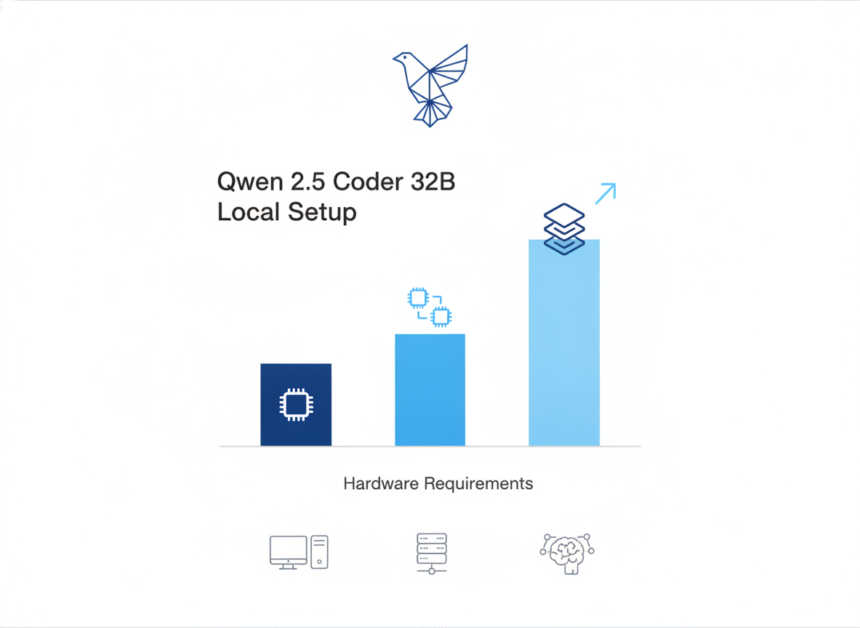
The practical floor to run qwen 2.5 coder 32b locally is 24GB of dedicated VRAM or 32GB of Apple unified memory, because the Q4_K_M build needs 21.2GB–22.6GB at an 8K context window. Anything below that threshold forces layer offloading into system RAM, and throughput drops sharply as a result.
That floor has an awkward consequence. A 24GB card holds the model, but it leaves almost no headroom for context — which means the card runs out of room exactly when you start feeding it multiple files. Therefore the useful question is not “will it load” but “how much context can it hold while loaded.” Those are different questions with different answers, and only the second one predicts whether the model is pleasant to work with.
Two developments reshaped the picture during 2026. First, 32GB consumer cards removed the context ceiling for the first time on a single-GPU desktop. Second, Apple’s unified-memory machines solved capacity outright while remaining bandwidth-bound, which caps generation speed no matter how much memory you buy. Both shifts are reflected in the tiers below.
| Hardware | Memory | Practical context | Speed (tok/s) | Best for |
|---|---|---|---|---|
| RTX 3090 | 24GB VRAM | ~8K | 32–40 | Autocomplete, single-file work |
| RTX 4090 | 24GB VRAM | ~8K | 32–40 | Fast single-file coding |
| RTX 5090 | 32GB VRAM | Up to ~37K | 70.5–71 | Agentic multi-file coding |
| Apple Silicon M2/M3/M4 Pro or Max | 32GB unified | Fits model, 3–4GB left for OS | 7–10 | Capacity on a budget |
| Mac mini M4 | 64GB unified | Up to 81K | ~5.1 | Very large repositories |
| Pooled memory (12GB GPU PC + 16GB Mac) | ~32GB effective | Not stated | 28–39 | Avoiding a new GPU purchase |
| 16GB GPU or less | 16GB VRAM | Does not fit Q4_K_M fully | Not stated | Smaller sibling models |
The VRAM Math: Why 32 Billion Parameters Does Not Mean 32GB
VRAM demand is the sum of two things: the quantized model weights plus the KV cache that stores attention state for your context window. Because the weights are fixed the moment you pick a quantization, context length becomes the only variable that decides whether your card copes. Peer-reviewed work on transformer inference published through the European Journal of Engineering and Computer Sciences documents this behaviour: KV cache growth with sequence length, not parameter count alone, sets the practical memory ceiling.
The weight figure is settled. The 4-bit GGUF Q4_K_M build compresses Qwen 2.5 Coder 32B to roughly 16.9GB–18.5GB on disk, which is where the ~19GB figure quoted in the May 2026 setup guides originates. That is already well under the 32GB that the parameter count implies.
The context tax is where budgets break. At 8K context the model occupies 21.2GB–22.6GB in total. Pushing to 32K tokens adds about 3.8GB of KV cache overhead and reaches approximately 26.4GB. On an RTX 5090, a 37K context lands at about 26.8GB and still leaves a 5.2GB reserve for the operating system. The consequence is specific: a 24GB card crosses its limit somewhere between 8K and 32K, therefore repository-wide prompting is the exact point of failure, not model loading.
What happens after that limit is not graceful. Once layers spill into shared system memory, every generated token waits on PCIe bandwidth instead of VRAM bandwidth, and throughput collapses rather than tapering. This is why users describe performance “falling off a cliff” — the bottleneck changes character entirely, and the slowest link in the chain dictates the pace.
| Context window | Weights | KV cache | Total VRAM | Fits on |
|---|---|---|---|---|
| 8K tokens | 16.9–18.5GB | Included in total | 21.2–22.6GB | 24GB GPU, 32GB Mac |
| 16K tokens | 16.9–18.5GB | Not stated | Not stated | 32GB GPU, 32GB Mac |
| 32K tokens | 16.9–18.5GB | ~3.8GB added | ~26.4GB | 32GB GPU, 64GB Mac |
| 37K tokens | 16.9–18.5GB | Not stated | ~26.8GB | RTX 5090 32GB |
| 81K tokens | 16.9–18.5GB | Not stated | Not stated | 64GB Mac mini M4 |
How to Estimate VRAM for Any 32B Model
Use a three-part rule: quantized weight size (parameters × bits ÷ 8), plus a KV cache that scales roughly linearly with context length, plus 1–2GB of runtime and OS overhead. Applied to this model at 4-bit, 32 billion parameters × 4 bits ÷ 8 gives about 16GB of weights — close to the measured 16.9GB–18.5GB once K-quant metadata is counted. Add the observed 3.8GB of cache at 32K tokens and roughly 2GB of overhead, and you arrive at the ~26.4GB figure. The same arithmetic transfers to any 32B model you consider.
Q4_K_M Quantization Explained: What You Trade and What You Keep
Q4_K_M is a 4-bit K-quant GGUF format that stores most weight blocks at 4-bit precision while keeping selected attention and feed-forward tensors at higher precision. That mixed approach is why it preserves output quality better than a flat 4-bit quant at nearly the same file size. Pre-print literature on post-training quantization hosted on arXiv provides the technical basis for the broader claim that 4-bit mixed-precision methods retain task performance while cutting memory roughly fourfold.
On quality, the position is clear rather than cautious. For single-file generation, autocomplete and routine debugging, Q4_K_M output is difficult to distinguish from higher-precision builds in day-to-day use. Degradation appears first in long multi-step reasoning chains, because small rounding errors compound across tokens and the model drifts further from the intended structure the longer the chain runs.
Dropping below 4-bit changes the calculation. A 3-bit quant buys roughly 3–4GB of headroom, but it measurably increases syntax and logic errors in generated code. Therefore it belongs in the toolkit as a last resort for 16GB cards, not as a recommended default for anyone who can reach 24GB.
The underlying point is that quantization choice is really a context-window decision in disguise. Every gigabyte you save on weights becomes a gigabyte available for KV cache, which means your quant selection directly determines how many files you can hold in a single prompt.
| Quant | Approx. weight size | Quality impact | Recommended memory |
|---|---|---|---|
| Q8_0 | Not stated | Reference quality | 48GB+ |
| Q6_K | Not stated | Near-reference | 32GB+ |
| Q5_K_M | Not stated | Minimal loss | 32GB |
| Q4_K_M | 16.9–18.5GB | Not noticeable on routine coding | 24GB VRAM / 32GB unified |
| Q3_K / IQ3 | ~3–4GB smaller than Q4_K_M | More syntax and logic errors | 16GB, last resort |
Is 24GB of VRAM Enough in 2026 — And Can You Get Away With 16GB?
Yes, 24GB is enough to run qwen 2.5 coder 32b locally at an 8K context with 32–40 tok/s, and no, it is not enough for agentic multi-file work — because the KV cache required for 30K-plus tokens exceeds the remaining headroom and triggers PCIe spillover.
Take the RTX 3090 and RTX 4090 as the reference cards, alongside AMD’s RX 7900 XTX at the same capacity. All three hold the Q4_K_M weights comfortably. What they do not hold is much else: after weights and operating-system overhead, the remaining 1.5GB–3GB caps context somewhere in the 8K–12K range. As a result, a 24GB owner should treat this model as a strong autocomplete and single-file assistant rather than a repository-scale agent, and plan workflows around that boundary instead of fighting it.
At 16GB the full Q4_K_M build does not fit at all, which narrows the options to four. Partial offloading does work, but it surrenders most of the speed advantage, because the slowest layer in the pipeline sets the pace for every token. That is the mechanism behind the disappointing results people report after forcing a 32B model onto a mid-range card.
One genuinely new 2026 route is memory pooling. Hardware hubs that pool memory across a 12GB GPU PC and a 16GB Mac reach an effective 32GB working set and stream 32B models at 28–39 tok/s. Because that undercuts the cost of a single 32GB card while delivering throughput in the same neighbourhood as a 24GB GPU, pooling gained real traction among budget-conscious developers this year.
Four Ways to Run a 32B Coding Model on 16GB of VRAM
- Partial GPU offload: keep as many layers in VRAM as fit and push the rest to system RAM, accepting a large speed penalty
- Drop to a 3-bit quant: saves 3–4GB but raises the rate of syntax and logic errors in generated code
- Switch to Qwen 2.5 Coder 14B or 7B: lower ceiling, but fully GPU-resident and far faster per token
- Pool memory across two machines with a hardware hub to reach an effective 32GB working set at 28–39 tok/s
RTX 5090 vs a 64GB Mac: Speed Against Capacity
The RTX 5090 wins on memory bandwidth and the Mac wins on memory quantity, therefore the right choice depends entirely on whether your bottleneck is tokens per second or context length.
The NVIDIA case rests on measured throughput. An RTX 5090 with 32GB runs the Q4_K_M build at roughly 70.5–71 tok/s while holding a 37K context and still reserving about 5.2GB for the operating system. That combination — frontier-adjacent code quality, a context window large enough for several real files, and interactive speed — is what moved agentic coding on a single consumer machine from awkward to practical during 2026.
The Apple case rests on capacity. A 32GB Mac fits the model with 3–4GB left for the OS and delivers 7–10 tok/s, which many developers describe as the sweet spot for cost-effective local AI. A 64GB Mac mini M4 sustains contexts up to 81K tokens at approximately 5.1 tok/s. The cause of that pattern is architectural: unified memory removes the capacity wall entirely, while generation speed stays bandwidth-bound, which means buying more memory on these machines buys more context rather than more speed.
The Weirdest RTX 5080 Review You’ll Read Today—And It’s All True!
The decision rule follows directly. Pick the RTX 5090 if you want fast interactive coding and can work inside a 37K context. Pick a 64GB Mac if you ingest very large repositories, work on battery, or want a quiet, low-power machine on a desk. Power draw is a genuine cost difference between the two, and anyone building around a high-end card should read our breakdown of how many watts the RTX 5080 really needs for peak performance before sizing a PSU.
Ollama vs LM Studio: Choosing the Software That Runs the Model
Ollama is the better choice for developers who want a command-line server and straightforward IDE integration, while LM Studio suits anyone who wants visual control over GPU layer offload and context length without editing configuration files.
Neither tool makes the model faster on its own. Both load the same GGUF weights, so throughput differences come down to how each one sets layer offload, context size and batch size. Setting context higher than your VRAM supports is the single most common cause of the spillover slowdown described earlier — the model loads, the first few tokens arrive, and then speed drops as the cache grows past the card’s capacity.
The agentic layer sits on top of either choice. The 2026 setup guides pair Qwen 2.5 Coder 32B with Ollama and agent front-ends, and both runtimes expose an OpenAI-compatible local endpoint, which means your editor plugin configuration barely changes if you switch between them.
| Feature | Ollama | LM Studio |
|---|---|---|
| Interface | Command line plus local server | Graphical desktop app |
| Model download | pull command by tag |
In-app model browser |
| GPU layer offload control | Config and flags | Visual slider |
| Context length setting | Config file or parameter | In-app setting |
| IDE / agent integration | OpenAI-compatible endpoint | OpenAI-compatible endpoint |
| Best for | Developers and scripted setups | Users who prefer visual control |
Step-by-Step: Getting Qwen 2.5 Coder 32B Running on Your Machine
The installation itself is short, and the only step that decides whether you run qwen 2.5 coder 32b locally at full speed is the context-length setting in step four.
Installing and Configuring the Model
- Confirm free memory: at least 24GB VRAM or 32GB unified memory, plus roughly 20GB of free SSD space for the weights
- Install your runtime of choice — Ollama for a command-line server, LM Studio for a graphical one
- Pull the Q4_K_M GGUF build of Qwen 2.5 Coder 32B rather than the default tag, because the default may be a different quantization
- Set the context window to match your memory tier (8K on 24GB, up to 37K on 32GB, higher on 64GB Macs) before the first run
- Set GPU layer offload to the maximum your card holds, so no layer falls back to system RAM
- Connect your editor through the local OpenAI-compatible endpoint and point your coding extension at it
- Benchmark with a repeatable prompt and record tokens per second as your baseline
Verification is the step people skip. Run one fixed prompt, read the reported tokens per second, and compare it against your tier in the table above. A result far below your tier’s figure indicates that layers are spilling into system RAM, therefore the fix is to reduce context length or offload fewer layers until throughput returns to the expected range.
Qwen 2.5 Coder 32B vs Claude 3.5 Sonnet: Where Local Wins and Where It Does Not
Qwen 2.5 Coder 32B matches cloud-tier quality on single-file generation, autocomplete and standard debugging, and it benchmarks competitively against Claude 3.5 Sonnet and GPT-4o on LiveCodeBench-style evaluations. That parity is why the model remains the reference open-weight coding option in late 2026.
The limit is equally specific. The model supports a 128K context natively, but filling that window demands enterprise-grade memory on the order of an 80GB accelerator. Consumer 24GB and 32GB cards cannot hold the KV cache for 50K-plus token prompts, which means large multi-file architectural refactors still favour a cloud API. The constraint is hardware, not the model’s capability.
The non-performance advantages often decide the matter. Running locally removes per-token billing, keeps telemetry out of your repository, and works offline — which matters for proprietary code and for teams operating under data-handling obligations. The Cybersecurity and Infrastructure Security Agency publishes guidance on protecting sensitive data and organisational systems, and local inference satisfies the simplest version of that requirement by keeping source code off third-party infrastructure entirely. Organisations that formalise these decisions typically assess them against risk-management criteria of the kind documented in the National Institute of Standards and Technology’s AI resources, which is part of why on-premise inference gets chosen over hosted APIs even when the hosted option scores higher on a benchmark.
The cost logic is arithmetic rather than ideology: local inference converts a recurring, usage-scaled API bill into a fixed hardware purchase plus electricity, therefore the break-even point arrives sooner the more tokens you generate per month. Heavy daily users recover hardware cost fastest. Occasional users rarely do.
Is Local Cheaper Than Paying for API Access?
It depends on monthly token volume, and the crossover is driven by usage rather than hardware price alone. Local inference carries three costs — hardware amortisation, electricity, and your own setup and maintenance time — against the single metered cost of an API. For a developer generating code throughout the working day, local wins inside the first year because the API bill scales with every prompt while the hardware cost does not. For intermittent use, the API stays cheaper, and no amount of tuning changes that. Privacy requirements frequently override the arithmetic in either direction.
Building a Local AI PC in 2026: What Matters Beyond the GPU
VRAM capacity outranks every other component decision, because it determines whether the model runs at all. Memory bandwidth then decides how fast it runs, and everything else in the build exists only to avoid becoming a bottleneck. Therefore the GPU budget should be fixed before any other part is chosen. Research into computing hardware and memory architecture funded through the National Science Foundation supports the broader principle that memory bandwidth, rather than raw compute, governs throughput in memory-bound workloads — which is precisely what token generation is.
System RAM is simpler than build guides suggest. 32GB is adequate when the model sits entirely in VRAM, since system memory plays no part in the inference path. 64GB matters only if you deliberately offload layers, because that is the configuration in which system RAM becomes part of the critical path and its bandwidth starts limiting generation speed.
Power and thermals cause real-world slowdowns that look like model problems. Sustained inference holds the GPU near full load for minutes at a time, so an undersized PSU or restricted airflow produces throttling that reads as degraded model performance. Independent test laboratories such as Micom Labs measure sustained-load electrical and thermal behaviour rather than inferring it from peak figures, and the same principle applies to your own build: peak gaming averages understate what continuous inference asks of a power supply. Our reporting on RTX 5090 cables melting covers the connector side of that headroom question.
Local AI Build Checklist
Gaming News and Reviews – The Tech ABC
- GPU with 24GB VRAM minimum, 32GB if you want large-context agentic coding
- 32GB system RAM for GPU-resident inference, 64GB if you plan to offload layers
- NVMe SSD with 50GB+ free so multiple quantizations can sit side by side
- PSU sized with headroom for sustained full-load GPU draw, not peak gaming averages
- Case airflow that handles multi-minute sustained loads to avoid thermal throttling
Frequently Asked Questions
What hardware do you need to run Qwen 2.5 Coder 32B locally?
You need 24GB of VRAM or 32GB of Apple unified memory to run qwen 2.5 coder 32b locally at a usable speed. The Q4_K_M weights occupy 16.9GB–18.5GB, and total memory use reaches 21.2GB–22.6GB at an 8K context. For contexts above 30K tokens, a 32GB card such as the RTX 5090 is required, because the KV cache otherwise exceeds available headroom.
How much VRAM does Qwen 2.5 Coder 32B actually use?
Roughly 21.2GB–22.6GB at an 8K context and about 26.4GB at a 32K context, using the Q4_K_M build. Weights account for 16.9GB–18.5GB of that, and the remainder is KV cache plus runtime overhead. Usage therefore rises with context length rather than staying fixed, which is why a card that loads the model can still run out of memory mid-session.
Is a 24GB GPU enough for a 32B coding model in 2026?
Yes for 8K-context work at 32–40 tok/s, no for agentic multi-file coding. After weights and OS overhead, too little room remains for a large KV cache, so the model spills into system RAM over PCIe and throughput collapses. The RTX 3090, RTX 4090 and RX 7900 XTX are the 24GB reference cards for this tier.
Can you run Qwen 2.5 Coder 32B on a 16GB GPU?
Not fully in VRAM. Four options remain: partial offload to system RAM, a 3-bit quant that saves 3–4GB, the 7B or 14B sibling models, or memory pooling across two machines at 28–39 tok/s. Offloading works but costs most of the speed, because the slowest layer in the pipeline sets the pace for every token generated.
Which is better for local AI, an RTX 5090 or a 64GB Mac?
The RTX 5090 for speed at roughly 70 tok/s with a 37K context; the 64GB Mac for capacity up to 81K tokens at about 5.1 tok/s. NVIDIA wins on memory bandwidth and Apple wins on unified memory quantity, so the deciding factor is whether your work is fast and interactive or repository-scale and context-hungry.
What does Q4_K_M quantization mean and does it hurt code quality?
Q4_K_M is a mixed-precision 4-bit GGUF format that keeps selected attention and feed-forward tensors at higher precision. Quality loss is not noticeable for single-file generation, autocomplete and debugging. Degradation appears in long multi-step reasoning chains, because rounding error accumulates across tokens and the output drifts from the intended structure.
Can Qwen 2.5 Coder 32B replace Claude or GPT-4o for daily coding?
For most daily tasks, yes; for 50K-plus token refactors, no. Parity holds on single-file generation, autocomplete and debugging. The limit is hardware rather than the model: the 128K native context needs roughly 80GB-class memory to fill, so consumer 24GB and 32GB cards cannot hold that KV cache without severe slowdowns.
How many tokens per second should you expect from Qwen 2.5 Coder 32B?
Expect 32–40 tok/s on a 24GB RTX 3090 or 4090, 70.5–71 tok/s on a 32GB RTX 5090, 7–10 tok/s on a 32GB Mac, about 5.1 tok/s on a 64GB Mac mini M4, and 28–39 tok/s on pooled-memory setups. A result far below your tier indicates spillover into system RAM.
Is it cheaper to run a local coding model than to pay for API access?
It depends on monthly token volume. Local inference converts a usage-scaled bill into fixed hardware cost plus electricity, so heavy daily users reach break-even quickly while intermittent users do not. For proprietary codebases, privacy and offline capability frequently outweigh the arithmetic entirely, which shifts the decision before cost is considered.
What is the best software for running Qwen 2.5 Coder 32B locally?
Ollama for command-line use and IDE integration, LM Studio for visual control of layer offload and context length. Both load the same GGUF weights, therefore configuration rather than the tool determines throughput. Setting a context window larger than your memory supports is the most common misconfiguration and the usual cause of sudden slowdowns.
Limitations, Risks and Alternatives Worth Considering
The tokens-per-second figures in this guide come from third-party 2026 reports gathered across different backend versions, driver releases and quantization builds. Your results will differ, sometimes substantially, because inference throughput is sensitive to runtime version and thermal conditions in ways that published benchmarks rarely capture.
The context ceiling on consumer hardware is a hard constraint rather than a tuning problem. Even a 32GB card tops out near 37K tokens at this quantization, which means large-repository refactoring belongs in the cloud for now. Quantization quality loss follows the same pattern — invisible on routine tasks, visible in long reasoning chains, and not fixable by prompt engineering.
Output verification remains necessary regardless of model quality. Generated code requires review and testing, a point reinforced across academic work on AI reliability, and local deployment does nothing to change it. Teams should also note that regulatory and contractual data-handling obligations, analysed regularly by Lawfare in its coverage of AI governance, drive some organisations toward local deployment independently of cost or speed.
Alternatives are worth weighing honestly. Qwen 2.5 Coder 14B or 7B serve smaller GPUs well and run fully GPU-resident. Cloud APIs handle burst workloads without capital expenditure. Hybrid setups — local for autocomplete, cloud for architecture work — capture most of the benefit of both.
When Local Is the Wrong Choice
- Your work routinely needs 50K+ tokens of context across many files
- Your monthly code-generation volume is low enough that API billing stays cheaper than hardware
- You cannot reach 24GB VRAM or 32GB unified memory and will not accept a smaller model
- You need the absolute frontier of reasoning quality rather than near-parity on routine tasks
The Bottom Line on Local Coding Hardware in 2026
The decision to run qwen 2.5 coder 32b locally comes down to one number — how much memory you can keep the KV cache in. A 24GB RTX 3090 or 4090 gives you 32–40 tok/s inside an 8K context, which covers autocomplete and single-file work well. A 32GB RTX 5090 delivers 70.5–71 tok/s with a 37K context, which is what makes agentic multi-file coding viable on one desktop. A 32GB Mac trades speed for affordability at 7–10 tok/s, and a 64GB Mac mini M4 stretches to 81K tokens at about 5.1 tok/s.
The direction of travel is clear: 32GB consumer cards moved agentic local coding from impractical to routine during 2026, and the next capacity step will widen that advantage further, because context — not parameter count — is the binding constraint. Buy a 24GB card if you want a fast assistant, a 32GB card if you want an agent, and a 64GB Mac if you want to feed it entire repositories.
Tech Trends and Innovations – The Tech ABC
Read more from The Tech ABC’s AI coverage for ongoing analysis of local models and the hardware that runs them.