
Table of Contents
- Introduction
- The Short Answer: Buy This Laptop for Your Specific Workload
- What Nvidia RTX Spark Actually Is: Grace-Blackwell on Windows
- The ARM Battery Kings: Apple M5, Snapdragon X2 Elite and the x86 Counter-Attack
- Where RTX Spark Breaks: x86 Emulation, Gaming and Anti-Cheat
- If You Want Pure Gaming Performance: RTX 5000 Series Laptops
- The Wait-or-Buy Question: Why October 2026 Favors Buying
- Limitations of This Analysis and the Alternatives We Did Not Pick
- Frequently Asked Questions
- Conclusion
- References
- Related Reading
Key Takeaway
>
Which Laptop Should You Actually Buy Right Now? RTX Spark, ARM Battery Kings, and the Wait-or-Buy Question resolves in favor of buying now, because every major 2026 architecture — Apple M5, Intel Panther Lake, AMD Gorgon Point, Nvidia’s RTX Spark N1X and the GeForce RTX 5000 series — already ships at retail. Buy an RTX Spark laptop for local AI and creator work, a MacBook Air M5 or Panther Lake ultraportable for battery life, and an RTX 5000 gaming laptop for native x86 performance. The one reason to wait: heavy dependence on legacy x86 software.
Introduction
Which Laptop Should You Actually Buy Right Now? RTX Spark, ARM Battery Kings, and the Wait-or-Buy Question has a short answer — buy now, and choose by workload rather than by headline. Nvidia’s RTX Spark laptops officially launched this fall with Grace-Blackwell superchips and up to 128GB of unified memory, shipping from ASUS, Dell, HP, Lenovo, Microsoft and MSI simultaneously. As a result, the architectural question facing buyers shifted from Windows-versus-macOS to ARM-versus-x86, and that is a far more consequential fork because it determines which software runs at full speed for the life of the machine.
Black Friday 2026 pricing arrives in weeks, therefore the cost of deciding badly is measured in both dollars and roughly three years of software compatibility friction. This guide delivers the published specifications, the real-world benchmark picture, the emulation caveats that reviewers keep flagging, and a decision framework you can apply in an afternoon.
About the Author
>
Written by The Tech ABC Editorial Team, which covers laptops, desktops, components and consoles with a buyer-first focus: what a device does, what it costs, how it compares, and who should buy it. Our hardware coverage includes hands-on testing of Blackwell-generation GeForce hardware.
Why Tech Titans are Racing to Arm the Pentagon with AI
Transparency
>
Performance and battery figures in this article come from manufacturer specifications and independent reviewer testing published as of October 25, 2026. Test methodologies differ between outlets and are not directly comparable. Prices move weekly during the promotional period, and no configuration quoted here should be treated as a locked price.
The Short Answer: Buy This Laptop for Your Specific Workload
Which Laptop Should You Actually Buy Right Now? RTX Spark, ARM Battery Kings, and the Wait-or-Buy Question breaks down into four verdicts. Most people should buy the MacBook Air M5. Windows users who want all-day endurance should buy a Panther Lake machine such as the 14-inch HP OmniBook 5 with OLED. Creators and local-AI developers should buy an RTX Spark laptop like the Asus ProArt P16. Anyone running a native x86 game library should buy a GeForce RTX 5000 laptop. The ranking falls that way because the MacBook Air M5 wins on breadth: its efficiency advantage costs nothing in compatibility for mainstream applications, which means the typical buyer absorbs none of the architectural risk that the other three options carry.
One variable overrides all of this — your software. Windows on ARM still executes legacy x86 binaries through emulation, therefore the recommendation flips entirely for anyone dependent on niche professional tools, legacy drivers or anti-cheat-protected competitive games. The emulation section below explains how to predict your own outcome. Note also that early Black Friday 2026 discounts are already surfacing across retailers, which means the price you check today is unlikely to be the price you pay in three weeks.
| Buyer type | Recommended machine | Chip | Main trade-off |
|---|---|---|---|
| Most people / everyday use | MacBook Air M5 | Apple M5 | macOS ecosystem lock-in |
| Windows battery-first user | HP OmniBook 5 14″ OLED | Intel Core Ultra Series 3 (Panther Lake) | Lower peak GPU performance |
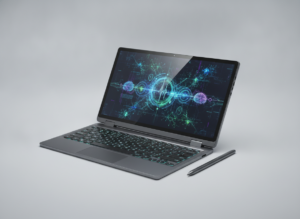
| Creator / local AI developer | Asus ProArt P16 or Surface Laptop Ultra | Nvidia RTX Spark N1X | x86 emulation for legacy apps |
| Native x86 gamer | ASUS ROG Strix SCAR 18 or MSI Titan 18 HX | GeForce RTX 5090 | Weight, heat, short battery runtime |
| Budget / value hunter | Clearance 2025 Lunar Lake ultraportable | Intel Core Ultra Series 2 | Last-generation performance ceiling |
What Nvidia RTX Spark Actually Is: Grace-Blackwell on Windows
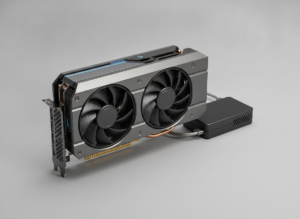
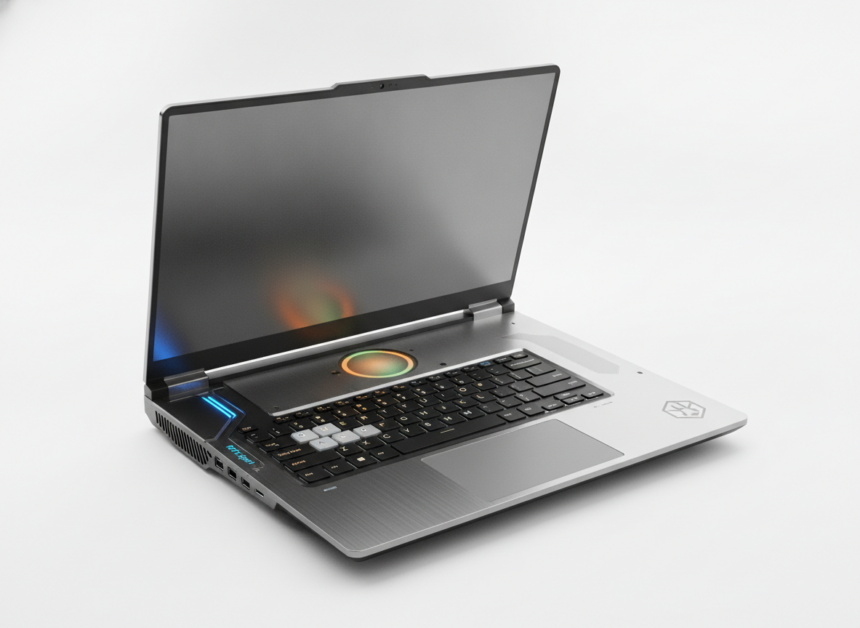
RTX Spark is Nvidia’s ARM-based Windows laptop platform built on the N1X superchip, which pairs a custom 20-core ARM CPU developed in partnership with MediaTek on Grace architecture with a next-generation Blackwell RTX GPU. Both processors share a single unified memory pool. Nvidia built it because Apple’s unified memory design removed the CPU-to-GPU data copy penalty, and Windows had no comparable answer until this fall.
The specifications translate directly into capability. Up to 128GB of LPDDR5X at 300GB/s of bandwidth matters because it lets a 35-billion-parameter model such as Qwen 3.6 sit entirely in memory, which means token generation runs locally at usable rates instead of through a metered API. Research on model quantization and memory footprints published through arXiv explains the underlying constraint: inference speed is bounded by memory capacity and bandwidth long before it is bounded by raw compute, therefore the 300GB/s figure is the specification that actually determines the experience. Stanford HAI’s research on the shift toward smaller, locally deployable models identifies the demand driver — capable open models now fit on consumer hardware, consequently on-device inference became a mainstream purchasing criterion rather than a research curiosity. The 6,144 CUDA cores configurable from 45W to 80W explain why thin creator chassis can carry the chip at all, and the up-to-1-petaflop FP4 number is an AI throughput ceiling, not a gaming figure. That distinction is where most buyers misread the platform.
| Specification | Top-tier N1X | Lower-tier N1X |
|---|---|---|
| CPU cores and architecture | 20-core ARM (Grace, with MediaTek) | 20-core ARM (Grace, with MediaTek) |
| GPU CUDA cores | 6,144 | 5,120 |
| Configurable TGP (watts) | 45W–80W | Not stated |
| Maximum unified memory | Up to 128GB LPDDR5X | Not stated |
| Memory bandwidth | 300 GB/s | Not stated |
| Peak FP4 AI performance | Up to 1 petaflop | Not stated |
| Upscaling / frame generation | DLSS 5, Multi-Frame Generation 3x | DLSS 5, Multi-Frame Generation 3x |
Launch models include the Asus ProArt P14 and P16, the HP OmniBook Ultra 16 and the Microsoft Surface Laptop Ultra, with Dell, Lenovo and MSI also shipping hardware. That breadth matters commercially: Nvidia secured the OEM support on day one that Qualcomm needed two generations to assemble, which is why RTX Spark arrived as a credible platform rather than a niche experiment. Treat the headline AI numbers with care, though — NIST’s artificial intelligence standards and evaluation work documents the absence of standardized on-device inference benchmarking, therefore vendor performance claims represent ceilings under favorable conditions rather than typical results. For architectural context on the Blackwell GPU side, see our hands-on RTX 5080 review.
Raw capability is not the same as usable capability. The next two sections separate the two.
The ARM Battery Kings: Apple M5, Snapdragon X2 Elite and the x86 Counter-Attack
ARM silicon still leads on efficiency, but the gap narrowed sharply during 2026. Apple’s M5, M5 Pro and M5 Max dominate the premium ultraportable and professional segments, and reviewers describe the 16-inch MacBook Pro with M5 Max as delivering power, portability and endurance simultaneously. That happens because unified memory and a leading-edge process node remove two separate power penalties at once: data movement cost and switching cost, resulting in high sustained performance at wattages that would throttle older designs.
Qualcomm’s position is strong but conditional. Snapdragon X2 Elite and X2 Plus power a new wave of Windows on ARM devices including the ASUS Zenbook A14, and efficiency is excellent. Legacy x86 software compatibility remains the standing caveat, therefore these machines suit cloud-and-browser workflows far better than entrenched professional toolchains built on decade-old x86 plug-ins.
The x86 counter-attack is the real story of this generation. Intel’s Core Ultra Series 3 (Panther Lake) and AMD’s Ryzen AI 9 HX 370 (Gorgon Point) closed most of the efficiency gap, driven by packaging and process advances of the kind documented across NSF-funded semiconductor and materials research rather than by CPU architecture alone. PCMag named the 14-inch HP OmniBook 5 with OLED the best Windows laptop for most people, citing roughly 34 hours of tested battery life. That result matters because it removes battery life as a reason to accept emulation risk. One caveat applies to every figure here: battery research from the MIT Energy Initiative shows lithium-ion capacity declining measurably with charge cycles, which means year-three endurance — not launch-day testing — is the number that shapes ownership. Our explainer on why charge habits shape battery lifespan covers the mechanism in detail.
| Platform | Architecture | Flagship machine | Battery standing | Compatibility risk |
|---|---|---|---|---|
| Apple M5 / M5 Pro / M5 Max | ARM | 16-inch MacBook Pro (M5 Max) | Premium-tier leader | Low within macOS |
| Snapdragon X2 Elite / X2 Plus | ARM | ASUS Zenbook A14 | Exceptionally efficient | Moderate — legacy x86 |
| Intel Core Ultra Series 3 (Panther Lake) | x86 | HP OmniBook 5 14″ OLED | ~34 hours tested (PCMag) | Minimal |
| AMD Ryzen AI 9 HX 370 (Gorgon Point) | x86 | Not stated | Large efficiency gains | Minimal |
| Nvidia RTX Spark N1X | ARM | Microsoft Surface Laptop Ultra | Not independently stated | Moderate — legacy x86 |
The judgment: for buyers whose software is mainstream, ARM is the stronger long-term bet because efficiency compounds over years of ownership. For buyers with legacy dependencies, 2026 x86 silicon now sits close enough on battery that paying a compatibility premium no longer makes financial sense.
Where RTX Spark Breaks: x86 Emulation, Gaming and Anti-Cheat
RTX Spark gaming performance depends entirely on whether a title runs natively on ARM64 or through emulation. Synthetic benchmarks show the platform’s native ARM graphics outpacing a 90W mobile RTX 5070, yet real-world gaming is inconsistent because x86 emulation imposes a CPU translation cost the GPU cannot recover. Native ARM titles such as Marvel Rivals run cleanly. Emulated AAA games including Cyberpunk 2077 and Gears of War: E-Day lean on DLSS 5 and Multi-Frame Generation 3x to hold smooth 1200p and QHD frame rates, which means you are buying frame generation as a dependency rather than as a bonus.
The mechanism lets you predict your own case. Emulation overhead scales with CPU-bound work, therefore simulation games, heavy modding and older engines suffer most, while GPU-bound rendering and inference suffer least. Peer-reviewed work on instruction-set translation published in the European Journal of Engineering and Computer Sciences describes why binary translation penalties concentrate in branch-heavy, latency-sensitive code paths, and pre-print analysis available through arXiv reaches a consistent conclusion for cross-architecture execution. Kernel-level anti-cheat is the hardest unresolved category because it requires vendor-side ARM64 builds rather than emulation, resulting in titles that refuse to launch at all. Our gaming news and reviews coverage tracks title-by-title compatibility as developers ship ports.
What Works, What Struggles and What Fails on RTX Spark
- Runs excellently: native ARM64 titles such as Marvel Rivals, and local LLM inference up to 35B parameters held in unified memory
- Runs well with assistance: emulated AAA games at 1200p–QHD when DLSS 5 and Multi-Frame Generation 3x are enabled
- Runs unevenly: CPU-bound simulation, strategy and heavily modded games, where emulation overhead is highest
- Often fails outright: competitive titles using kernel-level anti-cheat without an ARM64 build
- Unverified: niche professional x86 plug-ins, legacy drivers and hardware dongles with no ARM64 support
The practical instruction is simple. List your five most-used applications, check each for a native ARM64 build before you purchase, and treat anything unverified as a planned loss rather than a gamble you expect to win.
If You Want Pure Gaming Performance: RTX 5000 Series Laptops
Gamers who want zero compatibility risk should buy an x86 laptop with a Blackwell GeForce RTX 5000 GPU. If your library is x86 and your tolerance for troubleshooting is zero, this is the straightforward purchase. The Blackwell discrete range spans the RTX 5060 through the flagship RTX 5090 with fifth-generation Tensor cores and DLSS 4/5 support, and flagship machines including the MSI Titan 18 HX and ASUS ROG Strix SCAR 18 lead the enthusiast segment because they pair full-power GPUs with cooling capable of sustaining clocks under extended load. The consequence is physical: that performance arrives with weight, heat and a substantial power brick, therefore these are desktop replacements rather than travel laptops, and buyers who need both mobility and frames will compromise on one.
Two ownership issues deserve attention before you commit. Sustained power draw determines real performance more than the GPU name does, which is the point behind our analysis of how many watts the RTX 5080 really needs. Cable and connector handling on high-wattage Blackwell hardware also warrants care, as the RTX 5090 power connector issues we documented illustrate.
Checklist Before Buying an RTX 5000 Gaming Laptop
Everything You Need to Know About the Nintendo Switch 2
- Confirm the GPU’s total graphics power rating, not just the model number — identical GPUs ship at very different wattages
- Check sustained clock behavior in independent thermal testing rather than peak boost figures
- Verify display resolution and refresh rate match the GPU tier you are paying for
- Budget for the weight and charger size if the machine will travel
- Confirm RAM and SSD are user-upgradeable, because soldered memory fixes your ceiling on day one
The Wait-or-Buy Question: Why October 2026 Favors Buying
Which Laptop Should You Actually Buy Right Now? RTX Spark, ARM Battery Kings, and the Wait-or-Buy Question ends with a timing verdict: buy now. The back-to-school cycle has passed, early Black Friday and Cyber Monday 2026 discounts are already appearing, and every significant architecture of this generation — Apple M5, Intel Panther Lake, AMD Gorgon Point, Nvidia RTX Spark and GeForce RTX 5000 — is on shelves as of late October 2026. No comparable hardware leap is scheduled within the next three to four months. As a result, waiting buys you price movement rather than capability, and laptops depreciate steadily while you wait. Independent test-lab certification practice, as described by compliance specialists such as Micom Labs, also explains why newly launched platforms reach retail with wireless and firmware compliance already fixed, which means post-launch improvements arrive through software updates rather than hardware revisions you would need to wait for.
The counter-case is real and worth stating honestly. Wait if you depend on niche x86 software or legacy games, because first-generation RTX Spark and Snapdragon X2 machines carry genuine compatibility exposure until developers ship ARM64 ports. Wait also if your budget is tight, because clearance pricing on 2025 Intel Lunar Lake models delivers strong battery life and 16GB or more of RAM for materially less money, which means the value-per-dollar argument currently favors last-generation x86 for mainstream users. Our ongoing Tech Trends and Innovations coverage tracks how quickly those ports land.
The rule that resolves most cases: replace a machine that is actively limiting your work, and do not replace one that is merely older than you would like.
The Wait-or-Buy Decision, Step by Step
- Diagnose the actual failure: is your current laptop slow, out of storage, out of battery capacity, or out of security support?
- List your five most-used applications and confirm whether each has a native ARM64 build.
- Pick the architecture that matches that answer — ARM if everything is native, x86 if anything critical is not.
- Set your real budget ceiling, then compare it against clearance 2025 Lunar Lake pricing before shopping new silicon.
- Track the specific configuration you want for two to three weeks through the Black Friday 2026 window rather than buying the first listing.
- Buy when the configuration you chose hits your price, and stop re-evaluating the architecture.
Limitations of This Analysis and the Alternatives We Did Not Pick
RTX Spark laptops launched only weeks ago, therefore long-term reliability, driver maturity and thermal behavior across months of use are unknown, and first-generation platforms historically improve substantially through firmware updates rather than arriving finished. Battery figures quoted by manufacturers and by reviewers come from differing test methodologies, which means they are not directly comparable across outlets; NIST’s AI evaluation work similarly documents the lack of standardized on-device inference benchmarking, so AI throughput comparisons between platforms carry the same caveat. Prices quoted during a promotional period change weekly.
Several alternatives did not make our recommendations, and the reasons are specific. Chromebook Plus machines suit purely browser-based users at lower cost. Refurbished M3 and M4 MacBooks make sense where budget outweighs performance headroom. Desktop builds win on price-per-frame where mobility is unnecessary. Each is defensible for a narrower buyer, consequently readers whose needs match those profiles should treat our main recommendations as inapplicable rather than wrong. Consistent with the Society of Professional Journalists’ ethical standards, we note that figures here derive from published specifications and independently published reviewer testing, not from vendor-supplied private data.
Frequently Asked Questions
Which laptop should you actually buy right now if you only read one line?
For most people, the MacBook Air M5. It combines the strongest efficiency per watt with full compatibility for mainstream applications, which means you get long battery life without emulation risk. Windows users who want the same endurance should look at a Panther Lake machine such as the 14-inch HP OmniBook 5 OLED. Choose RTX Spark instead only if local AI or creator workloads drive your purchase.
What is the Nvidia RTX Spark N1X superchip?
RTX Spark is Nvidia’s ARM-based laptop platform built on the N1X superchip, pairing a custom 20-core Grace-architecture ARM CPU developed with MediaTek and a Blackwell RTX GPU. Both share up to 128GB of LPDDR5X unified memory at 300GB/s bandwidth. Because CPU and GPU access one memory pool, large language models up to roughly 35B parameters run locally, which is the platform’s core advantage over discrete-GPU designs.
Can RTX Spark laptops play AAA games properly?
Yes for native ARM64 titles, inconsistently for emulated ones. Games built natively for ARM, such as Marvel Rivals, run smoothly. Emulated AAA titles including Cyberpunk 2077 and Gears of War: E-Day depend on DLSS 5 and Multi-Frame Generation 3x to sustain 1200p and QHD frame rates, because x86 translation adds CPU overhead the GPU cannot offset. Titles using kernel-level anti-cheat often refuse to launch without a vendor ARM64 build.
Which 2026 laptop has the best battery life?
Apple’s M5 MacBook family leads the premium tier, while the 14-inch HP OmniBook 5 OLED leads Windows with roughly 34 hours in PCMag testing. Qualcomm’s Snapdragon X2 Elite machines such as the ASUS Zenbook A14 are also exceptionally efficient. Test methodologies differ between reviewers, therefore compare results from one outlet rather than across outlets, and expect rated runtime to fall as cells age.
Should I wait for the next generation of laptops in 2027?
No, unless your software depends on legacy x86 tools. Every major 2026 architecture already ships — Apple M5, Intel Panther Lake, AMD Gorgon Point, Nvidia RTX Spark and GeForce RTX 5000 — so no comparable hardware leap arrives within three to four months. Waiting therefore buys discounts rather than capability. Buyers with niche x86 dependencies should wait for ARM64 ports or buy clearance 2025 Lunar Lake hardware.
Is Windows on ARM still a compatibility risk in late 2026?
This Is Why Photoshop Isn’t Your Only Option Anymore
Yes, but a narrower one than a year ago. Mainstream productivity, browser and creative applications now ship native ARM64 builds, which means most users notice nothing. Risk concentrates in three categories: kernel-level anti-cheat games, legacy hardware drivers and dongles, and niche professional plug-ins. Audit your five most critical applications before buying, because emulation performance is unpredictable and no vendor promises parity with x86.
Conclusion
Which Laptop Should You Actually Buy Right Now? RTX Spark, ARM Battery Kings, and the Wait-or-Buy Question comes down to a single instruction: buy now, and choose by workload rather than by headline. Pick RTX Spark if unified-memory creator work and local inference drive your purchase, because 128GB at 300GB/s is what lets a 35B-parameter model run on your desk. Pick an Apple M5 MacBook or a Panther Lake ultraportable if endurance matters most, because 2026 efficiency gains made multi-day runtime routine on both sides of the architecture divide. Pick a GeForce RTX 5000 laptop if your game library is x86, because emulation overhead is a cost you do not need to absorb.
Choose the configuration first, then track it through the Black Friday 2026 window — the architecture decision follows you for years, while the price only lasts until the next promotion.
Read more from The Tech ABC’s hardware coverage in Tech Trends and Innovations.
References
- National Institute of Standards and Technology (NIST) — Artificial Intelligence: https://www.nist.gov/artificial-intelligence
- arXiv — pre-print research on model quantization, memory footprints and instruction-set translation: https://arxiv.org/
- MIT Energy Initiative — lithium-ion battery degradation and cycle-life research: https://energy.mit.edu/
- National Science Foundation (NSF) — semiconductor and materials research: https://www.nsf.gov/
- European Journal of Engineering and Computer Sciences — binary translation and emulation overhead: https://www.ejecs.org/
- Micom Labs — independent compliance and certification testing practice: https://micomlabs.com/
- Stanford Institute for Human-Centered Artificial Intelligence (HAI) — locally deployable model research: https://hai.stanford.edu/
- Society of Professional Journalists — Code of Ethics: https://www.spj.org/