
Table of Contents
- Quick Picks: Our Top Work Laptops for 2026 at a Glance
- What Actually Changed in 2026: 40-TOPS NPUs, 26-Hour Batteries and the RAM Squeeze
- What a 40+ TOPS NPU Actually Does on a Work Laptop
- Best Laptops for Work by Budget: $599 to $3,599
- Under $700: Apple MacBook Neo (A18 Pro)
- $900–$1,300: HP OmniBook 5 16 (2026)
- $1,500–$2,200: Lenovo ThinkPad X1 Carbon Gen 14 Aura Edition and Dell Pro 7 Series 14
- Above $2,500: Asus ExpertBook Ultra ($3,599)
- Best Laptops for Work by Job: Developers, Creatives, Road Warriors and Admin Roles
- Developers and Data Workers: Memory Is the Constraint
- Creative Professionals: Panel Accuracy Over Core Count
- Road Warriors: Runtime per Pound
- Admin, Finance and Front-Office Roles: Do Not Overbuy
- How to Choose a Work Laptop in 2026: The Spec Floor That Matters
- Five Steps to Pick Your Work Laptop
- Why a $1,800 Business Laptop Costs Less Than a $1,200 Consumer One
- Frequently Asked Questions
- Limitations of These Picks and When to Choose Something Else
- Conclusion
- References
- Related Reading
Key Takeaway: The best laptop for work in 2026 is the Lenovo ThinkPad X1 Carbon Gen 14 Aura Edition for most professionals, because it pairs a Panther Lake Core Ultra chip and a 2.8K OLED panel with a repairable “Space Frame” chassis. Pick the Dell Pro 7 Series 14 for battery and raw speed (PCMark 10 overall score of 8,438, over 26 hours unplugged), the MacBook Air 13 (M5) for macOS users, and the $599 MacBook Neo on a tight budget. One rule above all: skip every 8GB configuration.
Two things changed the work-laptop calculation in 2026. Neural Processing Units rated at 40 or more TOPS became standard across business machines, and battery runtimes broke their previous ceiling — which means a 2023 work laptop is now measurably behind on both counts. Anyone shopping for the best laptop for work in 2026 is choosing between four silicon families that did not exist in this form two years ago: Intel’s Core Ultra Series 2 (Lunar Lake and Panther Lake), AMD’s Ryzen AI 300 series, Qualcomm’s Snapdragon X Elite and X Plus, and Apple’s M5. Pushing against that progress is a late-2026 memory price squeeze, driven by AI data-center demand, that has returned 8GB base configurations to shelves. This guide gives you picks by budget tier, picks by job role, a hard spec floor, and the three-year cost math that justifies paying more upfront.
About the Author: This guide was researched and written by The Tech ABC editorial team, which covers laptops, components and consumer hardware with a buyer-first, comparison-driven approach. Recommendations are built from published lab testing and expert reviews from PCMag, TechRadar, RTINGS and Storage Review, cross-checked against vendor specifications.
Transparency: No manufacturer paid for placement in this article, and no vendor reviewed it before publication. Prices are starting configurations as reported in late 2026 and shift with memory and panel costs. See our editorial disclaimer for the full policy.
Quick Picks: Our Top Work Laptops for 2026 at a Glance
The best laptop for work in 2026 for most professionals is the Lenovo ThinkPad X1 Carbon Gen 14 Aura Edition, because it combines a class-leading keyboard and portable build with Panther Lake Core Ultra silicon and a new Space Frame design that raises user repairability — and repairability directly lowers long-term service cost. The table below maps each named category to a named model so you can skip the reasoning if you already know your constraint.
| Category | Model | Chip | Battery (tested) | Weight | Price from |
|---|---|---|---|---|---|
| Best overall | Lenovo ThinkPad X1 Carbon Gen 14 Aura | Core Ultra (Panther Lake) | Not stated | Not stated | Not stated |
| Best battery + performance | Dell Pro 7 Series 14 (Intel) | Core Ultra 7 366H | 26+ hours | 2.80 lbs | Not stated |
| Best for macOS and creative work | Apple MacBook Air 13 (M5) | Apple M5 | Not stated | Not stated | Not stated |
| Best premium executive ultralight | Asus ExpertBook Ultra | Not stated | Not stated | Not stated | ~$3,599 |
| Best ARM Windows laptop | HP EliteBook 6 G1q | Snapdragon X Plus, 45 TOPS | 19.5+ hours | 3.17 lbs | Not stated |
| Best budget pick | Apple MacBook Neo (A18 Pro) | Apple A18 Pro | Not stated | Not stated | $599 |
| Best mid-range big screen | HP OmniBook 5 16 (2026) | Not stated | Long (RTINGS) | Not stated | Not stated |
Everything You Need to Know About the Nintendo Switch 2
These picks were separated on four measured dimensions rather than feature counts: sustained performance under load, tested battery runtime, weight, and price per useful configuration — meaning 16GB of RAM as the floor. Those four decide whether a machine survives a standard three-year refresh cycle, because a laptop that throttles, dies at lunchtime, stays on the desk or runs out of memory in year two gets replaced early, and early replacement is where budgets actually break.
What Actually Changed in 2026: 40-TOPS NPUs, 26-Hour Batteries and the RAM Squeeze
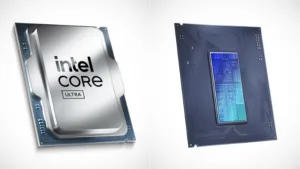
On-device AI became the baseline, not the upsell. NPUs rated at 40+ TOPS now ship as standard across Intel Core Ultra Series 2, AMD Ryzen AI 300 and Qualcomm Snapdragon X Elite/Plus parts, which means live transcription, video summarization, Microsoft Recall and Studio Effects run locally instead of making a cloud round trip. For regulated industries the consequence is governance, not speed: local inference keeps the input data on the endpoint, therefore reducing the exposure surface that a cloud-processed meeting transcript creates. The AI standards and trustworthy-AI work published by the National Institute of Standards and Technology frames exactly this kind of design decision, and analysis from the Stanford Institute for Human-Centered Artificial Intelligence tracks the broader movement of inference toward the edge. Peer-reviewed work on heterogeneous computing in outlets such as the European Journal of Engineering and Computer Sciences explains the mechanism — scheduling a fixed workload onto a dedicated accelerator reduces total system power draw compared with running it on general-purpose cores.
What a 40+ TOPS NPU Actually Does on a Work Laptop
- Live meeting transcription and summarization without a cloud round trip
- Background blur, eye contact correction and noise suppression at near-zero CPU cost
- Local small-model assistants and search, including Microsoft Recall on Copilot+ hardware
- On-device image cleanup and generative fill inside creative applications
- Longer runtime on video calls, because the NPU handles effects the CPU used to brute-force
Battery life broke its ceiling this year. In October 2026 lab testing, Storage Review measured the Dell Pro 5 14 Intel, built around the Core Ultra X7 368H, at 26 hours and 48 minutes — the longest runtime that lab has recorded. The cause is competitive pressure rather than a single invention: ARM-class efficiency from Snapdragon parts forced x86 vendors into a power redesign, and the result is x86 machines that now clear a full working day twice over. Research on cell chemistry and energy density from the MIT Energy Initiative also explains the other half of the story, which buyers consistently forget — capacity degrades across an ownership window, so a laptop you keep for three years will not hold its launch figure, for much the same reasons charging habits shorten battery lifespan on a phone.
RAM got expensive, and vendors responded badly. Global demand for AI data-center memory drove prices up through late 2026, and as a result several manufacturers reverted to 8GB base configurations to hold headline prices steady. Memory supply responds slowly to demand shocks because fabrication capacity takes years to add — a dynamic visible in the semiconductor and materials research funded through the National Science Foundation — therefore the squeeze persisted rather than correcting within a quarter. The decisive position: an 8GB work laptop bought in 2026 is a false economy, because a browser session plus Teams plus any local AI feature already exceeds that allocation before you open a spreadsheet.
Best Laptops for Work by Budget: $599 to $3,599
The best laptop for work in 2026 at your price point depends on a tier logic that shifted this year. The $599–$900 band now buys a genuinely good machine because Apple pushed the MacBook Neo into it. The $1,000–$1,500 band is where 16GB and a bright OLED or high-resolution IPS panel become affordable together. Above $2,500, you are paying for weight, materials and vPro manageability rather than proportional speed.
| Price band | Typical chip class | RAM / storage | Display | Trade-off accepted |
|---|---|---|---|---|
| Under $700 | Apple A18 Pro class | 8GB / base SSD | Bright, non-touch | 8GB ceiling, no backlit keyboard |
| $900–$1,300 | Mid-range Core Ultra / Ryzen AI | 16GB / 512GB SSD | Large 16-inch panel | Heavier chassis, fewer premium materials |
| $1,500–$2,200 | Core Ultra 7 (Panther Lake class) | 16–64GB / 512GB+ | Up to 2.8K OLED | Price, not performance |
| Above $2,500 | Class-leading Windows silicon | 16GB+ / 512GB+ | OLED touchscreen | Pays for thinness and materials |
Under $700: Apple MacBook Neo (A18 Pro)
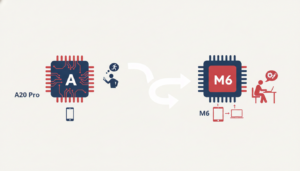
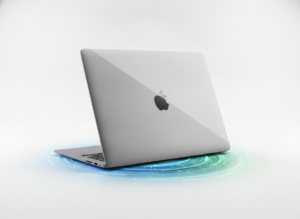
Buy the MacBook Neo if your work is cloud apps, documents and email. It starts at $599 — $499 with education pricing — and Apple disrupted the budget tier with it because the chassis is all metal, the display is bright and the trackpad is a custom mechanical unit, specifications no sub-$600 Windows machine matches on build or screen quality. Two compromises are real and worth stating plainly: there is no backlit keyboard, and it ships with 8GB of RAM. That memory ceiling caps it for heavy multitasking, which means it suits light knowledge work rather than a 40-tab-plus-conferencing day.
$900–$1,300: HP OmniBook 5 16 (2026)
Buy the HP OmniBook 5 16 if you work mostly at a desk and want screen area per dollar. RTINGS named it their mid-range pick for 2026 on the strength of its large 16-inch display, comfortable keyboard and long runtime. The cause of that value is physical: a bigger chassis permits a bigger battery cell and more thermal headroom, which means sustained performance holds up through an eight-hour workday instead of throttling after twenty minutes. Specify it carefully — 16GB of RAM minimum and a 512GB SSD — because the base configuration is where the 2026 memory squeeze does its damage.
$1,500–$2,200: Lenovo ThinkPad X1 Carbon Gen 14 Aura Edition and Dell Pro 7 Series 14
Buy in this band if you want a machine that still feels current in year three. The ThinkPad X1 Carbon Gen 14 Aura Edition runs Panther Lake Core Ultra silicon with up to a 2.8K OLED panel, and its new Space Frame construction pushes user repairability forward, which lowers the cost of a third-year service event rather than forcing a replacement. The Dell Pro 7 Series 14 takes a different route: a Core Ultra 7 366H, up to 64GB of RAM, vPro manageability, and the highest PCMark 10 overall score among business laptops tested in late 2026 at 8,438 — delivered at 2.80 pounds with over 26 hours of runtime. The split decision is clean. Choose the X1 Carbon for typing quality and serviceability; choose the Dell Pro 7 for raw throughput and travel endurance.
Above $2,500: Asus ExpertBook Ultra ($3,599)
Buy the Asus ExpertBook Ultra if your laptop is part of how you present to clients. PCMag rated it Outstanding in October 2026, citing a super-slim design, class-leading Windows performance and a gorgeous OLED touchscreen — reviewers described it as among the finest business ultralights they have tested. The honest value judgement: at roughly $3,599 the premium buys materials, thinness and panel quality rather than proportional speed, since the $1,500–$2,200 tier already delivers most of the performance. That makes it a defensible purchase for client-facing executives and difficult to justify for almost anyone else.
Best Laptops for Work by Job: Developers, Creatives, Road Warriors and Admin Roles
Map the role to the machine: developers and local-LLM users want the MacBook Pro M5 or a 32GB Dell Pro 7 Series 14, creatives want the MacBook Air 13 (M5) or an OLED ExpertBook, travelling consultants and salespeople want the HP EliteBook 6 G1q, and document-and-browser office roles are well served by the HP OmniBook 5 16 or the MacBook Neo. The reasoning differs by role because the binding constraint differs — memory, panel, weight or nothing at all.
Developers and Data Workers: Memory Is the Constraint
Buy 32GB minimum, and 64GB if you run models locally. Apple’s M5 silicon outperforms some discrete GPU setups in local LLM and video rendering tasks because unified memory holds model weights in a single shared pool, which removes the copy penalty of shuttling data across PCIe between system RAM and VRAM. Research on quantization and model memory footprints published through arXiv explains why the allocation figure, not the core count, determines which models you can actually load — a point we return to often in our AI coverage.
Creative Professionals: Panel Accuracy Over Core Count
Prioritise the display. An accurate, bright OLED or high-resolution IPS panel changes delivered output quality more than two extra CPU cores, because colour decisions made on an inaccurate screen propagate into every export. The second shift is where the work runs: NPU-accelerated features in the AI editing tools that are replacing Photoshop workflows now offload tasks that previously hammered the GPU, which is why a 2026 ultraportable handles edits that once demanded a desktop card drawing the kind of wattage we measured in how much power the RTX 5080 really draws.
Road Warriors: Runtime per Pound
Buy the HP EliteBook 6 G1q if you live in airports. Its Snapdragon X Plus chip with a 45 TOPS NPU and 32GB of RAM delivers over 19.5 hours of runtime at 3.17 pounds, which is the strongest runtime-per-pound ratio among ARM Windows machines. For anyone who needs full x86 compatibility, the Dell Pro 7 Series 14 is the alternative at 2.80 pounds and 26-plus hours. One ARM caveat deserves honesty rather than burial: a residual set of legacy Windows utilities and drivers still runs under emulation, resulting in uneven performance on those specific tools.
Admin, Finance and Front-Office Roles: Do Not Overbuy
Stop at a mid-range processor with 16GB of RAM. ASUS’s own 2026 buying guidance makes the point that even entry-range Windows laptops now include basic AI features out of the box, and a mid-range chip with 16GB handles business applications, cloud software and heavy browser use without strain. Spending above roughly $1,300 for these roles therefore returns nothing measurable on the desk. Put the saved budget into a second monitor and a dock, because screen area improves throughput in spreadsheet work more reliably than silicon does.
How to Choose a Work Laptop in 2026: The Spec Floor That Matters
Choosing the best laptop for work in 2026 starts with a hard floor rather than a brand: a current-generation Core Ultra, Ryzen AI or Apple M-series chip, 16GB of RAM as an absolute minimum, 512GB of NVMe storage, and a display rated at 300 nits or brighter. Anything below that floor falls behind inside the three-year window, therefore it costs more per usable year even when the sticker looks cheaper.
Five Steps to Pick Your Work Laptop
- Define the heaviest task you run weekly, not daily — thermals and RAM are sized by the peak.
- Set the RAM figure before the budget: 16GB for office work, 32GB for development or editing, 64GB for local models.
- Pick the chip family from that: Core Ultra or Ryzen AI for Windows compatibility, Snapdragon X for maximum runtime, Apple M5 for macOS.
- Choose screen size and panel by where you work — a 14-inch OLED for travel, 16 inches for a fixed desk.
- Check manageability and repair last: vPro, firmware update cadence and parts availability decide the third year of ownership.
| Type of work | Minimum chip | RAM | Storage | NPU needed? |
|---|---|---|---|---|
| Documents, email, browser, cloud apps | Mid-range Core Ultra / Ryzen AI | 16GB | 512GB NVMe | Helpful, not required |
| Spreadsheet and finance modelling | Mid-range Core Ultra / Ryzen AI | 16GB | 512GB NVMe | Helpful, not required |
| Software development and virtualization | Core Ultra 7 / Ryzen AI / Apple M5 | 32GB | 512GB+ NVMe | Yes, for AI tooling |
| Photo and video editing | Core Ultra 7 / Apple M5 | 32GB | 512GB+ NVMe | Yes |
| Local LLM and on-device AI work | Core Ultra 7 / Apple M5 | 64GB | 512GB+ NVMe | Yes, 40+ TOPS |
Refuse three things outright in 2026: Celeron, Pentium and Intel N100 class chips; anything older than 12th-generation Intel or Ryzen 5000, which reviewers treat as the bare minimum rather than a target; and 8GB configurations regardless of brand. The cause of their reappearance is pricing optics created by the memory squeeze, not any improvement in adequacy. Weight tested figures above marketing numbers wherever you can — accredited test houses such as Micom Labs exist precisely because vendor performance and compliance claims require independent validation.
Why a $1,800 Business Laptop Costs Less Than a $1,200 Consumer One
A $1,800 business laptop with a 2% three-year failure rate costs less over those three years than a $1,200 consumer laptop with a 15% failure rate, and the mechanism is straightforward arithmetic rather than brand loyalty. Each failure consumes three separate budgets: IT labour to diagnose, re-image and dispatch; employee downtime while the machine is away; and in many cases a replacement unit bought at full price. At a 15% failure rate, roughly one machine in seven triggers that chain, which means the $600 saved at purchase is spent several times over by the back half of the ownership period.
| Factor | Business laptop | Consumer laptop |
|---|---|---|
| Upfront price | $1,800 | $1,200 |
| 3-year failure rate | 2% | 15% |
| Warranty and on-site service | Typically included | Typically limited |
| Remote manageability (vPro / equivalent) | Yes | Generally no |
| Effective 3-year cost direction | Lower | Higher |
The non-financial consequences compound the same way. Longer firmware update cadence, vPro remote remediation and extended parts availability reduce security exposure, which matters because the endpoint guidance published by the Cybersecurity and Infrastructure Security Agency assumes devices that can actually be patched and managed at scale. Repairable designs extend that logic to the chassis — the ThinkPad Space Frame approach exists so a failed component becomes a service event rather than a write-off.
Frequently Asked Questions
What is the best laptop for work in 2026 overall?
The Lenovo ThinkPad X1 Carbon Gen 14 Aura Edition. It wins because Panther Lake Core Ultra performance, an optional 2.8K OLED panel and the repairable Space Frame chassis combine to lower third-year service cost rather than just topping a benchmark chart. If you prioritise battery runtime and raw throughput instead, the Dell Pro 7 Series 14 is the alternative, with a PCMark 10 overall score of 8,438 and over 26 hours unplugged.
How much RAM do I need in a work laptop in 2026?
16GB minimum, 32GB for development or editing, 64GB for local AI models. The 8GB resurgence happened because AI data-center demand raised memory prices through late 2026, therefore vendors trimmed base configurations to protect headline pricing. That is a marketing response, not a technical one. Buying 8GB in 2026 shortens the useful life of the machine, because current business software assumes more headroom than it did in 2023.
Is a Copilot+ AI PC with an NPU actually worth paying for?
Yes for anyone doing video calls, transcription or on-device AI work; marginal for pure document and browser roles. A 40+ TOPS NPU runs effects and summarization locally, which frees the CPU and cuts cloud dependency. For regulated industries the privacy consequence is the real argument, since data processed on the endpoint never leaves it — a design consideration reflected in NIST’s AI standards work.
Which work laptop has the longest battery life in 2026?
The Dell Pro 5 14 Intel with the Core Ultra X7 368H, at 26 hours 48 minutes in Storage Review’s October 2026 lab test — the longest runtime that lab has recorded. The ARM alternative is the HP EliteBook 6 G1q at over 19.5 hours and 3.17 pounds. Expect lower real-world figures, because brightness and back-to-back video calls both draw substantially more power than a controlled test loop.
Should I buy a Windows laptop or a MacBook for work?
Windows if your employer runs vPro-class fleet management or Windows-only line-of-business software; a MacBook if your workflow is creative, developer-side or already inside Apple’s ecosystem. Apple wins specific tasks for a technical reason: unified memory removes the copy penalty in local LLM and render work, which is why the M5 MacBook Pro outpaces some discrete GPU setups. The $599 MacBook Neo is now the budget entry point into macOS.
Are ARM Windows laptops like the Snapdragon X Plus ready for business use?
Yes for mainstream office and browser work, with one caveat. The efficiency gain is measurable — the HP EliteBook 6 G1q delivers over 19.5 hours at 3.17 pounds with a 45 TOPS NPU. But a residual set of legacy Windows utilities and drivers still runs under emulation, resulting in uneven behaviour on those tools. Check your two most business-critical applications before switching platforms.
Which processors should I avoid in a 2026 work laptop?
Gaming News and Reviews – The Tech ABC
Avoid Celeron, Pentium and Intel N100 class chips entirely, and treat anything older than 12th-generation Intel or Ryzen 5000 as the absolute floor rather than a reasonable choice. These parts lack the NPU capability and memory bandwidth that 2026 business software assumes, which means they stutter under a normal browser-plus-conferencing load long before the warranty expires.
Limitations of These Picks and When to Choose Something Else
Pricing in this guide is less stable than usual. Memory and panel costs moved sharply through late 2026, therefore the price bands above shift faster than a typical model year — re-check the live configuration rather than trusting a launch MSRP. Benchmark scope is the second limit: PCMark 10 scores and lab battery runs are controlled tests, so a 26-hour result assumes fixed brightness and a fixed workload, which means your figure will be lower on a day of back-to-back video calls.
Fleet buyers should treat this differently. If you are specifying 50 or more units, manageability, imaging and parts contracts outweigh every performance figure here, so talk to the vendor’s commercial channel instead of reading a roundup. Workstation-class GPU work — 3D, simulation, large-scale rendering — also falls outside this guide and needs a mobile workstation or a desktop, for the reasons we set out in our RTX 5080 review. Linux users face a narrower field, because ARM Windows machines and Apple silicon both complicate installation; as a result an x86 ThinkPad or Dell Pro remains the safer choice. Finally, we do not yet have independent long-term reliability data on the 2026 MacBook Neo, because it is a first-generation product.
Conclusion
The best laptop for work in 2026 is the Lenovo ThinkPad X1 Carbon Gen 14 Aura Edition for most professionals, with the Dell Pro 7 Series 14, the MacBook Air 13 (M5) and the $599 MacBook Neo covering battery-first, macOS and budget cases respectively. Compress the decision into three moves: set the RAM figure before the budget, insist on a current-generation chip, and refuse every 8GB configuration — memory is what dates a machine fastest under 2026 workloads. Panther Lake and M5 configurations are shipping in volume now, which means late-2026 inventory pricing is the practical buying window rather than a reason to wait. For ongoing hardware trend analysis, keep reading The Tech ABC.
References
- National Institute of Standards and Technology — Artificial Intelligence: https://www.nist.gov/artificial-intelligence
- Cybersecurity and Infrastructure Security Agency (CISA): https://www.cisa.gov/
- MIT Energy Initiative: https://energy.mit.edu/
- arXiv: https://arxiv.org/
- Stanford Institute for Human-Centered Artificial Intelligence (HAI): https://hai.stanford.edu/
- Micom Labs: https://micomlabs.com/
- National Science Foundation: https://www.nsf.gov/
- European Journal of Engineering and Computer Sciences: https://www.ejecs.org/
- Storage Review — business laptop battery testing, October 2026: https://www.storagereview.com/
- PCMag — Asus ExpertBook Ultra review, October 2026: https://www.pcmag.com/
- RTINGS — The 6 Best Business Laptops of 2026: https://www.rtings.com/