
Table of Contents
- The Short Answer: The Memory Floor for Local Llama 4
- Why Mixture-of-Experts Breaks the Old VRAM Math
- Llama 4 VRAM Requirements by Model and Quantization
- Llama 4 Scout: The Only Realistic Consumer Target
- Llama 4 Maverick: A Server Model, Not a PC Model
- Unified Memory Versus Discrete GPUs: The 2026 Hardware Meta
- How to Check Your PC and Install Llama 4 Locally
- Step-by-Step: Verify Capacity and Run Llama 4 Scout
- Tiered Verdict: What Your Current Rig Can Actually Do
- Llama 4 Verdict by Memory Tier
- Frequently Asked Questions
- Limitations, Trade-Offs and Honest Alternatives
- Conclusion
- References
- Related Reading
Key Takeaway
>
Can Your PC Actually Run Llama 4? A Hardware Reality Check for Local AI starts with one number: total addressable memory. A mainstream gaming PC holding 8–24GB of VRAM will not run Llama 4 Scout at usable quality, because Scout’s Mixture-of-Experts design keeps all 109B parameters resident in memory even though only 17B are active per token. A 4-bit Q4_K_M build of Scout occupies roughly 65–73GB on disk and demands about 70–80GB of memory to run, which means the realistic entry points are a 128GB unified-memory machine (Mac Studio M4/M5 Max, AMD Strix Halo mini PC) or a multi-GPU rig of three 24GB cards or two 32GB cards.
The most expensive mistake in local AI during 2026 has been a sizing error, not a software error. Buyers read that Llama 4 Scout activates only 17B parameters per token, conclude that a 24GB graphics card is plenty, download 67GB of weights overnight, and watch the runtime throw an out-of-memory error before the first token appears. This guide is a blunt assessment of the question Can Your PC Actually Run Llama 4? A Hardware Reality Check for Local AI, written for people deciding whether to download or to buy.
You get the actual memory floors for each member of the Llama 4 family, file sizes for the quantized builds people genuinely run, a comparison of the 2026 hardware routes that clear those floors, the exact Ollama install path, and a tier-by-tier verdict. The analytical frame throughout is simple: memory capacity, not raw compute throughput, is the binding constraint, because Mixture-of-Experts routing decouples generation speed from memory footprint.
About the Author
>
Written by The Tech ABC Editorial Team, which covers self-built PCs, GPUs and consumer AI hardware with a buyer-first focus. Our remit is what a device does, what it costs, and who should buy it.
Transparency
>
All model specifications, file sizes and memory figures in this article reflect publicly reported Llama 4 deployment data as of November 2026. Hardware figures refer to named, shipping products. No vendor supplied review units or compensation for this article. See our disclaimer for editorial policy.
The Short Answer: The Memory Floor for Local Llama 4
Can Your PC Actually Run Llama 4? A Hardware Reality Check for Local AI produces a two-part answer: no for 8–24GB consumer GPUs at usable quality, and yes for 128GB unified-memory workstations and multi-GPU rigs. Running Llama 4 Scout locally requires roughly 70–80GB of VRAM or unified memory at 4-bit quantization. Everything below that threshold forces a compromise that changes what the model is.
That floor is a direct consequence of compression arithmetic. Quantization to 4-bit using the Q4_K_M scheme shrinks Scout’s 109B parameters into a GGUF file of approximately 65–73GB, and the KV cache that stores attention state for long prompts consumes additional memory on top of the weights. Therefore the practical floor sits above the file size rather than at it. Loading a 70GB file into exactly 70GB of memory leaves nothing for context, which means the model initializes and then fails the moment a prompt grows.
One exception deserves honest treatment. Ultra-aggressive 1.78-bit quantization from the Unsloth project squeezes Scout onto a single 24GB RTX 3090 or 4090, or a 32GB RTX 5090. The weights fit, the model generates text, and reasoning quality degrades sharply as a result of the compression error introduced at sub-2-bit precision. That configuration is a demonstration of what is possible, not a working setup for daily use.
Why Mixture-of-Experts Breaks the Old VRAM Math
Llama 4 arrived in April 2025 as an early-fusion natively multimodal family — text, image and video handled in a single model — built on a Mixture-of-Experts routing layer rather than the dense transformer stack that defined Llama 2 and Llama 3. That architectural switch is the entire reason the old rule of thumb, roughly half a gigabyte of VRAM per billion parameters at 4-bit, still holds mathematically while producing completely misleading purchase decisions.
In a Mixture-of-Experts model, active parameters determine inference speed while total parameters determine memory capacity requirements. A router network selects a small subset of expert sub-networks for each token, so Scout performs the compute of a 17B model and generates text at a comparable pace. However, the router is free to call a different expert on the very next token, which means every expert weight must already be resident in memory. The effect is asymmetric: compute requirements collapse, memory requirements do not. The sparse-expert literature indexed on arXiv has described this decoupling of per-token computation from total parameter count since the earliest large-scale MoE papers, and Llama 4 is the first time consumer buyers have had to price it.
Analyst commentary through 2026 — including write-ups from InsiderLLM in February 2026 and MillionMiner in July 2026 — identifies this as the defining hardware lesson of the year. Hardware sized for 17B active parameters cannot load the remaining ~92B inactive parameters, resulting in out-of-memory failures on GPUs that benchmark beautifully in games and in dense 14B models.
| Model | Total parameters | Active per token | Experts | Context window | Availability |
|---|---|---|---|---|---|
| Llama 4 Scout | 109B | 17B | 16 | 10M tokens | Public weights |
| Llama 4 Maverick | ~400B | 17B | 128 | 1M tokens | Public weights |
| Llama 4 Behemoth | ~2T | 288B | Not stated | Not stated | Internal to Meta, unreleased |
Everything You Need to Know About the Nintendo Switch 2
Context length compounds the problem. Scout’s 10-million-token window is a headline capability, and using any meaningful fraction of it expands the KV cache substantially. Therefore long-context work pushes total memory needs above the weight footprint alone, and the headroom you reserve above 70GB decides how long a document the machine can actually read.
Llama 4 VRAM Requirements by Model and Quantization
Quantization is the deciding variable for every local deployment. The published weights are far too large for consumer hardware at full precision, therefore every realistic home setup runs a compressed GGUF build, and the compression level sets both the memory bill and the quality ceiling simultaneously. Peer-reviewed work on model compression and quantization error, of the kind published in the European Journal of Engineering and Computer Sciences, indicates that accuracy loss accelerates as bit-width falls below roughly four bits — which is why Q4_K_M, rather than something smaller, became the community default.
| Build | Quantization | File size | Minimum memory | Clears it |
|---|---|---|---|---|
| Scout | Q4_K_M | 65–73GB | 70–80GB | 96GB RTX Pro 6000; 128GB unified memory; 3x 24GB GPUs |
| Scout | 1.78-bit (Unsloth) | ~25–33GB | 24–32GB | Single RTX 3090/4090/5090, degraded quality |
| Maverick | Q4_K_M | 243–245GB | 256GB+ | 8-GPU H100/H200 node; maxed Mac Studio |
| Behemoth | Unavailable | n/a | n/a | No public deployment path |
Llama 4 Scout: The Only Realistic Consumer Target
Scout at Q4_K_M is a 65–73GB download that needs roughly 70–80GB of working memory once a modest context cache is included. Three hardware routes clear that figure in 2026: a single 96GB NVIDIA RTX Pro 6000 workstation card, a 128GB unified-memory machine, or a multi-GPU rig combining three 24GB cards or two 32GB cards. Sizing to the file size alone produces a specific and frustrating failure mode — the model loads, short prompts work, and the first long document or extended conversation exhausts the remaining memory mid-generation. Consequently the useful number to plan around is 80GB, not 70GB.
Llama 4 Maverick: A Server Model, Not a PC Model
Maverick spreads ~400B total parameters across 128 experts, and its Q4_K_M build runs 243–245GB with a 256GB+ aggregate memory requirement. That translates to an eight-GPU H100 or H200 node, or a maxed-out unified-memory Mac Studio. No single-tower consumer PC available in 2026 clears it, and the barrier is the cost curve rather than the software: Ollama will happily pull Maverick, and your hardware will refuse to hold it. Home builders should treat Scout as the deployable member of the family.
Unified Memory Versus Discrete GPUs: The 2026 Hardware Meta
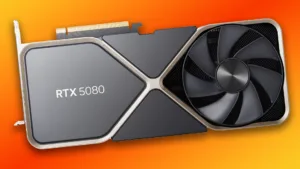
The cheapest configuration that runs Llama 4 Scout at Q4 in 2026 is a single 128GB unified-memory box — either an AMD Strix Halo mini PC or a Mac Studio with M4 Max or M5 Max silicon. That verdict follows from a structural ceiling rather than a preference: NVIDIA’s consumer line tops out at 32GB on the RTX 5090, therefore no single gaming GPU reaches Scout’s 70–80GB floor no matter how much compute throughput it delivers. The effect is a workload that inverts the usual hierarchy, where a slower chip with more addressable memory decisively beats a faster chip without it. Our RTX 5080 review covers how far that generation pushed gaming performance, and none of those gains help here.
Apple Silicon is the clearest beneficiary. A Mac Studio configured with M4 Max, or the M5 Max that shipped in March 2026, at 128GB of unified memory loads Scout at Q4 with genuine context headroom. The M5 Max’s memory bandwidth of roughly 614 GB/s matters more than its FLOPS figure, because token decode is bandwidth-bound: each generated token requires reading the active weights out of memory, which means throughput scales with how fast memory can be streamed rather than with peak arithmetic capability. Federally funded research trends tracked by the National Science Foundation have pointed toward memory-centric computing as the governing constraint in large-model workloads for several years, and consumer inference is now the clearest everyday example.
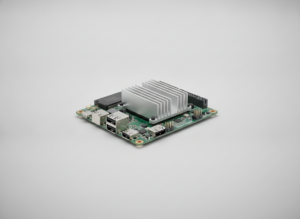
Windows and Linux users have an x86 equivalent. AMD Strix Halo mini PCs — the Minisforum MS-S1 Max 128GB began shipping in November 2026 — dynamically allocate system RAM as VRAM, which means they reach the same capacity tier without macOS. The trade-off is slower token generation than discrete GPUs deliver, because system memory bandwidth on these platforms sits below dedicated GDDR.
Analysts converged during 2026 on a specific framing: the interesting territory sits between 48GB and 96GB of memory, because that is the band where open-weight models stop behaving like hobby projects and start competing directly with closed APIs. Research from the Stanford Institute for Human-Centered Artificial Intelligence tracking the capability gap between open-weight and closed-API systems supports that reading, documenting a gap that has narrowed considerably across recent model generations.
Running costs push the comparison further toward single-box systems. A three-card 24GB rig draws substantially more sustained power than one unified-memory machine and demands far more PSU headroom — relevant context given how many watts the RTX 5080 really needs under load, let alone three cards of similar class. Research from the MIT Energy Initiative on computing energy consumption indicates that sustained high-draw hardware carries meaningful electricity and cooling costs over a deployment’s lifetime, resulting in a total cost gap that the purchase price alone understates.
Tech Trends and Innovations – The Tech ABC
| Hardware | Usable memory | Memory type | Runs Scout Q4? | Main trade-off |
|---|---|---|---|---|
| NVIDIA RTX 5090 (single) | 32GB | GDDR7 VRAM | No — 1.78-bit only | Capacity ceiling |
| NVIDIA RTX 4090/3090 x3 | 72GB aggregate | GDDR6X VRAM | Yes, tight | Power draw, setup complexity |
| NVIDIA RTX Pro 6000 | 96GB | Workstation VRAM | Yes, comfortable | Purchase price |
| Mac Studio M5 Max 128GB | ~128GB shared | Unified, ~614 GB/s | Yes, comfortable | macOS-only tooling |
| AMD Strix Halo mini PC 128GB | Up to 128GB shared | Unified system RAM | Yes | Slower token generation |
How to Check Your PC and Install Llama 4 Locally
The software side is effectively solved. Complex Python environments are no longer part of the process, because Ollama handles the multi-gigabyte download, hardware offloading and KV cache management automatically. The remaining work is verification: confirm capacity before committing to a 67GB download, because the download is the slow part and the failure arrives at the end of it.
Step-by-Step: Verify Capacity and Run Llama 4 Scout
- Record your GPU VRAM (Task Manager > Performance > GPU on Windows, or About This Mac for unified memory) and your installed system RAM.
- Add the figures that are genuinely addressable by the runtime: discrete VRAM across all GPUs, or total unified memory on Apple Silicon and Strix Halo.
- Compare that total against the 70–80GB Scout floor; below 48GB, stop here and plan a hardware change rather than a download.
- Confirm at least 100GB of free SSD space, because the Q4_K_M GGUF alone is 65–73GB.
- Install Ollama for your operating system and confirm it detects the GPU or unified memory pool.
- Pull the model with
ollama pull llama4:scoutand let it download the full 67GB build. - Run a short prompt first, then a long-context prompt, and watch memory usage to confirm the KV cache is not spilling.
- If generation falls below usable speed, drop to a smaller quantization or a smaller model rather than accepting disk-offloaded output.
Two failure signatures tell you what went wrong. An immediate out-of-memory error on load means total addressable memory is simply short of the weights. Heavy disk thrashing with output crawling below one token per second means the runtime is spilling layers to SSD, which means the model technically loads and is unusable for interactive work — a distinction that matters, because the second case tempts people into believing a hardware upgrade is unnecessary.
Tiered Verdict: What Your Current Rig Can Actually Do
Can Your PC Actually Run Llama 4? A Hardware Reality Check for Local AI resolves into a tier list, because the answer depends almost entirely on one number: total addressable memory. Compute class, CPU generation and PCIe revision barely move the verdict, which means you can read your answer off the memory range below rather than benchmarking anything.
Llama 4 Verdict by Memory Tier
- 8–12GB VRAM (RTX 3060, RTX 4060): No Llama 4. Run 8B-class models instead for good interactive speed.
- 16–24GB VRAM (RTX 4080, RTX 3090, RTX 4090): No usable Llama 4 Scout. 1.78-bit builds load but reasoning degrades; 14B-class models are the better use of the card.
- 32GB VRAM (RTX 5090): Scout at ultra-low bit only. Treat frontier MoE as out of reach on a single card.
- 48–72GB aggregate (2x–3x 24GB, or 2x 32GB): Scout at Q4 with limited context headroom, at the cost of power draw and multi-GPU complexity — and worth remembering the reports of melting RTX 5090 power cables when planning PSU headroom and cooling.
- 96GB+ VRAM (RTX Pro 6000) or 128GB unified memory (Mac Studio M4/M5 Max, Strix Halo mini PC): Scout at Q4 with real context headroom. This is the comfortable entry point.
- 256GB+ aggregate (multi-H100/H200 node): Maverick territory, which means data centre budgets rather than desks.
One clarification prevents an overreaction. The 8GB and 12GB cards are not obsolete for local AI generally, because 8B–14B dense models still run well and quickly on them. They are obsolete for frontier-class MoE models specifically, driven by the architecture’s capacity demands rather than by any loss of compute capability in the silicon itself.
Frequently Asked Questions
Can an RTX 4090 with 24GB of VRAM run Llama 4?
Not at usable quality. Scout’s Q4_K_M build is 65–73GB against the card’s 24GB, so only 1.78-bit quantization fits, and reasoning quality falls sharply as a result. The 4090 remains an excellent card for 8B–14B dense models. Three 4090s reach the 72GB aggregate needed for Q4, though that configuration brings power and setup complexity.
How much system RAM do I need to run Llama 4 locally?
On a discrete-GPU PC, enough to stage the 65–73GB model plus operating system overhead — 64GB is the practical minimum and 128GB avoids offload stalls. On unified-memory machines, the RAM is the VRAM, which means 128GB is the target rather than a luxury. Spilling to SSD drops output below usable interactive speed.
Is Llama 4 free to download and run offline?
Yes — Scout and Maverick weights are publicly available and run fully offline once downloaded. The consequence is no per-token API cost and no data leaving the machine, which is the main reason buyers accept the hardware bill. Behemoth remains unreleased. Meta’s licence carries usage conditions worth reading; analysis at Lawfare covers the open-weight licensing debate in detail.
Does Llama 4 run well on a Mac?
Yes — a Mac Studio with M4 Max or M5 Max and 128GB of unified memory is the most cost-effective route to Scout at Q4. Unified memory removes the 32GB consumer VRAM ceiling entirely, and the M5 Max’s roughly 614 GB/s bandwidth keeps decode speed usable because decode is bandwidth-bound. The trade-off is a narrower macOS tooling ecosystem than Linux offers.
Why does Llama 4 Scout need 80GB of memory if only 17B parameters are active?
Because the router can select any expert on any token, all 109B parameters must stay resident in memory. Active parameters set compute cost and therefore generation speed; total parameters set capacity cost. This single distinction accounts for the most common sizing error of 2026, resulting in out-of-memory crashes on fast GPUs that buyers fully expected to work.
Can Llama 4 Maverick run on a high-end home PC?
No. The Q4_K_M build is 243–245GB and requires 256GB+ of aggregate memory, which means an eight-GPU H100/H200 node or a maxed-out unified-memory machine. No single-tower consumer configuration available in 2026 clears that figure. Scout is the home-deployable member of the Llama 4 family and the model worth planning hardware around.
What is the cheapest PC that can run Llama 4 in 2026?
A 128GB unified-memory machine — either an AMD Strix Halo mini PC such as the Minisforum MS-S1 Max, or a Mac Studio with M4/M5 Max. Both clear the 70–80GB floor inside one box, which means lower sustained power draw and far simpler setup than assembling a three-GPU rig at comparable aggregate capacity.
Does running Llama 4 locally beat using a cloud API?
It depends on volume and privacy requirements. Local inference removes per-token cost and keeps data on-device, which aligns with CISA guidance on keeping sensitive information inside controlled environments. The 48–96GB hardware tier carries real upfront and electricity costs, so hosted options — including systems like Gemini 2’s real-world focus — remain cheaper for occasional use.
Limitations, Trade-Offs and Honest Alternatives
Can Your PC Actually Run Llama 4? A Hardware Reality Check for Local AI is scoped to 4-bit Q4_K_M GGUF builds at modest context settings, and that scope matters. The memory floors quoted here shift upward with longer contexts, larger batch sizes and multimodal inputs, therefore a machine that handles 4,000-token text prompts comfortably will behave differently when fed images or 100,000-token documents.
Measurement variance is real. Token-generation speed depends on memory bandwidth, runtime version and quantization method, which means two machines with identical capacity deliver noticeably different experiences. Treat the figures here as indicative planning numbers rather than benchmark guarantees.
The quality trade-off deserves plain statement: aggressive sub-2-bit quantization makes Scout fit on consumer cards at the cost of reasoning accuracy, and no published consensus establishes exactly how much capability is lost per bit removed. Guidance from NIST on evaluating and documenting model behaviour supports a practical conclusion — a locally quantized model needs its own quality verification against your actual tasks, because the published benchmarks describe the unquantized weights.
Three alternatives are worth weighing. Dense 8B–14B models on 12–24GB cards handle most local tasks with better interactive speed. Hosted inference covers occasional frontier-class work without capital expenditure. And waiting one unified-memory generation is a defensible choice for anyone whose budget sits below the 48GB tier. Finally, the running-cost dimension cuts against multi-GPU rigs: sustained high power draw produces electricity and cooling costs that single-box unified-memory systems largely avoid.
Conclusion
The verdict comes down to one measurement — total addressable memory — and Llama 4 Scout needs roughly 70–80GB of it at 4-bit precision, which rules out every single consumer graphics card shipping in 2026. Three practical paths remain: a 128GB unified-memory workstation such as a Mac Studio with M4/M5 Max or an AMD Strix Halo mini PC, a multi-GPU rig reaching 72GB or more in aggregate, or a smaller dense model on the hardware you already own.
The broader shift is more interesting than any single spec. The 48–96GB memory band is where open-weight models became genuine alternatives to closed APIs, driven by MoE architectures that moved the bottleneck from compute to capacity and therefore rewarded memory-rich, bandwidth-first machines over gaming flagships. That reordering is why 2026’s most capable local AI box is often not a tower with a halo GPU in it.
Gaming News and Reviews – The Tech ABC
Can Your PC Actually Run Llama 4? A Hardware Reality Check for Local AI gives you the number to check and the tier to buy into — now check your machine against it, and read more of our AI coverage for ongoing analysis of where local inference hardware heads next.
References
- arXiv — Mixture-of-Experts and sparse expert routing literature establishing that per-token compute is decoupled from total parameter count.
- European Journal of Engineering and Computer Sciences — Peer-reviewed research on model compression and quantization error.
- Stanford Institute for Human-Centered Artificial Intelligence (HAI) — Research tracking the capability gap between open-weight and closed-API models.
- National Institute of Standards and Technology (NIST) — US government guidance on evaluating and documenting AI model behaviour.
- National Science Foundation (NSF) — Federally funded research trends in high-performance and memory-centric computing.
- MIT Energy Initiative — Research on energy consumption of computing hardware.
- Cybersecurity and Infrastructure Security Agency (CISA) — Guidance on keeping sensitive data within controlled environments.
- Lawfare — Analysis of open-weight model licensing and governance.