
Table of Contents
- Introduction
- What offline voice transcription on a Raspberry Pi 5 actually means
- Why whisper.cpp runs well on Arm hardware
- GGML and CPU-only inference
- No PyTorch, no CUDA, no GPU dependency
- What the Cortex-A76 changed versus the Pi 4
- Benchmarks: latency, word error rate and the real limits
- Short-clip latency on quantized base-English models
- Full voice pipeline latency: whisper.cpp + llama.cpp + Piper TTS
- Word error rate on spontaneous speech
- Choosing a model: Tiny, Base and the quantization trade-off
- Model sizes and memory footprints
- q5_1 versus q8_0
- When a bigger model stops being worth it
- The hardware that decides your results
- 8GB versus 16GB Raspberry Pi 5
- Active cooling is not optional
- Microphone quality beats model size
- How to set up whisper.cpp on a Raspberry Pi 5
- What people are actually building with it in 2026
- Raspberry Pi 5 versus the alternatives
- Pi 5 versus NVIDIA Jetson Orin Nano
- whisper.cpp versus Sherpa-ONNX, Vosk and Silero
- Local versus cloud transcription cost over 12 months
- Where it breaks: honest limitations and when to choose something else
- Frequently asked questions
- Can a Raspberry Pi 5 handle real-time speech transcription without an internet connection?
- What is whisper.cpp and how is it different from OpenAI Whisper?
- How accurate is whisper.cpp on a Raspberry Pi 5?
- Do you need the 8GB or 16GB Raspberry Pi 5 for whisper.cpp?
- Which Whisper model size should you use on a Raspberry Pi 5?
- Does whisper.cpp work completely offline with no API key?
- Does the Raspberry Pi 5 need active cooling for AI transcription?
- Is a Raspberry Pi 5 or an NVIDIA Jetson Orin Nano better for offline voice AI?
- How do you reduce whisper.cpp cold start delay on a Raspberry Pi?
- Can whisper.cpp on a Raspberry Pi 5 transcribe multi-speaker meetings?
- Conclusion
- References
- Related Reading
Offline voice transcription on a Raspberry Pi 5 is viable for short commands and single-speaker dictation, and not for multi-speaker meetings. Quantized base-English models return results in under two seconds on short clips. A full whisper.cpp + llama.cpp + Piper TTS assistant pipeline runs 8–25 seconds end to end. Word error rate lands around 13–22% on spontaneous speech. An 8GB Pi 5 costs roughly $80 against $249 for a Jetson Orin Nano. Verdict: buy the 8GB board, fit active cooling, and spend on the microphone before the model.
Introduction
Offline voice transcription on a Raspberry Pi 5 now works well enough to ship inside real products, because the combination of an Arm Cortex-A76 CPU, 8GB or 16GB of RAM, and whisper.cpp’s GGML-based inference engine removes the two things that previously forced developers into the cloud: per-minute API billing and the need to send recorded audio off the device. Benchmarks published through 2026 put short-clip latency under two seconds with a quantized base-English model, full assistant-pipeline latency at 8–25 seconds, and word error rate at roughly 13–22% on spontaneous speech. This article covers the measured numbers, which model tier and quantization to pick, the hardware that decides your results, a seven-step install procedure, the alternatives worth comparing, and the failure modes nobody advertises. For wider context on where edge inference is heading, see our tech trends and innovations coverage.
About the author: This piece was written and verified by The Tech ABC Editorial Team, which covers consumer hardware, AI tooling on consumer devices, and single-board computing for a buyer-focused audience.
Why Tech Titans are Racing to Arm the Pentagon with AI
Transparency: All performance figures in this article are drawn from published 2026 benchmarks and developer reports cited inline, including an October 2026 IEEE Computer Society edge-STT benchmark paper. The Tech ABC has no commercial relationship with Raspberry Pi Ltd, NVIDIA, or SISTC, and no affiliate arrangement covers the hardware discussed. Prices are approximate US figures reported in the cited sources.
What offline voice transcription on a Raspberry Pi 5 actually means
whisper.cpp is a C/C++ reimplementation of OpenAI’s Whisper speech-recognition model, written by Georgi Gerganov on the GGML tensor library, that performs inference entirely on the CPU. In this context, offline voice transcription means an operational boundary, not a marketing claim: no internet connection during use, no API key, no subscription, and no audio leaving the board.
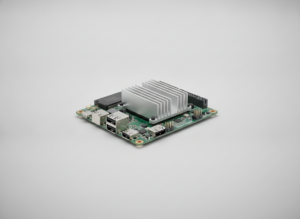
The Pi 5 supplies the compute side of that boundary. Its quad-core Arm Cortex-A76 and 8GB or 16GB of LPDDR4X give enough throughput and memory headroom that a quantized base-English Whisper model stays resident in RAM with space left over for a small quantized language model, which is why the same board handles transcription and intent parsing in one pipeline rather than two devices.
The consequence is economic as well as technical. Because every stage runs locally, recurring per-minute transcription billing disappears and the privacy surface shrinks to the hardware sitting on the desk. That is precisely why this stack dominates 2026 private-assistant builds: the constraint that pushed developers to the cloud was cost and data exposure, and local inference removes both.
The five components of an offline transcription stack
- Raspberry Pi 5, 8GB or 16GB (Arm Cortex-A76, CPU-only inference)
- whisper.cpp — the C/C++ inference engine
- GGML/GGUF model file — Tiny or Base, quantized to q5_1 or q8_0
- Microphone input — USB mic or I²S MEMS array
- Optional downstream layer — llama.cpp for intent parsing, Piper TTS for spoken replies
Why whisper.cpp runs well on Arm hardware
GGML and CPU-only inference
GGML stores model weights in a single memory-mapped file and executes them through hand-written SIMD kernels, therefore inference time is governed by memory bandwidth rather than by framework overhead. Quantization attacks exactly that bottleneck: a 5-bit or 8-bit weight moves fewer bytes per inference step than a 16-bit one, so the same core finishes more work per unit of bandwidth. That mechanism, rather than any Arm-specific accelerator, is why whisper.cpp supports 4-, 5-, and 8-bit formats such as q5_1 and q8_0 and why quantization cuts latency on a bandwidth-limited board.
No PyTorch, no CUDA, no GPU dependency
whisper.cpp compiles to a single binary with no Python runtime and no CUDA stack, which means installation on 64-bit Raspberry Pi OS takes minutes and resident memory is consumed almost entirely by the model file. The reference Whisper implementation imposes the opposite profile: a multi-gigabyte PyTorch dependency chain built for GPU servers, consuming storage and RAM before a single second of audio is processed. That difference in packaging, not a difference in model weights, decides whether transcription is practical on the board.
What the Cortex-A76 changed versus the Pi 4
The generational jump is attributable to specific hardware causes: wider out-of-order cores, higher clock speeds, and faster LPDDR4X memory. Because transcription throughput on GGML tracks bandwidth and per-core integer performance, those three changes compounded, moving Whisper inference from something you waited on after the fact on a Pi 4 to something that answers while the speaker is still listening on a Pi 5. The practical effect is that the Pi 5 functions as a speech appliance rather than a demonstration board.
Benchmarks: latency, word error rate and the real limits
Measured results for offline voice transcription on this hardware cluster around three figures: a May 2026 industry analysis reports sub-2-second latency on short clips with quantized base-English models, full-pipeline builds measure 8–25 seconds end to end, and word error rate runs roughly 13–22% on spontaneous speech.
Word error rate is the percentage of words substituted, deleted, or inserted relative to a reference transcript, which means a 15% WER leaves roughly one error in every seven words — noticeable in a document, mostly harmless in a command parser.
The spread between 13% and 22% is driven by the input signal rather than the model file. WER climbs toward the upper bound because of weak microphones, room reverberation, accents, and overlapping speakers; the same model on clean, close-miked single-speaker audio lands near the lower bound. The October 2026 IEEE Computer Society paper “From GPU Servers to Raspberry Pi: Benchmarking Open-Source Speech-to-Text for Edge Deployment” makes the same point structurally, concluding that STT performance is highly deployment-dependent rather than a fixed property of the engine.
The decisive reading: for command-and-control and single-speaker dictation these numbers are good enough to ship. For billable multi-speaker meeting transcription they are not, and no amount of tuning on this board closes that gap.
| Model | Quantization | Approx. file size | Short-clip latency | Typical WER (spontaneous speech) |
|---|---|---|---|---|
| tiny.en | q5_1 | ~32 MB quantized | Faster than base.en; figure not stated | Not stated separately |
| tiny.en | q8_0 | Not stated (78 MB unquantized) | Faster than base.en; figure not stated | Not stated separately |
| base.en | q5_1 | Not stated | Sub-2 seconds, model resident in RAM | 13–22% |
| base.en | q8_0 | Not stated | Near base.en q5_1; figure not stated | 13–22% |
| small.en | q5_1 | Not stated | Beyond the interactive budget | Not stated |
Short-clip latency on quantized base-English models
The sub-2-second figure applies to a specific test condition, and the condition matters more than the headline. It assumes clips of a few seconds, a base.en model quantized for reduced memory traffic, and the model already loaded into RAM. Change any one of those and the number moves. A cold invocation adds seconds on top, because the binary must read the weights from SD card or SSD before the first audio frame is processed. Developers therefore keep whisper-cli or an equivalent listener alive in memory, accepting the resident RAM cost in exchange for consistent response times.
Full voice pipeline latency: whisper.cpp + llama.cpp + Piper TTS
The 8–25 second end-to-end budget for a complete assistant covers four stages: audio capture with voice activity detection, transcription through Whisper Tiny, response generation by a 1B–4B quantized model served via llama.cpp, and speech synthesis through Piper TTS. Transcription is the smallest slice of that total. Most of the variance comes from prompt complexity and the number of tokens the local model generates, because token generation on a CPU scales linearly with output length. Readers tracking the small-model side of that equation will find context in our coverage of Llama 4. Shortening system prompts and capping response length compresses the budget toward the 8-second end.
Word error rate on spontaneous speech
Scripted read speech scores substantially better than spontaneous speech on the same model, and the reason is linguistic rather than computational. Spontaneous talk contains disfluencies, restarts, filler words, crosstalk, and accent variation, all of which increase substitutions and insertions. The operational implication is uncomfortable for anyone hoping to buy their way out: improving the captured signal reduces WER more reliably than upgrading the model tier, because the errors originate upstream of inference.
Choosing a model: Tiny, Base and the quantization trade-off
| Model tier | Best for | Resident RAM demand | Interactivity verdict |
|---|---|---|---|
| tiny.en | Wake words, short commands | Smallest (~32 MB quantized) | Fastest; comfortably interactive |
| base.en | Dictation, general transcription | Small; leaves LLM headroom | Interactive at sub-2s on short clips |
| small.en | Accuracy-first batch jobs | Higher; squeezes a co-resident LLM | Upper practical limit |
| medium and above | Offline batch only | Dominates available RAM | Breaks interactivity |
Model sizes and memory footprints
The Tiny model occupies roughly 78 MB in full precision and about 32 MB once quantized, a reduction that changes deployment behaviour rather than just storage accounting. Several model tiers fit on the same SD card simultaneously, so switching between Tiny for commands and Base for dictation requires no re-provisioning. More importantly, a footprint measured in tens of megabytes leaves the majority of an 8GB board free, which is the condition that lets a quantized 1B–4B language model stay resident alongside the transcription engine.
q5_1 versus q8_0
The choice between these formats is a bandwidth decision. q5_1 moves fewer bytes per inference step and therefore completes faster on a board where memory bandwidth is the limiting factor, while q8_0 retains slightly more numerical fidelity at the cost of a larger file and more bytes moved. The recommendation follows directly from how the output is consumed: run q5_1 for interactive command work, where a fraction of a second matters and a single substituted word rarely changes the parsed intent, and run q8_0 when the transcript is archived and read by a human, where fidelity outranks response time.
When a bigger model stops being worth it
Beyond the Base tier, latency grows faster than accuracy improves, and that asymmetry is the whole argument. Small and medium models push processing time past the threshold where a user waits comfortably, yet they do not correct the noise-driven substitutions that generate most of the observed WER, because those errors were baked into the recording. Fix the audio input first. A quieter room and a better-placed microphone deliver a larger accuracy gain than a tier upgrade, and they cost the board nothing in latency.
The hardware that decides your results
| Component | Recommended choice | Approx. price (USD) | Effect on transcription |
|---|---|---|---|
| Board | Raspberry Pi 5, 8GB | ~$80 | Sets inference speed and RAM headroom |
| Cooling | Official Active Cooler or ICE tower | Not stated | Prevents mid-session throttling |
| Power supply | Official Pi 5 supply | Not stated | Stable clocks under full CPU load |
| Storage | NVMe SSD over SD card | Not stated | Cuts model load and cold-start time |
| Microphone | Cardioid USB mic or I²S MEMS array | Not stated | Largest single influence on WER |
| Audio output | Speaker or HAT for Piper TTS | Not stated | Required only for spoken replies |
8GB versus 16GB Raspberry Pi 5
Buy the 8GB model. It is sufficient for transcription on its own and for a Tiny-model voice assistant with llama.cpp and Piper attached, which is why most 2026 builds standardise on it at roughly $80. The 16GB variant earns its premium in one scenario: a larger quantized language model that must stay resident in memory alongside whisper.cpp, where swapping weights in and out would destroy response times. The 4GB board is not a sensible choice here, because the operating system plus a persistent model process leaves no working headroom.
Active cooling is not optional
The causal chain is short and well documented. Transcription saturates all four Cortex-A76 cores, core temperature climbs, the SoC reduces clock speeds to protect itself, and latency rises partway through a session — which is the worst possible failure mode, because the system passes its first test and degrades afterwards. Active cooling is therefore a functional component rather than an accessory, and both the official Active Cooler and third-party ICE-tower designs address it. The scale is worth keeping in perspective: a whole Pi 5 voice appliance draws a tiny fraction of the power budget we measured in our breakdown of RTX 5080 power consumption, yet it still throttles without a fan.
Microphone quality beats model size
Spend on the microphone before the model. An inexpensive cardioid USB microphone placed around 30cm from the speaker reduces word error rate more than moving from Tiny to Base, because the dominant error source is the captured signal rather than the inference step. USB microphones are the pragmatic default since they need no wiring and are recognised immediately by arecord. I²S MEMS arrays require more integration work and deliver beamforming in return, which is why hardware firms treat the combination seriously: SISTC pairs the Pi 5 with MEMS microphone arrays as a secondary development platform to validate acoustic algorithms before mass-producing smart speakers.
How to set up whisper.cpp on a Raspberry Pi 5
Before starting, confirm three prerequisites: a 64-bit Raspberry Pi OS installation, active cooling physically fitted, and a microphone that arecord already detects. On a fresh board the whole procedure finishes in under 30 minutes, with compilation accounting for most of that time.
Seven steps to a working offline transcription setup
- Update the OS and install build dependencies (
git,build-essential,cmake) — expect a clean compiler toolchain with no unmet packages. - Clone the whisper.cpp repository from GitHub into your working directory.
- Build the project with cmake and make across all four cores — expect the
whisper-clibinary in the build directory. - Download a GGML model with the bundled download script, starting with a quantized
base.en— expect the model file inside the models directory. - Verify the microphone with
arecordand capture a short 16kHz mono WAV test clip. - Transcribe the clip with
whisper-cli, specifying the model path and thread count — expect the transcript plus the reported processing time. - Wrap the listener as a systemd service or long-running process so the model stays resident in RAM and cold-start delay disappears.
Step seven is the one most first-time builds skip, and it is the one that determines whether the result feels instant. Keeping the process resident removes the storage read from the critical path, which is why a long-running service answers a short clip in under two seconds while a fresh command-line invocation does not. Distribution-level guidance for Pi-class boards, including DietPi’s packaged whisper.cpp software option, shortens steps one through four considerably.
What people are actually building with it in 2026
The common thread across 2026 deployments is that each one failed on cloud transcription for a specific, identifiable reason — cost, connectivity, or confidentiality — and local inference removed that constraint. None of these builds chose the Pi 5 for accuracy; they chose it because the alternative was unworkable.
Where offline transcription on a Pi 5 is deployed today
- Private smart-home assistants that parse intent locally and trigger Home Assistant actions without internet access
- Industrial and agricultural voice logging in areas with no reliable 5G coverage, used for predictive maintenance and crop notes
- Smart-speaker prototyping, where firms such as SISTC pair the Pi 5 with MEMS microphone arrays to validate acoustic algorithms before mass production
- Confidential dictation in legal, medical and HR settings where audio cannot leave the premises
- Creator workflows: local subtitle and show-note drafting with no per-minute API billing
5 AI Editing Tools That Will Make Photoshop Obsolete
That last category explains much of the recent growth in hobbyist builds. Creators run the same stack to draft subtitles and episode notes overnight, because a board already sitting on the shelf processes an archive for the price of electricity rather than per-minute billing — a workflow that sits next to the AI-assisted editing covered in our guide to 5 AI tools to optimize your YouTube channel. A July 2026 report from ConvertAudioToText framed the broader movement bluntly, calling the cloud-versus-device question the structural shift of 2027 as transcription accuracy commoditises.
Raspberry Pi 5 versus the alternatives
| Dimension | Raspberry Pi 5 (8GB) | Jetson Orin Nano |
|---|---|---|
| Approx. price | ~$80 | $249 |
| Inference hardware | Arm Cortex-A76 CPU | GPU-accelerated module |
| Transcription speed | Sub-2s on short quantized clips | CPU-bound workload; no GPU gain |
| Local LLM speed | Slower, CPU token generation | Faster via GPU inference |
| Setup complexity | Lower; single binary, minutes | Higher software stack |
| Best fit | Pure voice pipelines | GPU-heavy LLM workloads |
Pi 5 versus NVIDIA Jetson Orin Nano
For a pure voice pipeline the roughly $80 Pi 5 8GB is the better starting point, and the reasoning is specific rather than budgetary. Whisper inference under whisper.cpp is CPU-bound, so the Jetson’s GPU advantage materialises in language-model token generation rather than in transcription itself. Paying $249 plus the overhead of a heavier software stack buys capability most voice builds never exercise. AI developer Patrick Hughes reached the same conclusion in an April 2026 comparison of the two boards, calling the Pi 5 the better starting point on cost and setup effort while crediting the Jetson with faster LLM inference.
| Engine | CPU latency | Quantization support | Language coverage | Pi 5 verdict |
|---|---|---|---|---|
| whisper.cpp | Sub-2s, short quantized clips | 4-, 5- and 8-bit (q5_1, q8_0) | Multilingual Whisper models | Default choice |
| Sherpa-ONNX | Competitive on CPU | Not stated | Not stated | Credible alternative |
| Vosk | Not stated | Not stated | Not stated | Not benchmarked here |
| Silero | Competitive on CPU | Not stated | Not stated | Credible alternative |
whisper.cpp versus Sherpa-ONNX, Vosk and Silero
whisper.cpp does not hold a latency monopoly. The October 2026 IEEE Computer Society benchmark found that Sherpa-ONNX and Silero deliver competitive CPU latency, and it stressed that STT performance is deployment-dependent rather than ranked by a single leaderboard. whisper.cpp nonetheless remains the most widely adopted engine on the Pi 5, because its quantization options, breadth of model tiers, multilingual coverage, and ecosystem support reduce integration risk — and for a hobbyist or a prototyping team, integration risk costs more hours than a few hundred milliseconds of latency.
Local versus cloud transcription cost over 12 months
The arithmetic is straightforward. A Pi 5 appliance is a one-time spend anchored by the ~$80 board, plus a cooler, power supply, storage, and microphone, after which marginal transcription cost is electricity. Cloud APIs invert that structure: zero capital outlay, then per-minute billing that scales with every hour of audio, which means continuous or high-volume use crosses the break-even point within months. The honest counterpoint is accuracy. Cloud models retain a lead on difficult audio, so the saving is real only where Pi-class accuracy is adequate for the job. That same on-device-versus-cloud tension runs through consumer AI more broadly, as our analysis of Gemini 2’s real-world focus sets out.
Where it breaks: honest limitations and when to choose something else
Every figure in this article carries conditions attached, and the conditions are where deployments fail. Published 2026 results vary by test set, microphone, and cooling configuration, so treat the 13–22% WER band as a range of observed outcomes rather than a specification you are entitled to. Multi-speaker meeting transcription on this stack is not production-grade, and framing it otherwise does readers a disservice.
Known failure modes and how to limit them
- Thermal throttling under sustained 100% CPU load — fit the Active Cooler or an ICE tower before the first long job
- Cold-start delay on the first query — keep the model resident in memory via a persistent service
- Accuracy collapse in noisy rooms — improve the microphone and microphone distance before changing the model
- Out-of-memory failures when an LLM and whisper.cpp load together — drop to a smaller quantization or move to the 16GB board
- Hallucinated text on silence or near-silence — gate input with voice activity detection and trim leading silence
- No speaker diarisation — pair with a separate diarisation step or route multi-speaker audio to a cloud service
Everything You Need to Know About the Nintendo Switch 2
Do not buy a Pi 5 for this job if your workload is high-volume difficult audio, if you need reliable speaker separation, or if you require sub-second streaming captions. In those three cases a workstation-class setup or a cloud API remains the correct tool, and the hardware saving is false economy.
Frequently asked questions
Can a Raspberry Pi 5 handle real-time speech transcription without an internet connection?
Yes for short clips, no for continuous streaming at scale. Offline voice transcription with a quantized base-English model returns results in under two seconds when the model is already resident in RAM, which suits wake words and short dictation. A complete assistant pipeline adding a quantized LLM and Piper TTS runs 8–25 seconds end to end, driven mostly by response token count.
What is whisper.cpp and how is it different from OpenAI Whisper?
whisper.cpp is a C/C++ port of the same Whisper models built on the GGML library, with no Python, PyTorch or CUDA requirement. The consequence is deployability: it compiles to a single binary, runs on Arm CPUs with a small memory footprint, and supports 4-, 5-, and 8-bit quantization. That combination is why it runs on a Raspberry Pi 5 while the reference implementation is impractical there.
How accurate is whisper.cpp on a Raspberry Pi 5?
Roughly 13–22% word error rate on spontaneous speech, according to 2026 benchmarks. The drivers are microphone quality, background noise, room reverberation, and overlapping speakers rather than the engine itself. Clear single-speaker audio captured close to the microphone lands near the low end of that band. Cloud transcription APIs remain more accurate on difficult audio, which is why they still win complex jobs.
Do you need the 8GB or 16GB Raspberry Pi 5 for whisper.cpp?
8GB is enough for transcription and for a Tiny-model voice assistant. The 16GB board pays off in one situation: a larger quantized language model that must stay resident in memory alongside whisper.cpp during normal operation. The 4GB variant is a poor fit, because the operating system plus a persistent model process leaves no working headroom for anything else.
Which Whisper model size should you use on a Raspberry Pi 5?
Use base.en quantized to q5_1 as the default. Switch to tiny.en when latency outranks accuracy, such as wake-word detection and short command parsing, where its smaller footprint shortens response time. Models above small.en break interactivity on this hardware, because latency grows faster than accuracy improves and the remaining errors are noise-driven rather than capacity-driven.
Does whisper.cpp work completely offline with no API key?
Yes. Once the model file is downloaded, transcription requires no internet connection, no API key, and no subscription, and no audio leaves the device. The only steps requiring connectivity are the initial build — cloning the repository and installing dependencies — and the one-time model download. After that the board operates fully disconnected.
Does the Raspberry Pi 5 need active cooling for AI transcription?
Yes, active cooling is a functional requirement. Inference saturates all four Cortex-A76 cores, core temperature climbs, and the SoC reduces clock speeds to protect itself, which means latency rises partway through a session rather than at the start. The official Active Cooler or an ICE-tower cooler prevents that degradation and keeps measured latency consistent across long jobs.
Is a Raspberry Pi 5 or an NVIDIA Jetson Orin Nano better for offline voice AI?
Choose the Pi 5 for a voice pipeline and the Jetson for GPU-heavy LLM work. The 8GB Pi 5 costs roughly $80 against $249 for the Jetson Orin Nano. Whisper transcription under whisper.cpp is CPU-bound, so the Jetson’s GPU advantage mainly benefits language-model token generation. Developer comparisons from April 2026 also rate the Pi 5 easier to set up.
How do you reduce whisper.cpp cold start delay on a Raspberry Pi?
Keep the process alive so the model stays in RAM. Run whisper.cpp as a systemd service or a persistent listener rather than invoking the binary per request. Use a quantized model to shorten load time, and store model files on an NVMe SSD instead of a slow SD card. The trade-off is resident RAM consumed for as long as the service runs.
Can whisper.cpp on a Raspberry Pi 5 transcribe multi-speaker meetings?
Not to a production standard. Word error rate sits at roughly 13–22% on spontaneous speech, there is no built-in speaker diarisation, and accuracy degrades further with crosstalk and room reverberation. For billable meeting minutes, route audio to a cloud service or a workstation-class transcription setup, and reserve the Pi 5 for single-speaker dictation and command parsing.
Conclusion
Offline voice transcription on a Raspberry Pi 5 has moved past the novelty stage: sub-2-second latency on short quantized base-English clips, 13–22% word error rate on spontaneous speech, a one-time hardware spend anchored by the ~$80 8GB board, and no subscription or API key at any point. Three recommendations follow. For assistants and dictation, buy the 8GB Pi 5, fit the Active Cooler, and add a decent USB microphone. Choose the 16GB board only when a local language model must stay resident alongside whisper.cpp. Send multi-speaker meeting audio to cloud or workstation transcription instead. Because quantized runtimes keep improving on Arm CPUs, the edge-versus-cloud accuracy gap continues narrowing on clean audio while remaining wide on difficult audio — which is exactly where your use case decides the answer.
Read more from The Tech ABC’s AI coverage.
References
- IEEE Computer Society (October 2026). From GPU Servers to Raspberry Pi: Benchmarking Open-Source Speech-to-Text for Edge Deployment. computer.org
- Industry latency analysis (May 2026) on quantized whisper.cpp performance. whipscribe.com
- ConvertAudioToText (July 2026). Cloud-versus-device transcription report. convertaudiototext.com
- Patrick Hughes (April 2026). Raspberry Pi 5 versus NVIDIA Jetson for local voice AI. medium.com
- Offline Raspberry Pi 5 voice assistant build (Whisper Tiny + llama.cpp + Piper TTS), 2026. diyai.io
- SISTC. Pi 5 with MEMS microphone arrays as a smart-speaker development platform. sistc.com
- whisper.cpp project repository (Georgi Gerganov). github.com
- DietPi. whisper.cpp software option and Pi-class install guidance. [dietpi.com](https://vertexaisearch.cloud.google.com/grounding-api-redirect/AUZIYQEU2muNMJXZszzG2mzDgnRGEWlpYZDQLeivLKV00vuSTYl9k_Du1AANbiMI7ey7xE