

Table of Contents
- The Short Answer: Apple Intelligence Supported Devices in 2026 at a Glance
- Apple Intelligence Requirements in 2026: Chip, RAM and Storage
- Why 12GB of RAM Became the New Dividing Line
- Every iPhone That Runs Apple Intelligence in 2026
- iPhone 17 Pro, 17 Pro Max and iPhone Air: The 12GB Advanced Tier
- Standard iPhone 17, iPhone 16 Line and iPhone 15 Pro: The 8GB Tier
- What iPhone 16 Pro Max Owners Lose in iOS 27
- Macs That Run It Well: M3 and Up With 12GB or More
- The M6 iMac and the 5x On-Device AI Jump (October 27, 2026)
- Why an 8GB M4 Mac Underperforms a 16GB M3
- iPads and Vision Pro: Where the M4 and M5 Lines Land
- Apple Watch and Accessories: Borrowed Intelligence
- Siri AI Is the Feature That Actually Needs New Hardware
- What Happens When Your Device Isn't Fast Enough: Private Cloud Compute
- What "Runs It Well" Actually Means: Latency, Battery and Thermals
- The 14GB Storage Tax and How to Reclaim It
- Apple Intelligence vs Gemini and Galaxy AI on Device Support
- Which Apple Device Should You Actually Buy in Late 2026?
- What the iPhone 18 Rumors Mean for 2027 Buyers
- Frequently Asked Questions About Apple Intelligence Supported Devices
- Limitations of This Analysis and What Could Change It
- Conclusion
- References
- Related Reading
Key Takeaway
>
In 2026, apple intelligence supported devices fall into two tiers. The standard 8GB tier covers iPhone 15 Pro, iPhone 15 Pro Max, all iPhone 16 models, the standard iPhone 17, and M1/M2 Macs and iPads. The advanced 12GB tier — required for the full Siri AI experience and the resident on-device model — covers iPhone 17 Pro, 17 Pro Max, iPhone Air, the M5 Apple Vision Pro, and M3-or-later Macs and M4-or-later iPads configured with 12GB or more of unified memory. Both tiers need up to 14GB of free local storage.
Apple released iOS 27, iPadOS 27 and macOS 27 (Golden Gate) to the public on September 14, 2026, roughly three months after unveiling them at WWDC26 on June 8, 2026. That release changed the compatibility conversation entirely, because Apple split Apple Intelligence into two capability tiers. Consequently, “does my device support it?” is now the wrong question — the useful question is which tier your device lands in.
The dividing line is 12GB of unified memory. Devices at or above that figure run the new resident on-device model locally, while 8GB devices receive the same feature names but have complex requests escalated automatically to Apple’s Private Cloud Compute servers, which adds latency and requires connectivity.
This guide places every current Apple product in its tier, documents the chip, memory and storage requirements, explains the 14GB storage cost, and closes with a buying verdict for late 2026.
About the Author
>
Written by The Tech ABC Editorial Team, which covers consumer hardware — phones, laptops, tablets, consoles and audio — with a buyer-first focus on what a device does, what it costs and who should buy it. AI features are assessed as hardware capabilities, not as an industry beat. More from the editorial team.
Tech Trends and Innovations – The Tech ABC
Transparency
>
This article reflects Apple’s published requirements and public announcements as of November 1, 2026. Performance multipliers attributed to Apple are vendor-published figures and are labelled as such. Supply-chain reports about unreleased products are labelled as unconfirmed. The Tech ABC did not receive review hardware or compensation for this piece. See our disclaimer.
The Short Answer: Apple Intelligence Supported Devices in 2026 at a Glance
Every Apple device with an A17 Pro, A18 or A19-class chip, or any M-series Apple silicon, supports Apple Intelligence in some form. Only devices carrying 12GB or more of unified memory run the advanced on-device tier introduced with iOS 27 and macOS 27, because that tier keeps a large language model resident in memory rather than loading it on demand.
Read the table below by tier rather than by model year. The advanced row lists hardware that completes most Siri AI requests without a network round trip; the standard row lists hardware that handles everyday features locally but hands complex requests to Private Cloud Compute.
| Tier | iPhone | iPad | Mac | Other | Unified memory |
|---|---|---|---|---|---|
| Advanced (full on-device Siri AI) | iPhone 17 Pro, 17 Pro Max, iPhone Air | M4 or later, configured 12GB+ | M3 or later, configured 12GB+ | Apple Vision Pro (M5) | 12GB or more |
| Standard (cloud-assisted) | iPhone 15 Pro, 15 Pro Max, all iPhone 16, standard iPhone 17 | M1, M2, or M3/M4 with 8GB; iPad mini (A17 Pro) | M1, M2, or M3/M4 with 8GB | Apple Watch Series 9, Ultra 2, SE 3 (paired processing) | 8GB |
| Not supported | iPhone 14 and earlier | Pre-M1, non-A17 Pro iPads | Intel Macs | — | Not applicable |
Apple Intelligence Requirements in 2026: Chip, RAM and Storage
Apple Intelligence in 2026 clears four gates: A17 Pro or newer silicon on iPhone and M1 or newer on Mac and iPad, a minimum of 8GB unified memory for the standard tier and 12GB for the advanced tier, up to 14GB of free local storage, and iOS 27, iPadOS 27, macOS 27 or later installed.
The storage figure deserves attention because of how the models are delivered. Apple downloads and stores the advanced models locally rather than streaming them, therefore the up-to-14GB footprint is a persistent allocation on 12GB-RAM devices and not a temporary cache that clears itself. Apple Intelligence also depends on the device being set to a supported language and region, which means a technically qualified device still shows no features if those settings sit outside the supported list.
| Product line | Minimum chip | Standard tier RAM | Advanced tier RAM | Free storage needed |
|---|---|---|---|---|
| iPhone | A17 Pro | 8GB | 12GB | Up to 14GB |
| iPad | M1 or A17 Pro (iPad mini) | 8GB | 12GB (M4 or later) | Up to 14GB |
| Mac | M1 | 8GB | 12GB (M3 or later) | Up to 14GB |
| Apple Vision Pro | M2 | 8GB | M5 model | Up to 14GB |
| Apple Watch | Series 9 / Ultra 2 / SE 3 | Processed on paired iPhone | Not applicable | Not applicable |
Why 12GB of RAM Became the New Dividing Line
The iOS 27 Siri AI model has to stay memory-resident to answer without a cold load, and a resident multi-billion-parameter model plus the operating system, a foreground app and an active camera pipeline does not fit inside 8GB. Apple therefore set 12GB as the floor for the advanced tier rather than shipping a degraded local experience.
The consequence chain follows directly from that constraint. On an 8GB device, the model would be evicted from memory every time the user switched apps, resulting in multi-second reload penalties before Siri produced a first word. Apple routes those requests to Private Cloud Compute instead, which is why 8GB owners see identical feature names with noticeably different response characteristics.
The backlash was predictable and it arrived on schedule. Devices marketed heavily on AI capability through 2024 and 2025 — the iPhone 16 Pro Max and the base 8GB M4 iPad Pro among them — landed in the standard tier a single generation later. That drove sustained criticism on r/Apple and r/iPadPro through autumn 2026, and analysts reading the same hardware-software integration note that the effect is a compressed practical upgrade cycle: buyers who expected three or four years of feature parity got roughly one.
Every iPhone That Runs Apple Intelligence in 2026
The complete list of apple intelligence supported devices on the iPhone side is iPhone 15 Pro, iPhone 15 Pro Max, every iPhone 16 model, the standard iPhone 17, iPhone 17 Pro, iPhone 17 Pro Max and iPhone Air. Three of those seven reach the advanced tier; the rest sit in the standard tier.
The chip floor is the A17 Pro. No iPhone 14 or earlier model receives Apple Intelligence at any tier, because those devices lack both the unified memory capacity and the neural engine throughput the feature set requires. There is no partial path for them — the features do not appear in Settings at all.
iPhone 17 Pro, 17 Pro Max and iPhone Air: The 12GB Advanced Tier
These three phones ship with 12GB of unified memory, consequently they hold the Siri AI model resident and answer with screen awareness and local file context without a server round trip. The iPhone Air’s inclusion is the clearest proof that memory configuration decides the tier, not the price position or the Pro badge: it qualifies because of its RAM allocation, full stop. Readers tracking the broader 2026 lineup will find the iPhone 17 colour and variant breakdown useful when choosing between the Pro and Air chassis.
Standard iPhone 17, iPhone 16 Line and iPhone 15 Pro: The 8GB Tier
The standard iPhone 17 is the single biggest source of confusion in search data, and for a defensible reason: it is a 2026-generation phone excluded from the advanced tier because it ships with 8GB rather than 12GB. These phones still run Writing Tools, image cleanup, notification summaries and Visual Intelligence. What changes is where the heavy work happens — multi-step Siri AI requests, screen perception chains and expressive voice synthesis are cloud-routed, therefore they depend on connectivity.
What iPhone 16 Pro Max Owners Lose in iOS 27
iPhone 16 Pro Max owners lose the resident model, and three effects follow from that: complex requests take longer because they travel to Private Cloud Compute, the fully local screen-awareness chain is unavailable, and multi-step in-app automation depends on a network connection. The phone is not obsolete. The standard tier still covers the features most people touch daily, which means the loss is a ceiling on capability rather than a removal of function.
Macs That Run It Well: M3 and Up With 12GB or More
Every Apple silicon Mac from M1 onward supports Apple Intelligence, but only M3-or-later Macs configured with 12GB or more of unified memory run the advanced on-device tier. Memory configuration therefore matters more than chip generation when you are specifying a Mac for local AI work in late 2026.
Storage is the second constraint and it bites hardest on entry configurations. On a 256GB Mac, the up-to-14GB model download consumes roughly 5 to 6 percent of total capacity before you install a single application, which is precisely why reclaiming that space became an active topic among Mac owners through October 2026.
The M6 iMac and the 5x On-Device AI Jump (October 27, 2026)
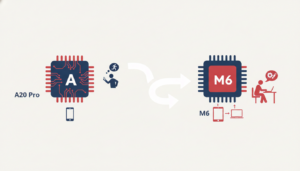
Apple unveiled the M6 iMac on October 27, 2026, built around a dual 16-core Neural Engine that Apple says delivers up to 5x faster on-device AI performance than the M4 — a vendor-published figure, not an independently verified benchmark. The practical effect of that silicon, combined with configurations that clear the 12GB floor comfortably, is that local model responses and image generation complete without a cloud round trip. Apple marketed the machine explicitly as a platform for AI work, which is consistent with its longer-running strategy of pulling critical silicon in-house — the same strategy visible in Apple’s modem development roadmap.
Why an 8GB M4 Mac Underperforms a 16GB M3
An 8GB M4 Mac loses to a 16GB M3 Mac on Apple Intelligence work, and the reason is counter-intuitive only until you identify the actual gate: residency, not compute. The newer chip cannot hold the model in memory, therefore it falls back to cloud routing, while the older chip with more memory runs locally. Buyers configuring a Mac in late 2026 should spend their budget on unified memory before chip generation.
iPads and Vision Pro: Where the M4 and M5 Lines Land
Yes, the iPad mini with A17 Pro runs Apple Intelligence — it sits in the standard tier alongside all M1-or-later iPads. The advanced tier requires an M4-or-later iPad with at least 12GB of unified memory, which means the 8GB M4 iPad Pro sits in the standard tier despite having been a flagship tablet through 2024 and 2025.
On the headset side, the M5 Apple Vision Pro qualifies for the advanced tier, consequently visionOS 27 processes spatial Siri AI requests locally rather than escalating them.
| Model | Chip | Unified memory | Tier |
|---|---|---|---|
| iPad Pro (M5) | M5 | 12GB or more | Advanced |
| iPad Pro (M4, 8GB) | M4 | 8GB | Standard |
| iPad Pro (M4, 16GB) | M4 | 16GB | Advanced |
| iPad Air (M3) | M3 | 8GB | Standard |
| iPad mini (A17 Pro) | A17 Pro | 8GB | Standard |
| Apple Vision Pro (M5) | M5 | 12GB or more | Advanced |
| Apple Vision Pro (M2) | M2 | 8GB | Standard |
Apple Watch and Accessories: Borrowed Intelligence
No Apple Watch runs Apple Intelligence locally. Apple Watch Series 9, Ultra 2 and SE 3 surface Apple Intelligence features but execute nothing on the wrist — every request is processed on the paired AI-capable iPhone, which means the watch inherits whichever tier that iPhone occupies.
Where Accessory AI Features Actually Run
- Apple Watch Series 9, Ultra 2, SE 3 — notification summaries and smart replies processed on the paired iPhone
- AirPods Pro Live Translation — audio captured on the buds, translation processed on the iPhone
- HomePod and Apple TV — requests routed to the household’s Apple Intelligence devices rather than processed locally
- Any accessory paired to an 8GB iPhone — inherits standard-tier behaviour, including cloud routing for complex requests
Siri AI Is the Feature That Actually Needs New Hardware
Three Siri AI capabilities are advanced-tier exclusive: real-time screen perception, local file and app context chaining, and expressive on-device voice synthesis. Most other Apple Intelligence features ship to every device in the supported list, which means the tier split across apple intelligence supported devices affects a narrow but highly visible band of functionality rather than the whole feature set.
The user-facing consequence is latency. On standard-tier hardware, these requests either fall back to a simpler response or travel to Private Cloud Compute, resulting in a perceptible pause before the first word of a spoken answer. The same principle governs other on-device AI workloads — the image processing changes in the iPhone 17 camera pipeline show how much Apple now depends on local silicon to avoid that pause.
| Feature | Advanced tier (12GB+) | Standard tier (8GB) | Unsupported devices |
|---|---|---|---|
| Writing Tools | On-device | On-device | Not available |
| Notification summaries | On-device | On-device | Not available |
| Image Playground / Genmoji | On-device | Cloud-assisted | Not available |
| Visual Intelligence | On-device | On-device | Not available |
| Screen awareness | On-device | Cloud | Not available |
| Local file and app context chaining | On-device | Cloud | Not available |
| Expressive Siri voice | On-device | Cloud | Not available |
| Multi-step in-app automation | On-device | Cloud | Not available |
What Happens When Your Device Isn’t Fast Enough: Private Cloud Compute
Private Cloud Compute is Apple’s server tier running on Apple silicon, built to process Apple Intelligence requests that exceed what the local device can handle. It is designed not to retain user data, and its server images are intended to be independently verifiable rather than taken on trust.
Security researchers presenting at WiSec ’26, a 2026 conference presentation on wireless and mobile security, assessed the architecture as sound but documented that there is no user-facing configuration option to restrict processing to local models only. Consequently, an 8GB device escalates complex requests to the cloud without asking. That has two implications for buyers: requests fail or degrade without connectivity, and the privacy posture rests on trusting the escalation rather than being able to prevent it.
The offline reality is more forgiving than the headline suggests. Basic writing tools and summarisation continue to function without a network on supported hardware, whereas generation and complex Siri AI requests on standard-tier devices do not.
What “Runs It Well” Actually Means: Latency, Battery and Thermals
“Runs it well” has a testable definition: a first-token response without a network round trip, no model reload when you switch apps, and no sustained thermal throttling during back-to-back requests. By that standard, only the 12GB tier qualifies, and Apple’s own M6 claim of up to 5x the on-device AI performance of M4 sits alongside a second fact worth stating plainly — independent benchmark coverage as of November 2026 is still thin, therefore generational multipliers should be read as vendor figures until third-party testing lands.
Battery behaviour follows from the workload. Sustained local inference loads the neural engine and GPU together, which raises package temperature and draws down charge faster during long sessions. The effect is most visible on thin chassis such as the iPhone Air and fanless MacBook Air, where there is less thermal headroom to absorb the load. Readers weighing that trade-off should read our analysis of iPhone 17 battery life alongside the evidence on how charging habits affect long-term battery health.
Signs Your Device Is Being Bottlenecked by Apple Intelligence
Everything You Need to Know About the Nintendo Switch 2
- A pause of more than a second before Siri speaks the first word of a complex answer
- Requests that fail or degrade the moment you lose connectivity
- A noticeably warmer chassis during back-to-back image generation
- Apps reloading from scratch after a long Siri AI request
- Faster battery drain during extended writing or summarisation sessions
The 14GB Storage Tax and How to Reclaim It
iOS 27 and macOS 27 consume up to 14GB of local storage to house the advanced models, and macOS 27 removed the simple toggle that previously made disabling Apple Intelligence straightforward. Because of that removal, an open-source command-line tool called RemoveMacAI gained significant traction through October 2026 as a way to delete the downloaded models and reclaim 12GB or more of SSD space.
How to Reclaim Apple Intelligence Storage
- Check current usage in Settings > General > iPhone Storage on iOS, or System Settings > General > Storage on macOS, and look for the Apple Intelligence model allocation.
- Take a full backup — Time Machine on Mac, iCloud or a local backup on iPhone — before changing anything.
- On iPhone or iPad, open Settings > Apple Intelligence & Siri and switch Apple Intelligence off, which stops further model downloads.
- On macOS 27, disable Apple Intelligence in System Settings first, reboot, then re-check storage before going any further.
- Only if space is still needed, run a removal tool such as RemoveMacAI from the command line, following its documented flags exactly.
- Verify the reclaimed space in Storage settings, then confirm which Siri features still function.
- Re-enable Apple Intelligence from Settings if you want the models back — they re-download at full size.
Treat step five as the exception rather than the default. Third-party removal tools touch system-managed directories, therefore they can be reverted by the next OS update, can break Siri AI features without an obvious error message, and should only be run from a current backup. On iPhone and iPad, the Settings toggle is the supported route — file-level deletion is not something to attempt.
Apple Intelligence vs Gemini and Galaxy AI on Device Support
Apple gates features by on-device memory and processes locally whatever the hardware can hold, whereas Google’s Gemini and Samsung’s Galaxy AI lean on cloud processing for most generative work. The result is that their device lists are considerably broader while their offline capability is narrower.
That difference pushes the cost onto different parts of the experience. Apple’s approach forces hardware upgrades to unlock features, while the Android approach forces dependence on connectivity and on server-side policy decisions you do not control. Our earlier look at Gemini’s real-world, cloud-first design priorities traces how Google arrived at that position.
| Dimension | Apple Intelligence (iOS 27) | Google Gemini (Android) | Samsung Galaxy AI |
|---|---|---|---|
| Hardware gate | Chip plus unified memory | Largely software/account-based | Device generation |
| Memory floor for best tier | 12GB | Not stated | Not stated |
| Default processing location | On-device, escalating to Private Cloud Compute | Primarily cloud | Primarily cloud, some on-device |
| Works offline | Yes, on supported hardware for basic tasks | Limited | Limited |
| Local storage cost | Up to 14GB | Not stated | Not stated |
| Breadth of supported devices | Narrow | Broad | Moderate |
Which Apple Device Should You Actually Buy in Late 2026?
Among apple intelligence supported devices, the iPhone Air is the lowest-cost route into the 12GB advanced tier, which makes it the default recommendation for anyone who wants local Siri AI without buying a Pro. On the Mac side the advice compresses into one rule: buy memory before chip generation, because residency decides the tier and compute does not.
The upgrade call is equally clear. iPhone 16 Pro and 16 Pro Max owners should hold unless screen awareness and local automation are daily working tools, because supply-chain reports point toward a 12GB baseline across the 2027 iPhone line. iPhone 14 and earlier owners have no partial path at all — they get nothing from Apple Intelligence until they upgrade, so for them the calculation is simply which supported device fits the budget.
| If you are… | Buy | Tier reached | Why |
|---|---|---|---|
| Upgrading from an iPhone 13 or 14 | iPhone Air | Advanced | Cheapest 12GB entry; skips the standard tier entirely |
| Want advanced Siri AI for the least money | iPhone Air | Advanced | 12GB memory at a non-Pro price |
| Want the best iPhone for AI, price no object | iPhone 17 Pro Max | Advanced | 12GB plus the largest thermal headroom |
| Buying a Mac for local AI work | M6 iMac, 16GB or more | Advanced | Dual 16-core Neural Engine; clears the 12GB floor |
| Buying an iPad for AI features | iPad Pro (M5) | Advanced | M4-or-later requirement plus 12GB+ memory |
| Already on iPhone 16 Pro Max | Hold | Standard | Standard tier covers daily features; 2027 line expected at 12GB |
What the iPhone 18 Rumors Mean for 2027 Buyers
This section rests on unconfirmed supply-chain reporting rather than Apple guidance. Late-2026 reports indicate the base iPhone 18 will ship with 12GB of RAM, which would place the entire 2027 iPhone line in the advanced tier. Apple has published nothing on the matter, therefore the claim carries no more weight than its sourcing supports.
Converted into advice, the logic runs as follows. Because the 8GB/12GB split is the gate that determines everything else, a confirmed 12GB baseline would make the standard iPhone 18 the first non-Pro iPhone worth buying specifically for AI capability. That means buyers who can comfortably wait until autumn 2027 should wait, while anyone replacing a failing iPhone 14 or earlier gains nothing from delay — they are getting zero Apple Intelligence features in the meantime.
Frequently Asked Questions About Apple Intelligence Supported Devices
Quick answers to the questions readers most often ask about apple intelligence supported devices in 2026.
Which Apple devices support Apple Intelligence in 2026?
iPhone 15 Pro and newer, all M-series iPads and Macs, the A17 Pro iPad mini, and Apple Vision Pro. Within that list, support splits into two tiers: only devices with 12GB or more of unified memory run the advanced on-device models. Everything else receives the same features but escalates complex requests to Apple’s servers, which adds latency.
Why does Apple Intelligence need 12GB of RAM in 2026?
Because the iOS 27 Siri AI model must stay memory-resident to answer without a cold load. An 8GB device cannot hold that model alongside the operating system and a foreground app, therefore the model would be evicted on every app switch. Apple routes those requests to Private Cloud Compute instead of accepting multi-second reload penalties.
Does the standard iPhone 17 run the full Siri AI experience?
No. The standard iPhone 17 ships with 8GB of unified memory, therefore it sits in the standard tier despite being a 2026-generation phone. It misses real-time screen awareness, local file and app context chaining, and expressive on-device voice synthesis, because all three depend on the resident 12GB model.
Is Apple Intelligence still worth it on an 8GB device like the iPhone 16?
Yes, for everyday features. Writing Tools, notification summaries, Image Playground and Visual Intelligence all function on standard-tier hardware. The difference shows up in latency and cloud dependence on complex requests, which means the practical gap is response speed and offline reliability rather than missing day-to-day functionality.
How much storage does Apple Intelligence use in iOS 27 and macOS 27?
Up to 14GB. Apple downloads and stores the advanced models locally rather than streaming them, therefore the allocation is persistent while Apple Intelligence stays enabled. On a 256GB Mac that consumes roughly 5 to 6 percent of total capacity, which is why storage became a live complaint through October 2026.
How do I turn off or delete Apple Intelligence on macOS 27?
Disable it in System Settings, because macOS 27 removed the simple toggle that previously deleted the models. The community route is the open-source command-line tool RemoveMacAI, which gained traction in October 2026 for reclaiming 12GB or more of SSD space. Run it only from a current Time Machine backup, since it modifies system-managed directories.
Can I force Apple Intelligence to use only on-device processing?
No. Researchers presenting at WiSec ’26 documented that there is no configuration option restricting processing to local models. Consequently, requests that exceed local capability escalate to Private Cloud Compute automatically, which means the privacy model depends on trusting that escalation rather than being able to block it.
Which Mac runs Apple Intelligence best in 2026?
The M6 iMac announced on October 27, 2026, configured with 16GB or more of unified memory. Apple states its dual 16-core Neural Engine delivers up to 5x faster on-device AI performance than M4 — a vendor-published figure. Independent benchmark coverage remains limited as of November 2026, so treat the multiplier accordingly.
Will the iPhone 18 fix the Apple Intelligence RAM problem?
Probably, but it is unconfirmed. Late-2026 supply-chain reports point to 12GB of RAM on the base iPhone 18, which would place the entire 2027 line in the advanced tier. Apple has published nothing on the specification, therefore buyers should treat the figure as reporting rather than a commitment.
How does Apple Intelligence device support compare with Google Gemini on Android?
Apple’s device list is narrower but more local. Gemini runs across far more Android hardware because most generative work happens in the cloud, which means broader support alongside weaker offline capability. Apple’s memory gating forces hardware upgrades; Google’s cloud reliance forces dependence on connectivity and server-side policy.
Limitations of This Analysis and What Could Change It
The tier placements above reflect Apple’s published requirements as of November 1, 2026, and Apple can revise them in a point release. Independent benchmark data for the M6 neural engine is still thin, therefore the performance multipliers quoted in this article are Apple’s own figures and should be read as marketing claims pending third-party verification.
There is also more than one reasonable path here. Readers who mainly want generative writing and image tools can get comparable results from third-party applications running on standard-tier hardware, and buyers who prioritise feature breadth over local processing will find Gemini’s Android device support considerably wider. Neither choice is wrong — they trade privacy posture against hardware cost, and the right answer depends on which of those two you are less willing to spend.
Caveats Readers Should Weigh
- Apple can shift tier requirements in an iOS 27 point update, which would change several rows in the tables above
- The M6 “up to 5x” on-device AI figure is Apple-published and not yet independently verified
- iPhone 18 memory claims come from supply-chain reporting, not from Apple
- Third-party removal tools such as RemoveMacAI are unsupported and can be reversed or broken by OS updates
- Apple Intelligence availability still depends on device language and region settings
- Battery and thermal behaviour varies by chassis, workload and ambient temperature
Conclusion
The question changed in September 2026. Support is no longer the variable — tier is, and 12GB of unified memory is the line that decides it. Everything else in the specification sheet is secondary to that single figure.
The buying rule compresses to five words: buy memory, not model year. On mobile that means iPhone Air or iPhone 17 Pro. On the Mac it means 16GB on an M3 or later, with the M6 iMac at the top of the range for sustained local work.
If you own an 8GB device, keep it. The standard tier covers the features most people use, expect cloud routing on complex requests, and reassess when the 2027 line ships. We track every shift in on-device AI hardware in our AI coverage archive — worth checking when the next tier requirement moves.
References
- Apple — Apple Intelligence feature and device support documentation: apple.com
- Apple — WWDC26 and iOS 27 software announcement materials (June 8, 2026): apple.com
- Apple — M6 iMac announcement and Neural Engine performance claims (October 27, 2026): apple.com
- Apple — Apple silicon and unified memory configuration documentation: apple.com
- PCMag — Apple Intelligence device compatibility coverage: pcmag.com
- MacRumors — iOS 27 and Siri AI hardware requirement reporting: macrumors.com
- MacRumors — Apple silicon and iPhone 18 supply-chain reporting: macrumors.com
- 9to5Mac — macOS 27 Apple Intelligence storage and removal tooling coverage: 9to5mac.com
- Reddit (r/Apple, r/iPadPro) — consumer sentiment on 2026 RAM-based feature gating: reddit.com
- AIbase — Apple Intelligence tier and model analysis, 2026: aibase.com
- Fello AI — Apple on-device model requirements breakdown: felloai.com
- Elephas — Apple Intelligence local model storage analysis: elephas.app
- The Mobile Front — iPhone 17 and iPhone Air memory configuration coverage: themobilefront.com