
Table of Contents
- Why DeepSeek V3 stopped being the answer
- The best local LLM for each hardware tier
- Best local models by memory footprint (4-bit, October 2026)
- Qwen 3 family: the 2026 all-rounder
- Llama 3.3 8B and 70B: the safe default
- DeepSeek-R1-Distill 14B and 32B: logic and maths
- Gemma 4 26B and E4B: multimodal with 128K context
- Phi-4-mini: 2.8GB of RAM and it still works
- gpt-oss-120b: offline ChatGPT feel, 66GB of RAM
- Match the model to your memory, not your benchmark score
- Memory tiers and what each one runs
- The apps that actually run the models
- Local LLM apps compared
- LM Studio for beginners
- Ollama for developers
- Atomic Chat for speed and on-phone inference
- PocketPal AI for mobile-only setups
- How to install Ollama on Windows and load your first model
- On your phone: what 8GB of RAM will and will not run
- Device-to-model compatibility, October 2026
- What 4-bit quantization costs you
- Which quant level to download
- Local LLM vs ChatGPT: privacy, cost and speed
- Local LLM vs ChatGPT across five criteria
- Coding is the killer app
- Best local coding models, ranked for October 2026
- Frequently Asked Questions
- Limitations, caveats and when the cloud is still the right answer
- Conclusion
- References
- Related Reading
Key Takeaway
>
The best local LLM in 2026 is whichever model fits entirely in your available memory — which means Phi-4-mini on 8GB phones, Llama 3.3 8B or Qwen 3 14B on 16GB laptops, DeepSeek-R1-Distill-32B on 24GB GPUs, and gpt-oss-120b only on 128GB unified-memory machines.
>
DeepSeek V3 is no longer the local pick, because its parameter count forces data-centre hardware rather than a desk.
>
Start with LM Studio if you want a window, or Ollama if you want a command and an API.
DeepSeek V3 was the open-weight model everyone screenshotted in early 2025, and almost nobody could actually run it at home. The parameter count demanded data-centre memory, therefore “open weights” never translated into “runs on your desk.” By October 2026 that gap closed from the other direction: distillation and 4-bit GGUF quantization pushed frontier-adjacent quality into 8GB to 32GB of memory, consequently the useful question shifted from “which model is strongest” to “which model fits.” This guide ranks the best local LLM by hardware tier rather than by benchmark leaderboard position. You get a model table organised by RAM and VRAM, an app comparison that settles the Ollama versus LM Studio argument, honest limits for phone inference, and a straight account of what quantization costs you.
About the author
>
Written by The Tech ABC Editorial Team, which covers consumer hardware and the AI features that ship on it — smartphones, laptops, self-built PCs and GPUs. Our coverage is hands-on and buyer-focused: what a device does, what it costs, and who should buy it. More from the editorial team.
Tech Trends and Innovations – The Tech ABC
Transparency
>
Model names, memory figures and benchmark scores in this article reflect publicly reported specifications and roundups as of October 2026. Memory figures assume Q4_K_M quantization and a modest context window. We do not accept payment for placement in rankings. See our disclaimer for details.
Why DeepSeek V3 stopped being the answer
DeepSeek V3 was displaced locally by distilled and heavily quantized releases — specifically Qwen 3, Llama 3.3, Gemma 4, Phi-4-mini and DeepSeek’s own R1-Distill line — because those models fit inside consumer memory while V3 does not. The replacement happened on hardware grounds, not quality grounds.
The mechanism is simple arithmetic. V3’s parameter count meant the weights never fit in consumer VRAM or unified memory, therefore the model paged to disk and generation collapsed to single-digit tokens per second on machines that could load it at all. DeepSeek itself moved on, shifting development toward a coding-focused successor during 2026, which means the V3 era ended on the developer side as well as the hardware side. The distilled R1 line is now the practical route to DeepSeek-style reasoning on a desk.
The category also matured. October 2026 roundups rank 15-plus local LLM apps by hardware tier, privacy posture and use case rather than by novelty — a sign that running models locally became a purchasing decision instead of a weekend experiment. Research tracking open-weight releases, including the annual AI Index work from the Stanford Institute for Human-Centered AI, documents how quickly open models narrowed the practical gap against closed systems through 2025 and 2026. So the rest of this article treats model selection as a hardware problem first.
The best local LLM for each hardware tier
The best local LLM is a per-tier answer, not a single winner. Phi-4-mini takes the sub-4GB tier, Llama 3.3 8B owns 16GB machines, DeepSeek-R1-Distill-32B is the pick for a 24GB GPU, and gpt-oss-120b belongs only to the 128GB unified-memory class.
Best local models by memory footprint (4-bit, October 2026)
| Model | Parameters | RAM/VRAM at 4-bit | Best use case | Verdict |
|---|---|---|---|---|
| Phi-4-mini | 3.8B | 2.5–2.8GB | Short answers, summarisation | Only credible pick on 4–6GB devices |
| Qwen3.5-4B | 4B | ~3GB | Mobile, thin laptops | Best phone all-rounder |
| Llama 3.3 8B | 8B | ~5GB | General chat, broad tooling | 16GB RAM champion |
| Qwen 3 14B | 14B | ~9GB | Coding, multilingual | Step up on 16GB machines |
| DeepSeek-R1-Distill-14B | 14B | ~9GB | Maths, logic | 16GB reasoning fallback |
| DeepSeek-R1-Distill-32B | 32B | Fits in 24GB | Multi-step reasoning, AIME-style maths | 72.6% AIME; top 24GB pick |
| Gemma 4 26B | 26B | ~16GB | Multimodal, 128K context | Best for images plus long documents |
| Qwen3.8-27B | 27B | 16–19GB | Agentic coding | Strongest code-per-gigabyte |
| Llama 3.3 70B | 70B | 64GB+ class | High-end general work | Gold standard above 64GB |
| gpt-oss-120b | 120B | ~66GB | Offline assistant | 128GB machines only |
Qwen 3 family: the 2026 all-rounder
Qwen 3 is the default pick for mixed coding and multilingual work, because it delivers more code performance per gigabyte than rivals of the same size. Qwen3.8-27B needs 16–19GB of VRAM at 4-bit and suits a single high-end card; Qwen3.6-35B targets larger workstations; Qwen3.5-4B handles phones and thin laptops. As a result, Qwen 3 routinely displaces larger models on identical hardware.
Llama 3.3 8B and 70B: the safe default
Llama 3.3 8B is the 16GB RAM champion because tooling support is universal — every app, every quant format, every fine-tune lands on Llama first. That breadth reduces setup failure, which matters more in practice than a two-point benchmark gap. Llama 3.3 70B remains the gold standard above 64GB of RAM. For context on Meta’s roadmap, see our piece on Llama 4 and where Meta’s open models went next.
DeepSeek-R1-Distill 14B and 32B: logic and maths
The 32B distill scores 72.6% on the AIME mathematics benchmark and fits inside 24GB of VRAM, consequently it is the pick for maths, logic and multi-step reasoning on a single RTX-class GPU. The 14B version is the 16GB fallback and keeps most of the reasoning behaviour. Distillation, not quantization alone, is what made DeepSeek-grade reasoning locally viable — the smaller student models inherit the chain-of-thought habits without the memory bill.
Gemma 4 26B and E4B: multimodal with 128K context
Gemma 4 26B is the choice when the job involves images alongside long documents, because its context window reaches 128K and therefore handles whole PDFs without chunking them first. The E2B and E4B variants target phones and low-RAM laptops, and both have become popular for local tool use. Google’s broader on-device direction is covered in our look at Gemini 2’s real-world focus.
Phi-4-mini: 2.8GB of RAM and it still works
Microsoft’s 3.8B Phi-4-mini runs in roughly 2.5–2.8GB, which means it is the only credible option on older phones and 8GB budget laptops. Be clear about the trade: short-form answers, rewriting and summarisation land well, while long agentic coding sessions do not. For a device that would otherwise run nothing at all, that limitation is the price of entry rather than a flaw.
gpt-oss-120b: offline ChatGPT feel, 66GB of RAM
OpenAI’s 120-billion-parameter open-weight release needs around 66GB at 4-bit, therefore it belongs to the 128GB unified-memory class only. The appeal is specific: it is the closest a local setup gets to a cloud assistant with zero network dependency, which suits people who cannot send prompts off-device at all. The cost of entry is a machine most readers will not buy for this purpose alone.
Match the model to your memory, not your benchmark score
The best local LLM for any machine is the largest model whose weights fit entirely in memory, because once the weights spill to disk the model pages on every token, resulting in single-digit tokens per second regardless of how fast the GPU is. State the rule as a number: leave roughly 2GB of headroom for the context window and the operating system. A 16GB laptop therefore has about 14GB to spend on weights, not 16.
Memory tiers and what each one runs
| Memory tier | Typical hardware | Largest practical model | Expected speed | Realistic job |
|---|---|---|---|---|
| 4–8GB | Phones, budget laptops | Phi-4-mini, Qwen3.5-4B | Usable for short prompts | Summarisation, translation |
| 16GB | Mainstream laptops, 8–12GB GPUs | Llama 3.3 8B, Qwen 3 14B | Comfortable double digits | General chat, snippet coding |
| 24GB | RTX-class GPU, 24GB M-series | DeepSeek-R1-Distill-32B | Comfortable | Maths, logic, agentic coding |
| 64GB | Workstation, M-series Max/Ultra | Llama 3.3 70B, Qwen3.8-27B | Steady | Heavy general and code work |
| 128GB+ | DGX Spark, Ryzen AI Max | gpt-oss-120b | Steady | Full offline assistant |
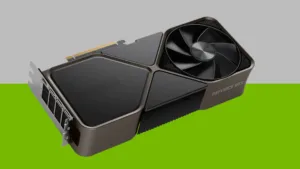
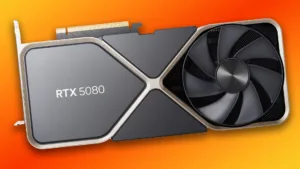
Discrete GPU or unified memory is the real buying question. A 24GB RTX-class card runs a 32B distill comfortably, consequently it remains the most sensible GPU for local inference at mainstream prices; Apple Silicon wins above that line because unified memory can be allocated wholesale to the model instead of being capped by a card’s VRAM. Power draw matters too, since sustained inference holds a GPU near load for minutes at a time — our breakdown of how many watts the RTX 5080 really needs and our RTX 5080 review cover what that means for a desktop build. Federally funded work on energy-efficient computing and memory architecture, tracked by the National Science Foundation, supports the broader point that memory capacity and bandwidth, not raw compute, set the local inference ceiling.
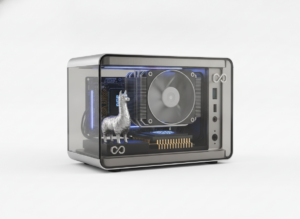
The 2026 change at the top is the 128GB deskside class. NVIDIA’s GB10-based DGX Spark and AMD Ryzen AI Max (Strix Halo) mini PCs put 128GB of unified memory on a desk, which means gpt-oss-120b and Llama 3.3 70B run without a multi-GPU rig and the power supply that one demands. If you go the discrete route instead, treat connectors as part of the budget — the RTX 5090 cable melting risk is a reminder that high-wattage builds under sustained load deserve careful cabling rather than the cheapest adapter in the box.
The apps that actually run the models
The split is clean: LM Studio for people who want a window, Ollama for people who want a command and an API, Atomic Chat for speed and on-phone inference, PocketPal AI for mobile-only setups. Model Context Protocol support became standard across these tools in 2026, which means local models now read local files, call tools and run short agentic workflows.
Local LLM apps compared
| App | Interface | Platforms | Best for |
|---|---|---|---|
| LM Studio | Polished GUI, model browser | Windows, macOS, Linux | Beginners and quant selection |
| Ollama | CLI plus localhost API | Windows, macOS, Linux, Docker | Developers and scripting |
| Atomic Chat | 1-click GUI, iOS app | Desktop plus iOS | Fastest setup, on-phone inference |
| PocketPal AI | Mobile app | iOS, Android | Phone-only setups |
LM Studio for beginners
LM Studio pairs a polished GUI with a built-in model browser and runs llama.cpp and Apple’s MLX engines underneath, therefore quant selection happens through a dropdown instead of by decoding a filename. That removes the step where first-time installs usually fail, making it the sensible first install.
Ollama for developers
Ollama stays CLI-first, Docker-friendly and scriptable through a localhost API. One command pulls and runs Llama 3.3 or Qwen 3, consequently it drops into existing development tooling without a wrapper. If you already live in a terminal, this is the shorter path.
Atomic Chat for speed and on-phone inference
Atomic Chat was ranked best overall in the August 2026 local LLM app roundups, credited for 1-click setup and the fastest inference speeds in testing. Its iOS app performs true offline on-device inference, which makes it the rare tool that covers desktop and phone with one workflow.
PocketPal AI for mobile-only setups
PocketPal AI is a mobile-first runner for readers with no PC in the loop at all. Pair it with Phi-4-mini or Gemma 4 E2B, because those are the weights that fit comfortably inside a phone’s usable memory.
How to install Ollama on Windows and load your first model
- Download the Windows installer from the official Ollama site and run it; the service installs to the background and listens on localhost port 11434.
- Open Terminal or PowerShell and run the pull-and-run command for a model sized to your memory tier — for example Llama 3.3 8B on a 16GB machine.
- Confirm the model is resident in memory rather than paging to disk by checking tokens per second on a first short prompt; double-digit speeds mean the fit is correct.
On your phone: what 8GB of RAM will and will not run
A 2026 flagship with 8GB of usable RAM runs 3B to 7B models at 4-bit and nothing larger, because the operating system reserves a large share of that memory for itself, which means the practical ceiling sits at roughly 4GB of weights. Anything above that pages and stalls.
Device-to-model compatibility, October 2026
- 4–6GB Android phones: Phi-4-mini (2.5–2.8GB) only, short prompts, expect throttling on long replies
- 8GB Android flagships: Qwen3.5-4B or Gemma 4 E2B at 4-bit, comfortable for summarisation and translation
- 8GB iPhones with PocketPal AI or Atomic Chat: Gemma 4 E4B and 7B-class models at 4-bit, best sustained speeds on recent A-series silicon
- 12GB+ Android flagships: 7B-class models with longer context, the closest thing to a desktop experience on a phone
- Any phone: nothing above roughly 4GB of weights, because the OS reserve makes larger models page and stall
iPhone 17 Colors: Expected Variants and Themes
The trade-offs rarely make the feature lists. Sustained generation heats the SoC, therefore thermal throttling cuts tokens per second after a few minutes, and battery drain is measurable across a long session. Treat phone inference as a tool for offline summarisation, translation and note-taking rather than extended coding. The on-device AI most readers already use — Imagen 3 on Android and the iPhone 17 camera AI features — runs in short bursts for exactly this reason.
What 4-bit quantization costs you
GGUF quantization is a compression format that stores model weights at reduced precision — commonly 4 bits instead of 16 — which cuts memory use by roughly 70% and therefore lets a 14B model fit inside 16GB of RAM.
Which quant level to download
- Q8: near-lossless, roughly half the memory of full precision, worth it only if you have spare headroom
- Q5_K_M: the quality-first choice when the model still fits with 2GB to spare
- Q4_K_M: the 2026 default, best quality-per-gigabyte, and the figure every memory table in this guide assumes
- Q3 and below: use only to squeeze an oversized model onto the hardware, and expect reasoning and code errors
Where does the loss actually show up? Four-bit quantization leaves conversational quality close to intact, consequently most users notice nothing in chat; degradation concentrates in long-chain arithmetic, strict JSON output and code that must compile on the first pass. Below 4 bits the loss becomes obvious, therefore 3-bit and 2-bit quants are a last resort for oversized models rather than a default. Pre-print research on post-training quantization error hosted on arXiv, alongside peer-reviewed work on model compression for memory-constrained devices in the European Journal of Engineering and Computer Sciences, indicates the same pattern: accuracy costs cluster in arithmetic and code generation rather than in open-ended text.
Local LLM vs ChatGPT: privacy, cost and speed
Local LLM vs ChatGPT across five criteria
| Criterion | Local LLM | ChatGPT (cloud) |
|---|---|---|
| Data handling | Prompts stay on your device | Prompts transmitted to provider |
| Running cost | Hardware and electricity | Monthly subscription |
| Peak capability | Below frontier on hard reasoning | Frontier-level |
| Latency and offline use | Works fully offline | Requires connection |
| Setup and maintenance | Yours: updates, storage, security | Handled by provider |
Compliance is what moved professionals, not enthusiasm. Regulated practitioners — lawyers, clinicians, auditors — shifted to local inference during 2026 because submitting client or patient material to a hosted model creates data-transfer exposure under GDPR and sector rules, consequently on-device inference became the only configuration some firms are willing to sign off. The risk-management framing published through NIST’s artificial intelligence programme and the data-protection analysis at Lawfare set out the obligations involved; neither should be read as legal advice for your own situation, and a qualified adviser still has to make that call.
The limits of going local deserve equal billing. A 14B model does not match a frontier cloud model on hard reasoning, which means heavy users keep both and route tasks accordingly. Cost crosses over on hardware rather than usage: a 24GB GPU pays back a subscription over years, not months, because the purchase is front-loaded. Usage patterns matter here as well — our piece on when ChatGPT use turns into dependence covers how quickly a convenience tool becomes a default habit.
Coding is the killer app
Local coding assistants became genuinely competitive in 2026 above 16GB of VRAM, because agentic editing requires a model large enough to hold a file tree in context, consequently anything under that threshold stays a snippet helper rather than a Copilot replacement.
Best local coding models, ranked for October 2026
- Qwen3-Coder-Next — the strongest local completion and agentic editing model at 16–19GB VRAM, and the direct GitHub Copilot substitute for private repositories
- Qwen3.6 27B MTP — slower but stronger on multi-file reasoning, needs 24GB of VRAM or 32GB of unified memory
- DeepSeek-R1-Distill-14B — the 16GB fallback, best when the task is algorithmic logic rather than large-scale editing
What still favours the cloud is scale. Repository-wide refactors and very long agent runs expose the context and throughput gap, therefore most developers run local models for private codebases and routine completion while keeping a cloud tool for the hardest jobs. Model Context Protocol support changed the calculus by letting local models read the project directory directly, which removed the biggest objection raised in 2025 — that a local assistant could not see the codebase it was supposed to edit.
Frequently Asked Questions
Is DeepSeek V3 still worth running in 2026?
No, not locally. The weights exceed consumer memory, therefore the model pages to disk and generation collapses to single-digit tokens per second. Run DeepSeek-R1-Distill-14B or 32B instead, because the distills preserve the reasoning behaviour on hardware you actually own. DeepSeek itself shifted to a coding-focused successor during 2026, which means the V3 era closed from both directions.
What is the best local LLM for a laptop with 16GB of RAM?
The best local LLM for a 16GB laptop is Llama 3.3 8B at 4-bit, with Qwen 3 14B as the step up and DeepSeek-R1-Distill-14B when the work is mathematical. Leave roughly 2GB of headroom for the context window and the operating system, which means your real budget is about 14GB. Do not attempt 27B-class models on 16GB — they page and stall.
Can you actually run an AI model on a phone?
Yes — 3B to 7B models at 4-bit on 8GB devices, through PocketPal AI or Atomic Chat. Phi-4-mini fits in 2.5–2.8GB and Gemma 4 E2B targets the same tier. The consequence to plan around: sustained generation heats the SoC and triggers throttling, which means phone inference suits short tasks rather than long sessions.
Ollama or LM Studio: which should a beginner use?
LM Studio for beginners. A graphical model browser and dropdown quant selection remove the two steps where first-time setups usually fail — finding the right file and decoding its quantization suffix. Ollama wins once you need scripting, Docker deployment or a localhost API to call from your own applications.
How much VRAM do you need to run a local LLM?
Budget roughly half the parameter count in gigabytes at 4-bit. A 7B model needs about 4GB, a 14B model about 9GB, and a 32B model about 20GB. Add roughly 2GB of headroom for context and the OS. Get it wrong and the weights page to disk, resulting in single-digit tokens per second no matter how fast the GPU is.
Does quantization make a local model dumber?
Slightly, and it depends on the level. At 4-bit the loss is marginal in conversation but visible in long arithmetic chains, strict output formatting and first-pass code correctness. Below 4 bits the degradation becomes obvious, therefore Q4_K_M is the sensible default and Q3 or lower is a compromise you accept to fit an oversized model.
Is a local LLM more private than ChatGPT?
Yes for data transmission, because inference runs on your own hardware and prompts never leave the device. The qualification matters though: local does not mean secure by itself, since an unencrypted disk, a shared machine or an exposed API port reintroduces risk. Endpoint hardening guidance from CISA covers the basics that local inference assumes you have already done.
Can a local model replace GitHub Copilot or Claude Code?
Above 16GB of VRAM, for most routine work, yes. Qwen3-Coder-Next and Qwen3.6 27B MTP handle completion and agentic editing on private repositories. The honest limit: repository-wide refactors and very long agent runs still favour cloud tools on context length and throughput, which means many developers keep both and switch by task.
What hardware should you buy in 2026 for local AI?
A 24GB discrete GPU for mainstream buyers, an Apple Silicon machine with 48GB or more of unified memory for mixed workloads, and a 128GB appliance such as NVIDIA DGX Spark or an AMD Ryzen AI Max mini PC only if you intend to run 70B to 120B models. Memory capacity, not compute, sets the ceiling — therefore buy RAM before you buy clock speed.
Is running AI locally free?
Everything You Need to Know About the Nintendo Switch 2
The software and weights are free; the hardware and electricity are not. Open-weight licences cover personal use at no cost, therefore the real expense is memory capacity and power draw during sustained inference. Payback against a monthly subscription takes years rather than months for most buyers, which means privacy and offline access are the stronger arguments.
Limitations, caveats and when the cloud is still the right answer
Every memory figure in this article assumes Q4_K_M quantization and a modest context window, therefore enabling long context pushes real usage above the quoted numbers — sometimes by several gigabytes on a 32B model. Benchmark figures such as the 72.6% AIME score for DeepSeek-R1-Distill-32B reflect specific test conditions and do not predict performance on your own prompts. Model releases continue to arrive monthly, which means the per-tier winners named here are accurate as of October 2026 and will shift.
There are cases where local is the wrong call. If your work needs frontier reasoning, very long context, or dependable access across several devices, a hosted model remains the stronger choice. Local inference also moves responsibility onto you: disk encryption, model provenance and update hygiene become your job, consequently the privacy benefit is conditional on your own security practices rather than automatic. Read our privacy policy for how we handle reader data.
Conclusion
Choosing the best local LLM in 2026 is a memory-fit decision rather than a leaderboard decision: Phi-4-mini under 4GB, Llama 3.3 8B or Qwen 3 14B at 16GB, DeepSeek-R1-Distill-32B on a 24GB GPU, Llama 3.3 70B at 64GB, and gpt-oss-120b only on a 128GB machine. The practical next step costs nothing — install LM Studio, download a Q4_K_M quant one tier below your memory ceiling, and check tokens per second before you spend anything on hardware. Distillation and 4-bit quantization moved frontier-adjacent capability onto consumer machines, consequently the interesting question for 2027 is not whether local models are good enough but how much memory buyers are willing to pay for.
For more on the tools shaping on-device AI, browse our AI tools archive.
References
- National Institute of Standards and Technology — Artificial Intelligence — US government framing on AI risk management and data handling.
- Cybersecurity and Infrastructure Security Agency — endpoint hardening guidance relevant to local inference security.
- Stanford Institute for Human-Centered Artificial Intelligence — tracking of open-weight model releases and the open-versus-closed capability gap.
- arXiv — pre-print research on post-training quantization error at 4-bit and 3-bit precision.
- European Journal of Engineering and Computer Sciences — peer-reviewed work on model compression and inference efficiency on memory-constrained devices.
- Lawfare — analysis of data-protection and cross-border transfer obligations.
- National Science Foundation — federally funded research on energy-efficient computing and memory architecture.