
Table of Contents
- What Ollama Actually Is — and What It Is Not
- VRAM Is the Only Spec That Really Decides What You Can Run
- GPU Picks by Budget: What to Buy at $300, $800 and $2,000
- CPU, RAM, Storage and Power: The Parts People Overspend On
- Apple Silicon Changes the Math: Unified Memory vs. Dedicated VRAM
- Quantization: How to Run a Bigger Model on the Hardware You Already Own
- How to Size Your Own Build in Five Steps
- Real-World Speed: What Each Tier Actually Feels Like
- Frequently Asked Questions
- Limitations and Alternatives: When Local AI Is the Wrong Choice
- The Bottom Line on Local AI Hardware
- References
Key Takeaway
>
VRAM is the gatekeeper. Ollama loads an entire model into graphics memory; if the model does not fit, generation speed collapses to CPU levels. 8GB of VRAM runs 7B-8B models comfortably, 16GB handles 13B-14B, and 24GB is the entry point for 32B-class models.
>
You do not need a GPU at all to start. Ollama falls back to CPU and system RAM, just slowly — expect roughly 2-6 tokens per second instead of 40-60.
>
32GB of system RAM and an NVMe SSD matter more than CPU core count, because model files run 4-40GB each and get memory-mapped from disk on every load.
>
Decide the model first, then buy memory capacity — in that order, nothing else.
Ollama Explained: The Hardware You Actually Need to Run AI Models on Your Own PC comes down to one number, and it is not the one on the box. The realistic 2026 baseline for running Ollama well is a GPU with 8GB of VRAM, 16GB of system RAM, and roughly 50GB of free NVMe storage. Anything below that still works — the software does not refuse to launch — but it drops to CPU inference, which means answers arrive slower than you read them.
The question has gone mainstream because the open-weight models shipped through 2025 and 2026 run usefully on consumer cards rather than data-center accelerators. Consequently the deciding factor is no longer whether a capable model exists; it is how much memory sits on the card already inside your PC. Hardware guidance published in October 2026 pins 8GB of VRAM to the 7B-8B model class, 16GB to the 13B-14B class, and 24GB to the 32B class. This article converts those thresholds into specs by budget, with no hand-waving about “depends on your use case.”
About the Author
>
Written by The Tech ABC Editorial Team, which covers self-built PCs, GPUs and consumer AI hardware with a buyer-first approach. See our full author page.
Everything You Need to Know About the Nintendo Switch 2
Transparency
>
Token-rate figures in this article are community-reported ranges from real-world use rather than controlled laboratory benchmarks, and street prices move weekly. Verify current pricing before purchase. See our disclaimer for editorial standards.
What Ollama Actually Is — and What It Is Not
Ollama is a free, open-source runtime that downloads, quantizes and serves large language models entirely on your own computer, with no cloud account required. It packages the llama.cpp inference engine behind a one-line command and exposes a local API on port 11434, which means the awkward parts — splitting a model between GPU and CPU, selecting a quantization level, allocating a KV cache — happen automatically rather than through config files. That automation is precisely why hardware questions dominate: the software makes almost every decision for you except the one you made at the checkout page.
What Ollama is not matters just as much. It is not a model, not a chatbot service, and not a route to frontier-scale systems. It runs open-weight models you download yourself, from the Llama 4 family to Mistral, Gemma, Qwen and Phi variants. Because the ceiling is set by your hardware rather than a subscription tier, upgrading means buying silicon instead of changing a billing plan — a one-time cost with a hard capacity limit attached.
The pull is privacy. Prompts, documents and responses stay on the machine, therefore local inference sidesteps the data-handling questions that accompany cloud assistants. The Cybersecurity and Infrastructure Security Agency, the US federal cybersecurity agency, consistently advises organizations to keep sensitive data inside controlled environments they administer directly — guidance that drives local deployment in legal, medical and defense-adjacent workplaces. Separately, the National Institute of Standards and Technology, the US federal standards body for AI, publishes a risk-management framework covering how AI systems should be evaluated and documented, which is why regulated organizations assess a locally run model against the same controls as a cloud one rather than assuming local equals safe.
VRAM Is the Only Spec That Really Decides What You Can Run
As a working rule, a 4-bit quantized model needs roughly 60-70% of its parameter count in gigabytes of VRAM, plus 1-2GB for context — so an 8B model needs about 6GB and a 70B model needs about 42GB. That ratio, not clock speed, decides what loads.
The mechanism behind the rule explains why the penalty for getting it wrong is so brutal. Ollama offloads as many model layers as fit into VRAM and runs the remainder on the CPU. As a result, a model that overflows by even a handful of layers does not slow down slightly — it slows down by an order of magnitude, because system RAM bandwidth sits roughly 10-20x below GPU memory bandwidth. Research published in peer-reviewed engineering venues including the European Journal of Engineering and Computer Sciences describes transformer inference as memory-bandwidth bound rather than compute bound, which is the technical reason a mid-range GPU with adequate VRAM outruns a flagship CPU on the same model.
Context length is the hidden cost almost everyone misses. The KV cache grows with the conversation window, which means a 32K-token session consumes gigabytes beyond the model weights themselves. Buying exactly to the weight figure therefore produces a machine that works beautifully for three exchanges and then stutters. Leave 2-3GB of headroom instead.
To use the table below, find your model size, read across to the quantization you will realistically run — Q4_K_M is Ollama’s default for most tags — and compare that figure against your card.
This Is Why Photoshop Isn’t Your Only Option Anymore
| Model size | 4-bit (Q4_K_M) VRAM | 8-bit (Q8) VRAM | FP16 VRAM | Typical GPU that fits it |
|---|---|---|---|---|
| 1B-3B | ~2-3GB | ~3-4GB | ~6GB | Any 4GB+ card, integrated graphics |
| 7B-8B | ~5-6GB | ~9GB | ~16GB | 8GB cards (RTX 4060, RX 7600) |
| 13B-14B | ~9-10GB | ~15GB | ~28GB | 12-16GB cards |
| 20B-32B | ~18-22GB | ~34GB | ~64GB | 24GB cards (RTX 3090/4090 class) |
| 70B | ~42-48GB | ~75GB | ~140GB | Dual 24GB cards or 48GB workstation card |
| 120B+ | ~70GB+ | Not practical on consumer hardware | Not practical | Multi-GPU workstation only |
GPU Picks by Budget: What to Buy at $300, $800 and $2,000
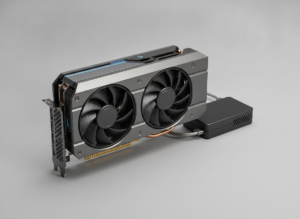
For Ollama specifically, a cheaper card with more VRAM beats a faster card with less. The reasoning is structural: capacity determines whether the model runs on the GPU at all, whereas raw compute only changes how fast it runs once it already fits. A 16GB card at $500 therefore outperforms a $900 12GB card on a 14B model, because the first one loads it and the second one spills.
| Budget tier | GPU | VRAM | Largest model class | Approx. US street price |
|---|---|---|---|---|
| Budget / used | Used RTX 3060 12GB | 12GB | 13B-14B | ~$200-250 |
| Budget new | RTX 4060 / RX 7600 | 8GB | 7B-8B | ~$300 |
| Mid-range | Intel Arc B580 16GB class | 16GB | 13B-14B | ~$350-450 |
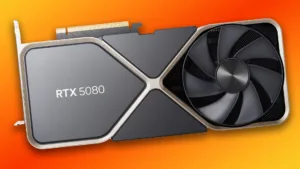
| High-end | RTX 5080 class | 16GB | 13B-14B, fast | ~$1,000+ |
| Enthusiast | Used RTX 3090 / RTX 4090 | 24GB | 20B-32B | ~$800-1,800 |
| Dual-GPU enthusiast | 2x 24GB cards | 48GB combined | 70B | ~$1,800-3,500 |
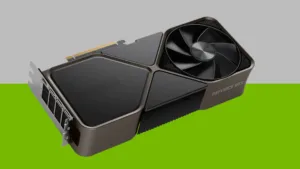
Best value for local AI in 2026: a 16GB card, because it clears the 13B-14B class with context headroom without crossing into flagship pricing. At the entry tier, used 12GB cards and 8GB laptop GPUs handle the 8B class, which covers chat, summarization and everyday coding assistance — the workloads most readers actually have. At the enthusiast tier, 24GB opens the 32B class, and because Ollama splits layers across available GPUs automatically, two matched 24GB cards address the 70B class without special configuration.
The platform choice carries real friction costs. NVIDIA remains the lower-effort path because llama.cpp’s CUDA backend is the most mature, therefore it needs the least troubleshooting. AMD acceleration through ROCm works but demands more driver attention, particularly on Windows. Intel’s 16GB Arc cards are the budget wildcard: excellent capacity per dollar, less mature tooling. If you are weighing a flagship, our RTX 5080 review covers where that speed does and does not pay off — and note that at 16GB it sits in the same model class as cards costing a third as much.
CPU, RAM, Storage and Power: The Parts People Overspend On
Beyond the GPU, Ollama needs 16GB of system RAM (32GB recommended), roughly 50GB of free NVMe storage, and a power supply rated for your GPU plus about 150W of headroom. A mid-range 6-8 core CPU is sufficient, because inference on a GPU-resident model is memory-bandwidth bound rather than core-count bound. Core count matters only when layers spill to the CPU, and in that scenario memory bandwidth is the bottleneck anyway — which means the flagship CPU purchase buys you very little on either side of the line.
Storage choice has a sharper effect than its price suggests. Ollama memory-maps model files, therefore slow SATA or mechanical drives add seconds of load latency on every cold start and make CPU-offloaded layers meaningfully worse. Each model tag is a 4-40GB download, and most users accumulate three or four to compare behavior, which is why 50GB free is a floor rather than a target.
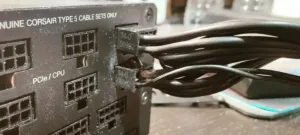
Power and thermals deserve more attention than gaming builds give them. Sustained generation pins the GPU near full load for minutes at a stretch, unlike gaming’s bursty profile, resulting in thermal and electrical stress closer to a stress test than a play session. Our breakdown of how many watts the RTX 5080 really needs illustrates the gap between rated and sustained draw. High-draw connectors warrant particular care — the reporting on RTX 5090 cables melting is the cautionary case for enthusiast builds. Independent accredited compliance laboratories such as Micom Labs test electronics against specified thermal and electrical limits precisely because continuous-load behavior differs from peak-load behavior.
Non-GPU Component Checklist for a Local AI PC
Gaming News and Reviews – The Tech ABC
- CPU: any modern 6-8 core desktop chip; AVX2 support is required and present on everything since roughly 2015
- System RAM: 16GB minimum, 32GB recommended so CPU-offloaded layers and the OS do not compete
- Storage: NVMe SSD with 50GB+ free, because Ollama memory-maps model files on every load
- PSU: your GPU’s rated draw plus roughly 150W of headroom for sustained full-load inference
- Cooling: case airflow matters more than for gaming, since generation holds the GPU at load for minutes
- OS: Windows 11, macOS 12+, or any mainstream Linux distribution — all are first-class Ollama targets
Apple Silicon Changes the Math: Unified Memory vs. Dedicated VRAM
On Apple Silicon, the GPU shares system memory, so a 32GB MacBook Pro loads models that would require a 24GB discrete GPU on a Windows PC — but at lower memory bandwidth, resulting in slower generation. Because the CPU and GPU address the same pool, roughly 65-75% of total memory is available to the model by default, which means usable capacity scales with the RAM configuration you chose at purchase rather than with a separate VRAM figure.
| Mac RAM | Approx. memory available to models | Largest comfortable model (Q4) | Practical experience |
|---|---|---|---|
| 16GB | ~10-11GB | 7B-8B | Fast, comfortable for chat |
| 24GB | ~16-17GB | 13B-14B | Comfortable with context headroom |
| 32GB | ~22-24GB | 20B-32B | Workable, slower on base chips |
| 48GB | ~34-36GB | 32B | Comfortable at 32B class |
| 64GB+ | ~45-48GB | 70B | Loads, but single-digit tokens/sec on base tiers |
The trade-off is bandwidth, stated plainly. Base M-series memory bandwidth sits far below a discrete card’s, consequently a 16GB Mac runs an 8B model pleasantly while a 70B model on a 64GB Mac generates at single-digit tokens per second — technically successful, practically tedious. Pro and Max tiers close part of that gap because their memory buses are wider, which is the one case where paying for chip tier buys speed rather than capacity.
The buying rule inverts the usual Mac advice: if local AI is the goal, pay for memory capacity before chip tier, because capacity decides what loads at all while chip tier only decides how fast it runs.
Quantization: How to Run a Bigger Model on the Hardware You Already Own
Quantization shrinks a model by storing its weights at lower numerical precision. Dropping from 16-bit to 4-bit cuts VRAM use by roughly 70% with modest accuracy loss, which is why Ollama ships 4-bit tags as the default. The cause-and-effect is direct: fewer bits per weight produces a smaller memory footprint, therefore a model that previously overflowed your card now fits entirely in VRAM, and generation speed jumps several-fold once CPU offloading stops. Machine learning literature hosted on arXiv, the open-access research archive, documents this precision-versus-accuracy trade-off extensively, generally finding limited degradation on most tasks at 4-bit — though readers should note that arXiv hosts pre-prints that have not all passed peer review.
Reading Ollama tags is straightforward once you know the convention. A tag like llama3.1:8b-instruct-q4_K_M specifies the model, the parameter count, the instruction-tuned variant and the quantization; q8_0 is the 8-bit equivalent at roughly double the memory. Step down to Q3 only if Q4 overflows, because quality degradation becomes noticeable on reasoning and code tasks at that point. Q8 is rarely worth double the memory for conversational work, since the quality difference is small relative to the capacity you surrender.
The honest limit: quantization buys roughly one model-size class, not three. A 70B model will not become pleasant on an 8GB card at any precision, which means past a certain shortfall the only remaining fix is more memory.
How to Size Your Own Build in Five Steps
Work in this order, because deciding the model first prevents the most expensive mistake — buying a card sized for a workload you do not actually have.
- Decide the job first — chat and summarization run fine on 8B, while code generation and long-document reasoning justify 14B-32B.
- Look up that model’s 4-bit VRAM figure in the table above and add 2GB for context headroom.
- Check your current GPU’s VRAM in Task Manager (Windows), System Report (macOS) or
nvidia-smi(Linux) and compare. - If you fall short, step down one quantization level and measure actual tokens per second before spending money.
- Only then buy — and buy VRAM capacity over raw compute, because capacity decides whether the model loads at all.
If step 3 shows a shortfall of 4GB or less, try a lower quantization before buying anything, because that fix costs nothing.
Real-World Speed: What Each Tier Actually Feels Like
Reading speed is roughly 7-10 tokens per second, so anything above 15 tokens per second feels instant and anything below 5 feels broken. A 16GB card running an 8B model at 40-60 tokens per second outpaces reading comfortably, which means the model finishes before you have consumed the first paragraph. CPU-only inference at 2-5 tokens per second remains usable for background batch work — summarizing a folder overnight, for instance — but it is frustrating for conversation, because you watch each word arrive.
WhatsApp Chats at Stake: Apple Exposes Meta’s Bold Requests!
Time-to-first-token behaves as a separate measurement and deserves separate attention. Prompt processing scales with context length, therefore pasting a 20-page document introduces a multi-second pause before generation begins even on fast hardware. The workflow consequence is concrete: long-context tasks reward GPU compute more than short chats do, which is the one scenario where a faster card with equal VRAM earns its premium. Federally funded research supported by the National Science Foundation, the US agency backing fundamental science and engineering, has long targeted computing efficiency and on-device computation — work that underpins why these models run on consumer silicon at all.
Frequently Asked Questions
What are the minimum hardware requirements to run Ollama?
Ollama runs on most 64-bit PCs and Macs from the last decade with 8GB of RAM and 10GB of free storage. For a usable experience, the realistic floor is 16GB of system RAM, an NVMe SSD with 50GB free, and a GPU with 8GB of VRAM — that combination runs 7B-8B models at 40-plus tokens per second. Falling below it does not break the software; it shifts inference to the CPU, which cuts throughput by roughly an order of magnitude.
Can Ollama run without a dedicated GPU?
Yes — Ollama falls back to CPU and system RAM automatically. The cost is speed: generation drops to roughly 2-6 tokens per second on a modern 8-core CPU with a 4-bit 7B model, which sits below reading pace. On CPU-only machines, start with a 3B model instead, because the smaller footprint keeps response times tolerable for interactive use.
How much VRAM do I need to run a 7B model in Ollama?
About 5-6GB of VRAM for a 4-bit quantized 7B model, so an 8GB card is the comfortable target. The extra 2GB absorbs the KV cache as the conversation grows, which is why 6GB cards stutter on long chats even though the weights technically fit at the start of the session.
What hardware do I need to run a 70B model locally?
Roughly 42-48GB of memory at 4-bit precision — in practice two 24GB GPUs, a single 48GB workstation card, or a 64GB Apple Silicon Mac. The Mac route costs less but runs slower, because unified memory bandwidth sits below discrete GPU bandwidth, resulting in single-digit tokens per second on base chip tiers.
Does Ollama work with AMD and Intel GPUs?
Yes, but with more setup friction than NVIDIA. AMD acceleration runs through ROCm and Intel Arc through its own backend; both function, yet NVIDIA’s CUDA path is the most mature in llama.cpp, therefore it demands the least troubleshooting. Choose AMD or Intel 16GB cards if you are comfortable configuring drivers yourself.
Is Ollama free, and does it send my data anywhere?
Ollama is free and open source, and inference happens entirely on your machine. One honest clarification: downloading a model contacts Ollama’s registry, so that step requires internet access. Afterwards, prompts and responses stay on the device. This is the main reason privacy-sensitive users follow CISA-style guidance on keeping sensitive data in controlled environments.
Can I use multiple GPUs with Ollama?
Yes — Ollama splits model layers across available GPUs automatically. Capacity adds up, so two 16GB cards address 32GB of weights, but speed does not scale linearly because layers execute sequentially and PCIe transfers between cards add latency. Match VRAM sizes across cards, because mismatched pairs leave capacity stranded.
Is a gaming laptop good enough for Ollama?
An 8GB laptop GPU runs 8B models well; 6GB configurations struggle past short prompts. Add the thermal caveat: sustained generation holds the GPU at full load far longer than gaming does, consequently thin laptops throttle and token rates fall noticeably after a few minutes. Plug in and select the performance power profile before benchmarking.
Limitations and Alternatives: When Local AI Is the Wrong Choice
There is a hard ceiling here, and pretending otherwise would be dishonest. Open-weight models that fit consumer hardware trail frontier cloud models on complex reasoning, long-context accuracy and multimodal tasks, because parameter count and training compute still correlate strongly with capability. A reader whose work depends on best-available output quality will not be satisfied by a 14B model regardless of how good the GPU underneath it is.
The economics deserve the same honesty. A $900 16GB GPU equals several years of a cloud assistant subscription, therefore local inference pays off on privacy, offline access, unlimited usage and the pleasure of tinkering — not on raw cost for light users. Stanford HAI, the interdisciplinary research institute at Stanford University, publishes annual analysis tracking the measured capability gap between open-weight and closed frontier models, and its research documents how that gap has narrowed while remaining real. A related policy dimension matters for buyers: Lawfare, which publishes analysis on national security law and technology policy, covers the ongoing debate over open-weight model distribution — commentary rather than settled regulation, but relevant, because which models stay downloadable determines what hardware is worth owning. Our coverage of tech trends and innovations tracks that trajectory.
Three things this guide deliberately does not cover: fine-tuning and training, which require substantially more memory than inference; multi-user serving, which belongs on dedicated inference stacks; and laboratory-controlled benchmarks, since the token rates quoted here are community-reported ranges from real-world use.
When to Choose Something Other Than Ollama
- You need frontier-level reasoning or large multimodal context — use a cloud model instead
- You have no discrete GPU and no patience for 3 tokens per second — a cloud subscription costs less than a GPU upgrade
- You want fine-tuning rather than inference — budget for far more VRAM, or rent cloud compute by the hour
- You need a graphical interface with document management — pair Ollama with a front-end, or use a packaged desktop app
- You are serving multiple users — a production inference server handles concurrency that Ollama was not designed for
The Bottom Line on Local AI Hardware
Buy VRAM, then RAM, then stop worrying. A 16GB GPU, 32GB of system RAM and an NVMe SSD covers every model most people will genuinely use in 2026, and that combination costs less than the flagship card that compute-first buyers instinctively reach for. That is the whole of Ollama Explained: The Hardware You Actually Need to Run AI Models on Your Own PC — capacity first, because capacity decides what loads, and everything else only decides how fast.
Before you open a single product page, do this: check your current VRAM, pull a 4-bit 8B model, and measure real tokens per second on the machine you already have. The hardware sitting under your desk frequently clears the bar, which makes the upgrade question moot. For more on the models themselves and where local inference is heading, browse our AI coverage.
References
- National Institute of Standards and Technology (NIST) — Artificial Intelligence: https://www.nist.gov/artificial-intelligence
- Cybersecurity and Infrastructure Security Agency (CISA): https://www.cisa.gov/
- arXiv — open-access research archive (quantization and efficient inference literature): https://arxiv.org/
- Stanford Institute for Human-Centered Artificial Intelligence (HAI): https://hai.stanford.edu/
- European Journal of Engineering and Computer Sciences: https://www.ejecs.org/
- National Science Foundation (NSF): https://www.nsf.gov/
- Lawfare: https://www.lawfaremedia.org/
- Micom Labs: https://micomlabs.com/