
Table of Contents
- The Formula Behind Every LLM RAM Calculation
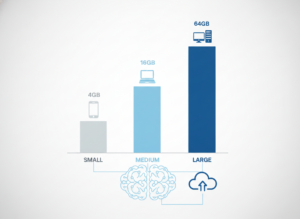
- LLM RAM Requirements by Model Size
- 3B to 4B models: the mobile tier
- 7B to 9B models: the 16 GB sweet spot entry
- 12B to 14B models: the current best value
- 27B to 35B models: the coding-agent threshold
- 70B and above: workstation territory
- Quantization: Why Q4_K_M Became the Default
- The Hidden RAM Killer: Context Windows and the KV Cache
- VRAM vs Unified Memory: Why Architecture Changes the Answer
- What to Buy in 2026
- Frequently Asked Questions
- Limitations of This Guidance
- The Bottom Line
- References
- Related Reading
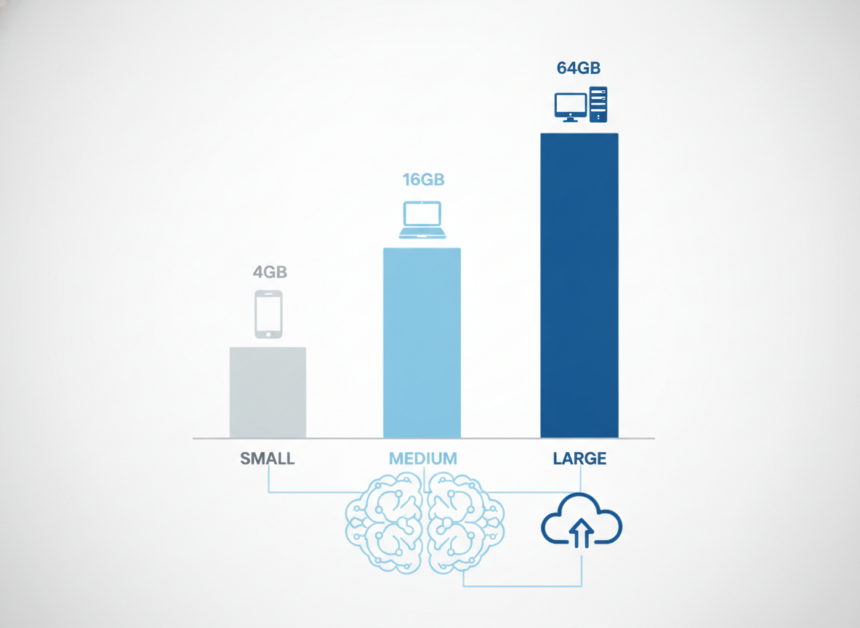
Key Takeaway: LLM RAM requirements in late 2026 come down to one number — roughly 0.55 to 0.7 GB of memory per billion parameters at 4-bit quantization, plus your context window and operating system overhead. A 7B model therefore runs comfortably on 16 GB of RAM, a 27B model wants 32 GB, and a 70B model needs 64 GB or more. The hidden cost that catches most people out is the KV cache: a 128K context window adds 16 to 32 GB on its own, which is why a model that loaded fine yesterday crashes the moment you paste in a long document.
Local AI stopped being a hobbyist curiosity sometime in 2025. By November 2026, running a model on your own hardware through Ollama, LM Studio or llama.cpp is a mainstream workflow, driven by three forces pushing in the same direction: privacy requirements that rule out sending data to a third-party API, latency demands that a round trip to a datacenter cannot meet, and cloud inference bills that climb every quarter.
The constraint, though, is no longer software. It is memory. The ongoing datacenter-RAM squeeze has kept consumer memory prices elevated, which means buying your way out of a bad hardware decision is expensive. Getting the calculation right before you spend matters more in 2026 than it did two years ago, and the calculation is not complicated — it is just rarely explained properly.
About the Author: The Tech ABC Editorial Team covers consumer hardware with a buyer-first lens — what a device does, what it costs, and who should actually buy it. This analysis synthesises benchmark data and community testing from October and November 2026 across local inference runtimes.
Everything You Need to Know About the Nintendo Switch 2
Transparency: Figures in this article reflect 4-bit
Q4_K_Mquantized models running on consumer hardware as reported in late-2026 benchmarks. Performance varies by runtime, memory bandwidth and model architecture. See our disclaimer for more.
The Formula Behind Every LLM RAM Calculation
Memory use for a local model breaks into three parts, and you can estimate all three on the back of an envelope:
RAM = (Parameters in billions × Bytes per parameter) + KV Cache + OS Overhead
Models are trained in 16-bit floating point, which consumes roughly 2.0 GB per billion parameters. That is why a 70B model in its native FP16 form demands over 140 GB — well beyond any consumer machine. Quantization solves this by compressing the weights, and at the 2026 industry standard of Q4_K_M the footprint drops to approximately 0.55 to 0.7 GB per billion parameters, a reduction of around 70 percent.
Operating system overhead is the part people forget, and it is not trivial. Based on late-2026 guidance from local inference communities:
- Linux: 4 to 6 GB
- macOS: 6 to 8 GB
- Windows: 8 to 10 GB
That spread matters. The same 12B model that loads with headroom to spare on a lean Linux box sits uncomfortably close to the ceiling on a 16 GB Windows laptop, because Windows claims up to 10 GB before the model requests a single byte.
LLM RAM Requirements by Model Size
Here is how the arithmetic translates into actual hardware recommendations, drawn from benchmarks published in October and November 2026:
| Model size | Weights at Q4_K_M | Recommended RAM | Typical hardware |
|---|---|---|---|
| 3B – 4B | ~2 GB | 8 GB | High-end phones, budget laptops |
| 7B – 9B | 4.2 – 5 GB | 16 GB | Mainstream laptops |
| 12B – 14B | ~8 GB | 16 – 32 GB | Developer laptops |
| 27B – 35B | ~16.5 GB | 32 – 64 GB | Workstations, Apple Silicon |
| 70B+ | ~40 GB | 64 – 128 GB+ | High-end workstations, Mac Studio |
3B to 4B models: the mobile tier
Models in the 3B to 4B class — Phi-4 Mini and Qwen 3 4B among them — fit within 8 GB of total system memory. The weights occupy roughly 2 GB, which leaves enough room for a mobile OS and a modest context window. On phones this is the practical ceiling, because mobile operating systems cap how much RAM any single application claims, and tools such as PocketLLM operate inside that cap rather than around it.
7B to 9B models: the 16 GB sweet spot entry
Llama 3.1 8B, Qwen 2.5 7B and Gemma 3 9B land at 4.2 to 5 GB of weights. Sixteen gigabytes is the floor for a usable experience here — not because the model needs it all, but because you will keep a browser and a code editor open alongside it, and those applications compete for the same pool.
12B to 14B models: the current best value
Mistral Small 12B has emerged as the standout choice for 16 GB laptops in 2026, fitting into memory with roughly 2 GB of headroom while generating around 30 tokens per second. Qwen 2.5 14B and DeepSeek-R1 14B sit in the same tier but push closer to the limit, which means 32 GB buys meaningful comfort if your workflow involves long sessions.
27B to 35B models: the coding-agent threshold
Qwen 3.8 27B and comparable models require about 16.5 GB for weights alone. Thirty-two gigabytes is the recommended minimum for running coding agents locally, and 64 GB is what removes the constant memory anxiety.
70B and above: workstation territory
Llama 3.3 70B consumes roughly 40 GB at Q4. Running it requires either 64 to 128 GB of system RAM with partial CPU offloading, or an Apple Silicon machine with large unified memory. There is no shortcut at this tier.
Quantization: Why Q4_K_M Became the Default
Q4_K_M — 4-bit K-quant, medium — won the 2026 standard position because it compresses aggressively without the quality collapse that cruder methods produce. The scheme keeps the neural weights that matter most at higher precision and squeezes the rest harder, resulting in output that most users cannot distinguish from the uncompressed model in ordinary use.
The temptation is to go further. Resist it. Practitioners consistently advise against dropping to 3-bit quantization, because the degradation becomes noticeable and hallucination rates climb — an effect that shows up most sharply in coding tasks, where a single wrong token breaks the output entirely. The memory saved is not worth the reliability lost.
“Q4_K_M shrinks weights to roughly 0.6 GB per billion parameters while keeping important neural weights at higher precision — quality most users cannot distinguish from the uncompressed model.”
— Consensus guidance from 2026 local inference benchmarks
The Hidden RAM Killer: Context Windows and the KV Cache
This is the part that breaks people’s mental models. The expansion of context windows across 2025 and 2026 means models now hold entire documents in working memory, and that history lives in the KV cache — memory allocated on top of the weights.
| Context window | Additional RAM required |
|---|---|
| 4K tokens | ~0.5 – 1 GB |
| 32K tokens | ~4 – 8 GB |
| 128K tokens | ~16 – 32 GB |
Read that bottom row against the model table above. A 128K context window on a 7B model consumes more memory than the model itself. This is the single most common cause of out-of-memory crashes among new local-AI users: the model loads cleanly, runs for ten minutes, then dies the instant a 90-page PDF enters the prompt — because the KV cache allocation suddenly exceeded what was left.
Modern runtimes have partly addressed this. llama.cpp now quantizes the KV cache by default, typically to 8-bit q8_0, which cuts context memory consumption by a factor of two to four with marginal quality loss. That optimisation is why 32K contexts became practical on 16 GB machines during 2026. It does not make 128K free.
The practical rule: set your context window to what you actually use. If your sessions are short conversations, a 8K window costs almost nothing. If you genuinely process long documents, budget for the cache as a second model.
VRAM vs Unified Memory: Why Architecture Changes the Answer
Capacity is half the story. How your memory is wired determines whether a model runs fast or merely runs.
Discrete GPUs (NVIDIA and AMD) use dedicated VRAM, which is fast but fixed. When a model exceeds available VRAM, inference engines offload the remaining layers to system RAM. This prevents the crash but bottlenecks generation severely, because every offloaded layer now waits on the comparatively slow PCIe path. A 24 GB card such as those in the current RTX 50-series handles models up to roughly the 27B tier entirely in VRAM; beyond that, speed falls off a cliff.
Apple Silicon took a different route. Unified memory erases the distinction between system RAM and VRAM, giving the GPU access to the entire pool. A MacBook Pro or Mac Studio with 64 GB or 128 GB can therefore load a 70B model into GPU-accessible memory without any offloading penalty. As a result, Apple Silicon remains the most cost-effective consumer path to running 70B-class models locally in 2026, because the alternative is a multi-GPU rig with the power draw and price to match.
The consequence for buyers is straightforward: on a Mac, total RAM is your model budget. On a Windows or Linux desktop with a discrete GPU, VRAM is your model budget and system RAM is your safety net.
What to Buy in 2026
Three decisive positions, based on where the benchmarks actually land:
- 16 GB is the laptop minimum. Eight gigabytes handles browsing; it does not handle a 7B or 12B coding assistant alongside your normal applications. Treat 16 GB as the floor, not the target.
- 32 to 64 GB is the professional standard. If you intend to run 30B-plus models or use large context windows without crashes, 32 GB is the baseline and 64 GB provides the headroom that makes the setup pleasant rather than fragile.
- Phones top out around 3B. An 8 GB handset runs a 3B model at roughly 2 GB of weights safely, and OS-level per-app memory caps mean larger models are not a matter of willpower.
Frequently Asked Questions
Can I run a 7B model on 8 GB of RAM?
Technically yes on Linux, but not comfortably. A 7B model at Q4_K_M needs 4.2 to 5 GB of weights, and Linux overhead consumes another 4 to 6 GB. On Windows, where overhead reaches 10 GB, it is impractical. Sixteen gigabytes is the realistic minimum for a 7B model.
Does quantization hurt model quality?
At Q4_K_M, barely. The scheme preserves the most important weights at higher precision, and most users report output they cannot distinguish from the full model. Quality degrades noticeably at 3-bit, where hallucinations increase — particularly in coding.
Why does my model crash when I paste a long document?
The KV cache exceeded your remaining memory. A 128K context window adds 16 to 32 GB on top of the weights. Reduce your configured context length or enable KV cache quantization, which cuts that overhead by two to four times.
Is a Mac better than a gaming PC for local LLMs?
For large models, generally yes. Apple’s unified memory lets the GPU use the entire RAM pool, so a 64 GB Mac runs a 70B model without offloading. A discrete GPU is limited to its VRAM, and exceeding it slows generation sharply.
How much RAM do I need for a 70B model?
Gaming News and Reviews – The Tech ABC
64 GB minimum, 128 GB for comfort. A 70B model at Q4 occupies roughly 40 GB of weights, which leaves little room for context and OS overhead at 64 GB.
Limitations of This Guidance
These figures come from community benchmarks and vendor documentation published in October and November 2026, not from controlled laboratory testing. Memory consumption varies with model architecture, runtime version, chosen quantization variant and KV cache settings, which means your results will differ from the ranges above by a gigabyte or two in either direction.
Alternative approaches exist and suit different priorities. Mixture-of-experts architectures activate only a fraction of their parameters per token, altering the memory-to-capability ratio. CPU offloading trades speed for the ability to run larger models on modest hardware. Cloud inference remains cheaper than a hardware upgrade for occasional use, and the privacy trade-off is the only reason to avoid it.
Before committing to a hardware purchase, test your intended models on borrowed or rented hardware if possible, and verify current requirements against the documentation for your specific runtime — local inference tooling changes quickly, and a figure accurate in November 2026 will shift.
The Bottom Line
Understanding LLM RAM requirements removes almost all the guesswork from local AI. Multiply parameters by 0.6, add your OS overhead, then add the KV cache for the context length you actually use — that sum is your real requirement, and it is usually larger than the number printed on the model card. The models that disappoint people are rarely the wrong models; they are the right models starved of memory because the context window was never budgeted for.
For most readers in late 2026, the decision resolves cleanly. Sixteen gigabytes runs a capable 12B assistant. Thirty-two to 64 GB opens the 27B tier and large contexts. Beyond that, Apple Silicon’s unified memory is the cost-effective route to 70B-class models. Everything else is optimisation around those three thresholds.
Want more hardware analysis that starts with the numbers rather than the marketing? Read more across our tech trends coverage.
References
- aitoolradar.io — Local LLM hardware requirement benchmarks, 2026
- tensorrigs.com — Quantization and memory footprint analysis
- localclaw.io — KV cache and context window overhead testing
- pocketllm.app — On-device mobile LLM memory constraints
- spheron.network — Consumer hardware guidance for local inference
- developersdigest.tech — Model tier benchmarks, October–November 2026
- compute-market.com — Unified memory versus discrete VRAM comparison