

Table of Contents
- The Short Answer: VRAM Capacity Tiers for 2026
- What the "VRAM Squeeze" Actually Is
- The Supply Side: AI Data Centers Took the Memory
- The Demand Side: 2026 Engines Allocate More Than 8GB
- GDDR7 Explained: Bandwidth Is Not Capacity
- 12GB vs 16GB: What the Benchmarks Actually Show
- Local AI Changed the VRAM Math
- Three VRAM Myths That Will Cost You Money
- How to Measure Your Own VRAM Needs Before You Buy
- Buy Recommendations for Late 2026
- Frequently Asked Questions
- Limitations, Caveats and Alternatives to Buying More VRAM
- Conclusion
- References
Key Takeaway: How Much Video RAM Do You Actually Need in 2026? A Buyer’s Guide to GDDR7, 12GB vs 16GB, and the VRAM Squeeze comes down to three numbers: 8GB is a tuned-settings 1080p card, 12GB is the 1440p floor, and 16GB is the requirement for 4K, path tracing and local AI. GDDR7’s bandwidth gain does not substitute for capacity, because a 12GB card still spills to system RAM when a game allocates 14GB, resulting in stutter and late texture pop-in.
How Much Video RAM Do You Actually Need in 2026? A Buyer’s Guide to GDDR7, 12GB vs 16GB, and the VRAM Squeeze exists because the answer changed: memory capacity has overtaken raw compute as the practical bottleneck for mainstream buyers. Unreal Engine 5.4-class renderers ship with texture pools and ray-tracing data structures that no longer fit inside 8GB at 1440p ultra, and local AI workloads added a second, entirely non-gaming reason to buy memory.
The question got harder this year for an economic reason rather than a technical one. The AI data center boom absorbed global GDDR7 and HBM output, consequently memory became a disproportionate share of a graphics card’s bill of materials, and vendors held 16GB configurations back from mid-range SKUs to protect margins. This guide covers the capacity tiers, what GDDR7 actually buys you, the 12GB vs 16GB benchmark evidence, the AI memory math, and tier-by-tier buy recommendations.
About the Author: Written by The Tech ABC Editorial Team, which covers GPUs, self-built PCs and components with hands-on testing and buyer-focused analysis.
Transparency: Third-party benchmark figures in this article are attributed to their original publishers, in line with the Society of Professional Journalists ethical standards on sourcing and attribution. No manufacturer reviewed, funded or influenced these recommendations. See our editorial disclaimer for the full policy.
The Short Answer: VRAM Capacity Tiers for 2026
How Much Video RAM Do You Actually Need in 2026? A Buyer’s Guide to GDDR7, 12GB vs 16GB, and the VRAM Squeeze reduces to a single table: 8GB covers 1080p with tuned textures, 12GB is the 1440p baseline, 16GB is the target for 1440p ultra and entry-level 4K, and 24GB or more belongs to serious local AI work and content creation.
One mechanism governs every recommendation that follows. When a game’s memory allocation exceeds physical capacity, the GPU fetches assets from system RAM across the PCIe bus instead of from local memory, which means frame times spike, textures load late, and average FPS collapses rather than degrading gracefully. The corollary matters just as much: extra capacity improves performance only when it prevents that saturation. A 24GB card does not make a 1080p esports title faster, because nothing in that workload was ever memory-bound.
VRAM Capacity Tiers and What They Buy You in 2026
| VRAM | Comfortable Resolution / Settings | Representative 2026 Cards | First Thing That Breaks |
|---|---|---|---|
| 8GB | 1080p tuned, esports titles | RTX 5060 class | Texture quality in new AAA releases |
| 12GB | 1440p high, 1080p ultra | RTX 5070 class | Heavy ray tracing at 1440p |
| 16GB | 1440p ultra, entry 4K | RTX 5060 Ti 16GB, RTX 5080 class | 4K path tracing headroom |
| 24GB+ | 4K path tracing, local LLMs, creation | RTX 5090 tier | Budget, not memory |
What the “VRAM Squeeze” Actually Is
The VRAM squeeze is the 2026 collision between AI-driven memory supply constraints and software memory demand that has outgrown 8GB cards. Two independent forces pushed in the same direction, and the result lands on the same shelf: mid-range graphics cards with less memory than their performance tier would suggest.
The Supply Side: AI Data Centers Took the Memory
Hyperscalers buying AI accelerators absorbed global GDDR7 and HBM output through 2026, therefore memory became a disproportionate share of a graphics card’s bill of materials. As a result, board partners raised prices and resisted putting 16GB on mid-range SKUs. The constraint is commercial rather than engineering: the margin math, not the difficulty of soldering more modules, is why a 12GB card now occupies the slot a 16GB card would have held a generation ago. Research funded by the National Science Foundation on semiconductor materials and memory density scaling helps explain why fabrication capacity cannot be expanded on demand, and our wider tech trends and innovations coverage tracks how AI demand reshapes consumer hardware pricing.
The Demand Side: 2026 Engines Allocate More Than 8GB
AAA titles built on Unreal Engine 5.4-class renderers routinely push past 8GB at 1440p ultra, because virtualised geometry, higher-resolution texture pools and ray-traced lighting structures all occupy VRAM simultaneously. The Stanford Institute for Human-Centered Artificial Intelligence documents a parallel shift toward on-device model execution in its ongoing AI Index research, which compounds the pressure on consumer memory budgets. Consequently the failure mode is not a gentle FPS decline but something far more disruptive.
Symptoms of VRAM Saturation (How to Recognise It)
- Textures load in blurry and sharpen seconds later
- Frame time spikes and stutter while average FPS still looks acceptable
- Sudden performance collapse when entering a dense area
- Ray-traced or path-traced lighting silently degrades or fails to load
- Settings menu greys out or warns about texture quality
GDDR7 Explained: Bandwidth Is Not Capacity
GDDR7 increases how fast the GPU can move data, not how much it can hold, therefore a 12GB GDDR7 card still stutters in a game that allocates 14GB. The technical leap is real. GDDR7 uses PAM3 signalling, a middle ground between traditional NRZ and PAM4 encoding that delivers improved voltage margins alongside higher effective bandwidth per pin. Toronto-based workstation builder OrdinaryTech reports that single-chip bandwidth has risen from 112 GB/s to 192 GB/s at higher clocks, translating to roughly a 30% FPS improvement in heavily ray-traced 4K scenes. Peer-reviewed engineering literature on memory signalling and bus architecture published in the European Journal of Engineering and Computer Sciences covers the encoding trade-offs behind that gain.
The hard line is the canvas analogy. Bandwidth dictates how fast the GPU paints the canvas; capacity dictates how large the canvas can be. A 16GB GDDR6 card holds stable frame times in a 14GB workload where a 12GB GDDR7 card spills across PCIe to system RAM, because no transfer rate compensates for data that has nowhere to sit. Measurement frameworks from the National Institute of Standards and Technology treat throughput and capacity as distinct computing properties for exactly this reason — they are not interchangeable specifications, and marketing that blurs them costs buyers money.
GDDR6 vs GDDR6X vs GDDR7: What Changed
| Memory Type | Signalling | Per-Chip Bandwidth (approx.) | Typical 2026 Use |
|---|---|---|---|
| GDDR6 | NRZ | ~112 GB/s | Older and budget cards, 16GB mid-range |
| GDDR6X | PAM4 | Mid-range uplift over GDDR6 | Previous-generation high-end boards |
| GDDR7 | PAM3 | Up to ~192 GB/s | RTX 50-series, including RTX 5070 and RTX 5080 |
12GB vs 16GB: What the Benchmarks Actually Show
The central dilemma inside How Much Video RAM Do You Actually Need in 2026? A Buyer’s Guide to GDDR7, 12GB vs 16GB, and the VRAM Squeeze is settled by one benchmark pair. Tom’s Hardware testing cited by FlowUP found the RTX 5060 Ti 16GB only about 5% faster than the 8GB model at 1080p, but roughly 43% faster at 4K. Identical silicon, identical clocks, different capacity — therefore the 43% delta is pure memory saturation rather than a compute difference. The 8GB model does not run slower at 4K; it runs out of room and collapses.
Position 12GB precisely. It is the practical floor and handles 1080p ultra and 1440p high comfortably, which makes RTX 5070-class cards the price-to-performance pick of this generation. It becomes the bottleneck in the most demanding 2026 titles with heavy ray tracing enabled, because RT acceleration structures and denoising buffers consume capacity that the texture pool also needs. Two systems competing for the same 12GB is where frame-time spikes begin.
16GB is the standard for 1440p ultra and entry-level 4K, and the longevity argument is causal rather than speculative. Console memory budgets set texture-pool targets for cross-platform titles, which means a 16GB card absorbs the next two years of texture inflation while a 12GB card starts trading settings to stay smooth.
8GB deserves nuance rather than dismissal. Rock Paper Shotgun’s Jon Martindale notes that 8GB still serves the top 100 most popular Steam games, a list that skews heavily toward esports titles such as Valorant and CS2. The caveat is substantial: in modern AAA releases, that viability depends on upscaling and reduced texture settings, not on the card holding its own at stock quality.
Local AI Changed the VRAM Math
“How much VRAM do I need?” is no longer purely a gaming question, because local model execution has its own arithmetic. At 4-bit quantization a model requires roughly 0.5GB of VRAM per billion parameters, plus 1-2GB of context headroom. The rule holds because weights dominate memory consumption, therefore quantization level sets the floor and context length sets the overhead. An 8-billion-parameter model at 4-bit runs comfortably within 6-8GB. Open-access quantization research published on arXiv documents the precision-versus-memory trade-offs behind those figures, and NIST’s AI measurement work frames why capacity and throughput must be budgeted separately for inference workloads.
The escalation is where buyers get caught. High-resolution image generation, LoRA fine-tuning and mid-sized models push the floor to 12-16GB, which means anyone who intends to run local models should treat 16GB as the entry point and 24GB as the comfortable tier. Serious prosumers and creators are pushed toward 24GB RTX 5090-tier cards or 48GB configurations, driven by context length and batch size rather than by model weights alone.
VRAM Needed for Local Models at 4-Bit Quantization
Will Gemini’s Imagen 3 Redefine Android Image Generation?
| Model Size | Weights at 4-Bit | Plus Context Headroom | Minimum Card |
|---|---|---|---|
| 7-8B parameters | ~3.5-4GB | ~5-6GB | 6-8GB |
| 13B parameters | ~6.5GB | ~8GB | 8-12GB |
| 30B parameters | ~15GB | ~16-17GB | 24GB |
| 70B parameters | ~35GB | ~36-37GB | 48GB setup |
Three VRAM Myths That Will Cost You Money
Most bad GPU purchases in 2026 trace to three specific misunderstandings, and each one carries a measurable cost in frame times. Digital Foundry analysts including Alex Battaglia have highlighted how 8GB cards silently break game lighting or fail to load textures properly, which means affected users suffer degraded visual fidelity without ever seeing an error message or a warning dialogue. The damage is invisible unless you know what to look for.
Myth vs Reality
- Myth: DLSS and FSR cut VRAM needs enough to rescue an 8GB card — Reality: upscaling shrinks the render target, not the texture pool
- Myth: GDDR7’s speed compensates for lower capacity — Reality: bandwidth cannot store data the card has no room for
- Myth: Allocated VRAM equals required VRAM — Reality: engines cache opportunistically, so judge by frame-time spikes, not the allocation number
- Myth: More VRAM means more FPS — Reality: capacity helps only once saturation is the bottleneck
How to Measure Your Own VRAM Needs Before You Buy
Allocation figures mislead, therefore the only reliable test pairs dedicated memory usage with 1% low frame times in the games you actually play. Independent test-laboratory practice, including the controlled-workload methodology advocated by firms such as Micom Labs, favours repeatable measurement of real workloads over vendor-reported numbers or synthetic benchmark loops that never stress the texture streamer.
Five-Step VRAM Audit
This Is Why Photoshop Isn’t Your Only Option Anymore
- Enable a monitoring overlay showing dedicated VRAM usage, frame time and 1% lows
- Load your three most demanding titles at your target resolution and settings
- Run a dense area for five minutes, not a built-in benchmark loop
- Record peak dedicated VRAM and note any frame-time spikes above 1.5x your average
- Add 20-25% headroom to your peak figure and buy the next capacity tier up
Buy Recommendations for Late 2026
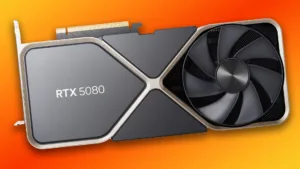
After rasterisation performance, capacity is the second thing to check, because a capacity shortfall produces stutter that no amount of compute hides. Memory pricing moved upward through 2026 as a direct result of data center demand, which means the price gap between 12GB and 16GB SKUs is wider than in previous generations and should be budgeted deliberately rather than treated as a small upsell. Higher-capacity, higher-bandwidth memory also raises board power draw — research from the MIT Energy Initiative on computing energy use underlines why PSU headroom belongs in the same calculation. Our RTX 5080 review and our testing of how many watts the RTX 5080 really needs cover the high-end GDDR7 tier in detail.
VRAM Buying Guide by Tier
- Budget / 1080p esports: 8GB works (RTX 5060 class), but plan on lowering textures in new AAA releases
- Mainstream / 1440p: do not buy below 12GB (RTX 5070 class) — the strongest price-to-performance balance this generation
- Enthusiast / 1440p ultra and entry 4K: 16GB is the target, and it is the single most effective longevity upgrade
- 4K path tracing and local AI: 16GB minimum, 24GB if you run mid-sized models or fine-tune
- Laptops and handhelds: check the memory bus and shared-memory configuration, because advertised totals often include system RAM — our Nintendo Switch 2 hardware breakdown illustrates how shared pools work in practice
Frequently Asked Questions
Common questions about How Much Video RAM Do You Actually Need in 2026? A Buyer’s Guide to GDDR7, 12GB vs 16GB, and the VRAM Squeeze, answered directly.
How much VRAM do I need for 1440p gaming in 2026?
12GB is the minimum for 1440p, and 16GB is recommended for ultra settings with ray tracing. Ray-tracing acceleration structures and denoising buffers compete with the texture pool for the same memory, therefore 12GB saturates in the heaviest 2026 titles while 16GB holds stable frame times across the same scenes.
Is 12GB of VRAM enough in 2026?
Yes for 1080p ultra and 1440p high, no for 4K or heavy path tracing. 12GB is the practical floor rather than a comfortable ceiling, because texture budgets rose with Unreal Engine 5.4-class renderers. Buyers keeping a card three or more years should pay the premium for 16GB, which means fewer settings compromises as cross-platform texture pools grow.
Is 8GB of VRAM still usable in 2026?
Only at 1080p with tuned textures and upscaling. Rock Paper Shotgun’s Jon Martindale notes 8GB still covers the esports-heavy top 100 Steam titles. Digital Foundry’s analysis, however, shows 8GB cards silently degrading lighting and texture loading in modern AAA games, which means visual quality drops without any on-screen warning.
Does GDDR7 mean I need less VRAM?
No. Bandwidth determines transfer speed while capacity determines how much data fits, therefore a 12GB GDDR7 card still spills to system RAM in a 14GB workload where a 16GB GDDR6 card does not. The reported jump from 112 GB/s to 192 GB/s per chip is a speed gain, not a capacity substitute.
How much VRAM do I need to run local AI models?
Roughly 0.5GB per billion parameters at 4-bit quantization, plus 1-2GB of context headroom. An 8-billion-parameter model fits within 6-8GB. Image generation, LoRA fine-tuning and mid-sized models require 12-16GB as a minimum, and 24GB is the comfortable tier for prosumer work because context length and batch size expand the footprint.
Do DLSS and FSR reduce VRAM usage?
Only partially. Upscaling lowers the internal render resolution and therefore shrinks framebuffer memory, but it does not reduce the memory needed for high-resolution textures. As analysts at META PCs clarify, if a game requires 12GB for its texture pool, DLSS will not bring that figure down to 8GB.
Why are 16GB graphics cards so expensive in 2026?
How Does Keeping Your iPhone at 100% Kill Its Battery?
Because AI data center demand absorbed GDDR7 and HBM supply. Memory now represents a large share of a card’s bill of materials, consequently board partners raised prices and withheld 16GB configurations from mid-range SKUs to protect margins. The shortage is commercial allocation rather than a manufacturing limit.
Limitations, Caveats and Alternatives to Buying More VRAM
The benchmark evidence here has boundaries worth stating. The 5% and 43% scaling figures come from one GPU pair — the RTX 5060 Ti 8GB versus 16GB — in specific test suites, therefore the magnitude varies by title, engine and driver version rather than functioning as a fixed law of GPU scaling.
The counter-argument also holds: capacity is useless without matching compute, which means a slow 16GB card loses to a faster 12GB card in titles that never saturate memory. Capacity is the second filter, not the first. And the 24GB recommendation carries its own ownership caveats at the top end, including the RTX 5090 power cable concerns that buyers should weigh before committing.
Readers who cannot spend more have real levers. Reduce texture quality one step — the single largest VRAM saving available. Cap ray tracing or path tracing. Use upscaling for framebuffer savings. Close background GPU-accelerated applications. For AI workloads, run smaller or more aggressively quantized models, or offload layers to the CPU. Finally, memory pricing shifted repeatedly through 2026, therefore the price-per-gigabyte calculus in this guide reflects October 2026 conditions and should be rechecked before purchase.
Conclusion
How Much Video RAM Do You Actually Need in 2026? A Buyer’s Guide to GDDR7, 12GB vs 16GB, and the VRAM Squeeze ends with a verdict rather than a shrug: 12GB is the 1440p floor, 16GB is the standard for 4K, path tracing and local AI, and 8GB survives only at 1080p with compromises to textures and settings.
The squeeze exists because AI data center demand took the memory supply while software demand grew at the same time, therefore capacity shortfalls now surface as stutter and texture pop-in rather than as a tidy drop in average FPS. That failure mode is harder to diagnose and far more unpleasant to play through.
The Tech ABC – Tech News, AI Insights & Smartphone Reviews
The decision rule is simple. Audit your own peak usage, add 20-25% headroom, and refuse to let GDDR7 bandwidth marketing talk you into a smaller card than your resolution requires. For more GPU testing and buying analysis, read The Tech ABC’s gaming news and reviews.
References
- National Institute of Standards and Technology — Artificial Intelligence — US government work on computing standards and AI system performance measurement.
- arXiv Open-Access Research Archive — pre-print research on low-bit quantization of large language models.
- Stanford Institute for Human-Centered Artificial Intelligence — AI Index research on model deployment and on-device inference.
- National Science Foundation — funded semiconductor and materials research on memory density scaling.
- European Journal of Engineering and Computer Sciences — peer-reviewed literature on memory signalling and bus architecture.
- Micom Labs — independent test-laboratory measurement practice.
- MIT Energy Initiative — research on energy use in computing.
- Society of Professional Journalists — ethical standards on sourcing and attribution.