
Table of Contents
- What a video scaler actually does
- Scaler vs upscaler vs converter: the terminology problem
- Your TV already has a scaler: when it is good enough
- Deinterlacing, the scaler job people forget
- Retro consoles: the one use case where a scaler is non-negotiable
- How AI upscaling changed the math in 2026
- Latency: the cost nobody lists on the box
- Video scaler options by budget in 2026
- Setting up a video scaler without breaking your signal chain
- Who actually needs a video scaler (and who does not)
- Frequently asked questions
- Limitations and what this article cannot tell you
- The verdict
- References
- Related Reading
A video scaler is a dedicated device or processing stage that converts an incoming picture from one resolution, frame rate or scan type into another, so a modern display shows it correctly instead of rejecting or smearing it. Three things follow from that definition. Every 4K TV already contains a scaler chip, therefore most viewers need nothing extra. The genuine buyers are retro console owners, projector users and archivists feeding 240p and 480i sources into panels that handle them badly. And every scaling stage costs latency — from roughly 1 ms for line-buffered hardware to well over 100 ms for real-time neural processing.
Plug a SNES, a DVD player or an old 1080p camcorder file into a 4K TV and the result is usually disappointing: soft edges, smeared sprites, comb-tooth artifacts on panning shots, or no picture at all. That happens because the TV’s internal processing was tuned for modern progressive HD sources, not for 240p or 480i, and a video scaler exists to bridge exactly that gap. A scaler fixes three things — resolution, scan type and timing. It does not recover detail the source never recorded, and any product promising otherwise is selling you sharpening.
This article covers what the hardware does mechanically, the scaler/upscaler/converter naming mess that retailers created, when your TV’s own chip is already sufficient, the retro-console exception where external hardware is non-optional, how AI upscaling rewrote the economics during 2026, what latency each processing architecture costs in milliseconds, prices by tier, the setup order that keeps your signal chain intact, and a direct buy-or-skip verdict.
About the author: Written by the Tech ABC Editorial Team, which covers displays, consoles, GPUs and home-theatre hardware with a buyer-first focus on what a device does, what it costs and who should actually own it.
How Does Keeping Your iPhone at 100% Kill Its Battery?
Transparency: Prices quoted are approximate US street prices as of October 2026 and move with restock availability, particularly for small-batch enthusiast hardware. Latency figures describe processing architectures rather than certified lab measurements of individual units. No vendor reviewed or sponsored this article.
What a video scaler actually does
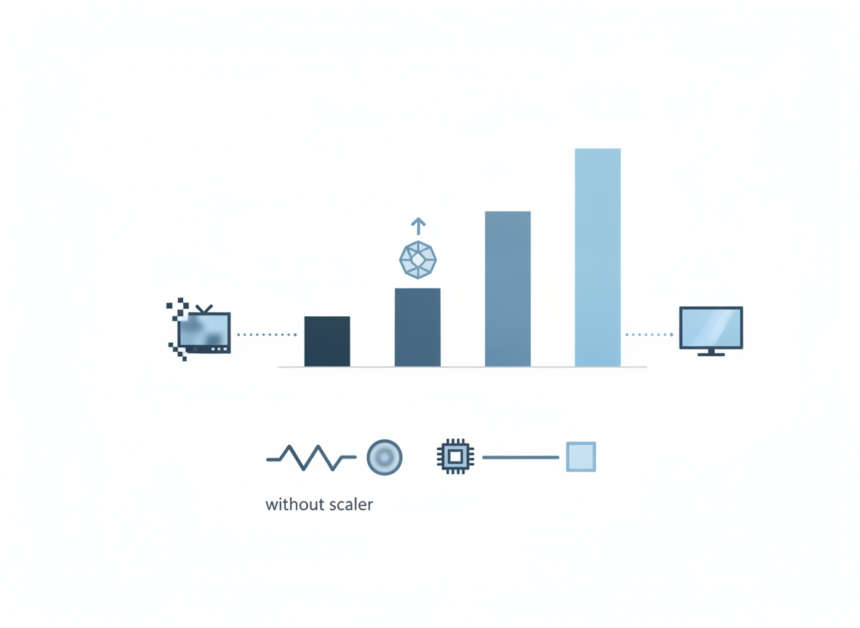
A video scaler reads an incoming picture’s resolution, scan type and refresh rate, then rewrites that picture into the resolution and timing the display expects, using interpolation to generate pixels the source never contained. That single sentence covers the whole job.
The constraint inside it matters more than the feature list. Interpolation estimates each new pixel from its neighbours, therefore scaling raises pixel count without adding recorded information — which means a 480p DVD scaled to 4K carries roughly 27 times the pixels and precisely the same detail. What changes is how the existing detail is presented: softer, sharper, ringing or clean, depending on the algorithm.
Order of operations is the second thing buyers underestimate. Deinterlacing before resizing preserves the field information in the original signal, whereas resizing an interlaced frame first bakes combing artifacts into every subsequent stage, and no amount of later sharpening removes them.
Finally, a scaler performs three jobs at once, not one. Spatial scaling handles resolution. Temporal processing handles frame rate and judder. Structural processing converts interlaced fields into progressive frames. Most readers only know about the first, which is why the other two produce the failures nobody can name.
The four stages of the scaling pipeline
TikTok’s New Edit Feature: Delete and Re-Edit Videos
- Sync lock — the device reads the incoming signal’s resolution, scan type and refresh rate and locks to its timing; an unstable lock produces dropped frames and black flashes.
- Deinterlace — interlaced fields (480i, 1080i) are woven into whole progressive frames before any resizing happens.
- Interpolate — the frame is resized to the output resolution using nearest-neighbour, bilinear, bicubic, Lanczos or a neural model, which determines whether the result looks soft, natural or edge-ringed.
- Retime — the output is re-clocked to the display’s refresh rate, using frame doubling or buffering to suppress judder; this stage is where most added latency appears.
Scaler vs upscaler vs converter: the terminology problem
The confusion is commercial, not technical. Retailers label $15 HDMI-to-VGA dongles as “converters” and $4,000 processors as “scalers” while both modify the signal, therefore buyers assume price is the only difference between them. It is not. The categories do different work, and buying the wrong category is the most common way readers waste money on this problem.
| Device type | What it changes | What it cannot fix | Typical price (US, Oct 2026) |
|---|---|---|---|
| Converter / adapter (HDMI-to-VGA, component-to-HDMI) | Connector and signal format only | Resolution, scan type, combing, judder | ~$10–$40 |
| Scaler (resolution and timing processor) | Resolution, refresh rate, scan type | Detail the source never recorded | ~$100–$7,000 by tier |
| Upscaler (scaler marketed low-to-high) | Low resolution raised to display native | Compression damage baked into the source | ~$20–$800 |
| Downscaler (4K source to 1080p display or capture card) | High resolution reduced to a lower target | Bandwidth limits of the downstream device | ~$30–$300 |
The practical rule is short: a converter changes the connector and signal format, a scaler changes resolution and timing, and an upscaler is simply a scaler marketed for one direction of travel. Consequently, a converter cannot repair a soft 480i picture — it has no resizing or deinterlacing stage to do it with — and no scaler at any price restores detail the source never captured.
Your TV already has a scaler: when it is good enough
For streaming, Blu-ray, broadcast HD and current-generation consoles, the scaler chip inside a mid-range or better 2026 TV is sufficient. Those sources are progressive, correctly flagged with their resolution and frame rate, and above 720p — exactly the conditions the chip’s tuning targets.
Built-in processing collapses outside those conditions. TV processors assume a modern source, therefore they misread 240p timing, treat film-sourced 480i as video, and apply noise reduction aggressive enough to strip genuine film grain. The result is a hierarchy: the 1080p-to-4K path resolves cleanly, 480i resolves inconsistently, and anything below 480p is smeared.
Each vendor also optimises for a different failure mode, which means the useful question is not “which chip is best” but “does my worst source fall inside what this chip handles”.
What each 2026 TV processor handles well
- LG Alpha 9 (Gen 8) — strongest at low-bitrate streaming cleanup, which matters most for compressed 1080p catalogue content.
- Sony XR Cognitive Processor — leading motion handling and object-based detail, therefore the safer pick for 24p film and live sport.
- Samsung NQ4 AI Gen3 — aggressive sharpening and text reconstruction, which flatters 1080p but over-crisps film grain.
- Hisense Hi-View Engine — the most capable budget-tier scaler, though heavier noise reduction softens fine texture.
- Console-side scalers — PS5 Pro’s PSSR and docked Nintendo Switch 2 output resolve game rendering before the TV sees the signal, which means the panel’s own scaler does less work.
The 1080p-to-4K case deserves a direct verdict: 1080p maps to 4K at an exact 2:1 integer ratio on each axis, consequently it is the cleanest upscale a TV performs and almost never justifies external hardware.
Deinterlacing, the scaler job people forget
Deinterlacing converts two half-resolution interlaced fields, captured one-sixtieth of a second apart, into a single progressive frame.
The failure chain is unforgiving. If the processor guesses the wrong field order, or treats film-sourced 480i as native video and ignores its 3:2 cadence, it stitches mismatched fields together — and because the scaler then multiplies every pixel error by four or more, a small deinterlacing mistake becomes combing and shimmer across the entire frame.
For buyers, that makes motion-adaptive deinterlacing with correct cadence detection the single feature separating a useful external box from a cheap converter. It therefore belongs at the top of the spec checklist for anyone feeding DVD, VHS capture or 480i console output into a modern panel.
How to recognise bad deinterlacing
- Horizontal comb teeth along moving edges, most visible on panning shots and scrolling credits
- Shimmering or “crawling” detail on fine textures such as fabric, brickwork and stadium crowds
- Flickering single-pixel lines on static overlays like scoreboards and subtitles
- Loss of vertical resolution in static scenes, which indicates the processor fell back to simple field blending
Retro consoles: the one use case where a scaler is non-negotiable
Dedicated external hardware is effectively a requirement for pre-HDMI consoles, because 240p is not merely a low resolution — it is a non-standard scan mode that many 2026 TVs either refuse to lock to or process as broken 480i, resulting in no picture, heavy lag or smeared sprites.
There is a second reason, and it is aesthetic rather than technical. CRT-era games were authored for a display that produced scanlines, phosphor bloom and horizontal blending, therefore a flat integer upscale on an LED panel looks harsher than the artists intended. Enthusiast scalers add scanline, mask and blending filters specifically to reconstruct that intended look.
Use the table below in two passes: match your console’s native output first, then decide on latency, because a frame-buffered device that feels fine for a JRPG ruins a timing-based fighting game.
| Device | Price (US, Oct 2026) | Inputs supported | Added latency | Best for |
|---|---|---|---|---|
| RetroTINK 4K | ~$700–$800 | RGB SCART, component, S-Video, composite, HDMI | Sub-millisecond in line-buffered modes | 4K output with scanline and mask filters |
| RetroTINK 5X-Pro | ~$300–$350 | RGB SCART, component, S-Video, composite | Sub-millisecond, line-buffered | 1080p retro setups on a budget |
| OSSC Pro | ~$400–$450 | RGB SCART, component, HDMI, optional capture | Sub-millisecond line-doubling; higher in buffered modes | Open-source flexibility and per-system profiles |
| mClassic (HDMI dongle) | ~$100 | HDMI only | Vendor-stated minimal; not independently stated here | Switch, PS4 and HDMI-era consoles |
| Framemeister (discontinued) | Used market, varies | RGB SCART, component, S-Video, composite | Roughly one to two frames | Legacy owners only; no vendor support |
This Is Why Photoshop Isn’t Your Only Option Anymore
The honest caveat: these are enthusiast products with firmware learning curves, intermittent stock and prices that climbed because demand outstripped small-batch production. Nothing here is plug-and-forget, and the right profile for a PlayStation differs from the right profile for a Mega Drive. Readers tracking the wider hardware side of this hobby will find more in our Gaming News and Reviews coverage, including the modern contrast case — disc-based players such as the PS5 Pro disc drive hand the TV a clean, correctly flagged 4K signal that needs no help at all.
How AI upscaling changed the math in 2026
Coverage of AI video upscalers published through October 2026 documents a clear mechanical shift: models trained on large video corpora now predict and reconstruct detail on edges, fabric and text instead of stretching existing pixels, and they remove grain and compression artifacts in the same pass. That is a different operation from interpolation, which means a neural upscaler produces output no bicubic or Lanczos filter can reproduce.
The caveat is equally mechanical, and it governs where these tools belong. Reconstructed detail is plausible, not recovered — a 2021 IEEE Transactions on Pattern Analysis and Machine Intelligence survey of deep-learning super-resolution methods describes the task as ill-posed, with many high-resolution outputs mapping to the same low-resolution input, and a comprehensive 2020 survey of deep-learning video super-resolution documents the same trade-off between perceptual sharpness and fidelity. Therefore faces, licence plates, small text and logos are sometimes invented outright, which disqualifies AI upscaling for evidentiary work and for archival restoration where fidelity to the original outweighs apparent sharpness.
The economic consequence is the real story. Because a GPU many readers already own performs real-time neural upscaling on streaming video at no extra cost, the market for $200–$500 general-purpose hardware boxes has collapsed inward. Two categories survive: free or cheap software and GPU upscaling for everything modern, and specialist hardware for signals software cannot touch — namely live 240p and 480i inputs arriving over analogue cables.
| Tool | Runs on | Real-time or offline | Cost model | Best use |
|---|---|---|---|---|
| Topaz Video AI | Desktop GPU (Windows, macOS) | Offline render | Paid licence | Archival files, restoration, delivery masters |
| NVIDIA RTX Video Super Resolution | RTX-series GPUs | Real-time | Free with driver | Streaming video in supported browsers |
| Microsoft Auto Super Resolution | Copilot+ PCs with NPU | Real-time | Included with Windows | Game upscaling on laptops |
| DaVinci Resolve Super Scale | Desktop GPU | Offline render | Free tier plus paid Studio licence | Resizing inside an existing edit |
| Hardware scaler with neural processing | Dedicated box | Real-time | Reference tier, roughly $3,000+ | Calibrated projector installations |
One hardware requirement is easy to miss: real-time neural upscaling is GPU-bound, so sustained sessions raise power draw and heat measurably. Our RTX 5080 review covers the practical performance side, and the breakdown of how many watts the RTX 5080 needs matters if you plan to run upscaling for hours. For file-based work rather than playback, the same logic applies to the broader set of AI editing tools that handle enhancement offline.
Latency: the cost nobody lists on the box
The cause is simple arithmetic. Any processing that needs a complete frame must store that frame before working on it, therefore a frame-buffered scaler adds at minimum one full frame of delay — 16.7 ms at 60 Hz — while a line-buffered design works on a handful of scanlines and adds well under a millisecond.
| Processing type | Added latency | Frames at 60 Hz | Suitable for |
|---|---|---|---|
| Line-buffered (pass-through scaling) | Under 1 ms | Under 0.1 | Fighting, shooters, rhythm games |
| Single-frame buffered | ~16.7 ms | 1 | RPGs, strategy, film |
| Multi-frame buffered (motion-adaptive deinterlacing) | ~33–50 ms | 2–3 | DVD, broadcast 480i, film sources |
| AI / neural upscaling (real-time) | Over 100 ms typical | 6+ | Passive viewing only |
| AI / neural upscaling (offline render) | Not applicable | Not applicable | Archival and editorial work |
The decision rule follows directly: line-buffered processing for timing-critical games, frame-buffered processing for RPGs, strategy and film, and neural processing confined to offline rendering rather than live play. Latency also stacks across the chain, which means a frame-buffered scaler plus an AV receiver plus a TV left in a cinema picture mode produces a delay readers routinely blame on the console.
Video scaler options by budget in 2026
Tiers make sense framed by problem rather than price. The budget tier solves connector and resolution mismatches. The enthusiast tier solves 240p and 480i scan problems. The reference tier solves HDR tone mapping and projector calibration. Buying above your actual problem wastes money, because the extra capability addresses signals you never feed it.
Three tiers, three reasons to buy
- Budget, roughly $20–$100 — simple HDMI scalers and format converters. Choose this only to fix a connector or resolution mismatch, because these devices use fixed bilinear scaling and basic field-blend deinterlacing.
- Enthusiast, roughly $200–$800 — RetroTINK and OSSC-class processors plus mid-tier 4K scaler boxes. Choose this when the source is 240p, 480i or a non-standard scan rate the TV refuses to lock to.
- Reference, roughly $3,000–$7,000 — Lumagen Radiance Pro and equivalents. Choose this only for a calibrated projector setup where tone mapping, 3D LUT calibration and per-source memory determine the image, not raw resolution.
What the reference tier buys that nothing cheaper does is control: per-source memory, 3D LUT calibration, and dynamic HDR tone mapping that maps HDR10 metadata to a projector’s measured light output. That last function matters because projectors fall far short of the peak brightness HDR masters assume, resulting in crushed highlights and muddy shadows without external tone mapping.
The cost reality closes the section. An HDMI pipeline rebuilt around a reference processor costs more than most readers’ displays, therefore the honest recommendation for the overwhelming majority is the budget tier, the enthusiast tier, or nothing at all.
Setting up a video scaler without breaking your signal chain
Processing belongs as early in the chain as possible, which fixes the ordering: source → scaler → receiver → display. Placing the scaler after the receiver forces it to re-process an already-switched signal and frequently breaks the HDMI handshake, producing blank screens on input changes.
Six-step setup order
- Identify every source’s native output (240p, 480i, 1080p, 4K60, 4K120) and your display’s native resolution and refresh rate.
- Connect legacy and low-resolution sources into the scaler; route modern HDMI 2.1 sources directly to the display or receiver to preserve full bandwidth.
- Set the scaler’s output to the display’s native resolution and refresh rate — not a higher number — because every extra conversion adds softening and latency.
- Run the scaler’s output into the AV receiver’s video input, then the receiver to the display, so audio switching stays intact.
- Decide which single device performs HDR tone mapping and set the other to pass metadata through unmodified.
- Verify end to end: confirm lock on each source, enable the display’s game or low-latency mode, then measure or test input lag before finalising the layout.
Two failure modes break this chain in practice. A scaler limited to 18 Gbps throughput will not pass 4K120 or 8K signals, which means current consoles and PCs must bypass it entirely through a separate input. And double tone mapping — scaler and TV both converting HDR — produces washed or crushed highlights, so exactly one device should own that conversion. The reason is standards-level: the ITU-R BT.709 container used by HD material and the ITU-R BT.2020 wide-gamut container behind 4K HDR, with transfer functions defined in ITU-R BT.2100, describe different primaries and transfer characteristics, therefore mixing them casually across two processing stages produces visible colour and gamma errors rather than a neutral pass-through.
Who actually needs a video scaler (and who does not)
Most readers should not buy one. The sources they watch are already progressive HD or better, correctly flagged, and handled competently by the TV’s own processing — therefore the purchase solves a problem their setup does not have.
Buy one if
- Pre-HDMI consoles output 240p or 480p and the TV either refuses to lock on or produces a smeared, laggy picture.
- A DVD, VHS capture or broadcast 480i source shows combing that the TV’s deinterlacer cannot resolve.
- A calibrated projector needs HDR tone mapping because its peak light output falls far short of HDR10 mastering levels.
- Multiple legacy sources share one display and each requires different scaling and aspect-ratio settings.
- Timing-critical retro gaming demands line-buffered processing with sub-millisecond added latency.
The one-line test between these two lists: if your problem signal is live and low-resolution, the fix is hardware; if your problem signal is a file, the fix is software — and in 2026 that software is cheaper, better and frequently already installed on your machine.
Skip it if
- Your sources are streaming services, Blu-ray, broadcast HD or a current-generation console, all of which the TV’s own processor handles well.
- Your only goal is making 1080p look better on a 4K TV, because that 2:1 integer upscale is the cleanest conversion a TV performs.
- Your problem material is video files rather than a live input, in which case a GPU or AI upscaling application produces better results for less money.
Frequently asked questions
Does upscaling actually add detail to an old video?
No. Interpolation estimates new pixels from existing neighbours, therefore the pixel count rises while recorded detail stays constant. Neural models go further by reconstructing plausible detail from training data, but that detail is synthesised rather than recovered — which is why super-resolution research treats the task as ill-posed rather than solvable.
Will an external scaler reduce input lag on my console?
Not by itself. A line-buffered scaler adds under a millisecond, so it is effectively neutral, whereas frame-buffered processing adds 16.7 ms or more per stored frame. Lag typically comes from the display’s picture mode, consequently enabling game or low-latency mode delivers a larger improvement than new hardware.
Is 1080p to 4K worth external hardware?
Rarely. The 2:1 integer ratio on each axis makes that path the cleanest conversion a modern TV performs, resulting in minimal artifacts. Spend the money on 240p and 480i sources instead, because those are the signals where TV processing demonstrably struggles.
Can software replace a hardware scaler entirely?
What’s Hot Archives – The Tech ABC
Only for files. Software operates on stored video, therefore it cannot process a live analogue signal arriving from a 1994 console over SCART. Hardware handles live inputs; software handles archives. The division is practical, not ideological.
Limitations and what this article cannot tell you
Prices quoted here are approximate US street figures for October 2026, and enthusiast scalers in particular move with small-batch restocks, so treat them as planning ranges rather than quotes. Latency figures describe processing architectures — line-buffered, frame-buffered, neural — rather than certified measurements of specific units; individual devices vary by firmware version and selected mode, which means a bench test of your own chain remains the only reliable number.
Alternative approaches deserve mention. A CRT display sidesteps scaling entirely for retro sources because it accepts 240p natively, and emulation with shader filters reproduces scanline and mask effects in software at no hardware cost. Neither suits every room or every collection, but both address the same problem for less money than enthusiast hardware.
For calibrated projector installations, the decisions discussed here — 3D LUT loading, tone-mapping ownership, per-source memory — interact with room geometry, screen gain and lamp or laser ageing. A professional calibrator with measurement instruments will reach a better result than specification comparison alone, therefore budget for calibration alongside any reference-tier purchase.
The verdict
Scaling is a conversion, not an improvement. That single fact decides the purchase: hardware earns its place when a signal is live, low-resolution or interlaced and your display mishandles it, and it earns nothing when the source is already progressive HD arriving over HDMI. The 2026 shift toward free, GPU-side neural upscaling narrowed the middle of this market considerably, which means the sensible positions are now the cheap end, the specialist end, or abstention.
If your collection is streaming, discs and a current console, keep your money and switch your TV into the correct picture mode. If it includes a Saturn, a VHS archive or a projector that cannot reach HDR brightness, buy for the specific defect you can see on screen. For more hardware analysis built around the same buy-or-skip logic, browse our tech trends and innovations coverage.
References
- Wang, Z., Chen, J., & Hoi, S. C. H. (2021). Deep Learning for Image Super-Resolution: A Survey — IEEE Transactions on Pattern Analysis and Machine Intelligence review of super-resolution methods. https://arxiv.org/abs/1902.06068
- Liu, H. et al. (2020). Video Super Resolution Based on Deep Learning: A Comprehensive Survey — survey of deep-learning video super-resolution architectures and fidelity trade-offs. https://arxiv.org/abs/2007.12928
- ITU-R Recommendation BT.709 — international standard defining HDTV image parameters and colour primaries. https://www.itu.int/rec/R-REC-BT.709
- ITU-R Recommendation BT.2020 — international standard defining UHDTV colour primaries and wide-gamut container. https://www.itu.int/rec/R-REC-BT.2020
- ITU-R Recommendation BT.2100 — international standard defining HDR transfer functions for production and exchange. https://www.itu.int/rec/R-REC-BT.2100
- HDMI Forum — HDMI specification documentation covering bandwidth tiers and 4K120 support requirements. https://www.hdmi.org