
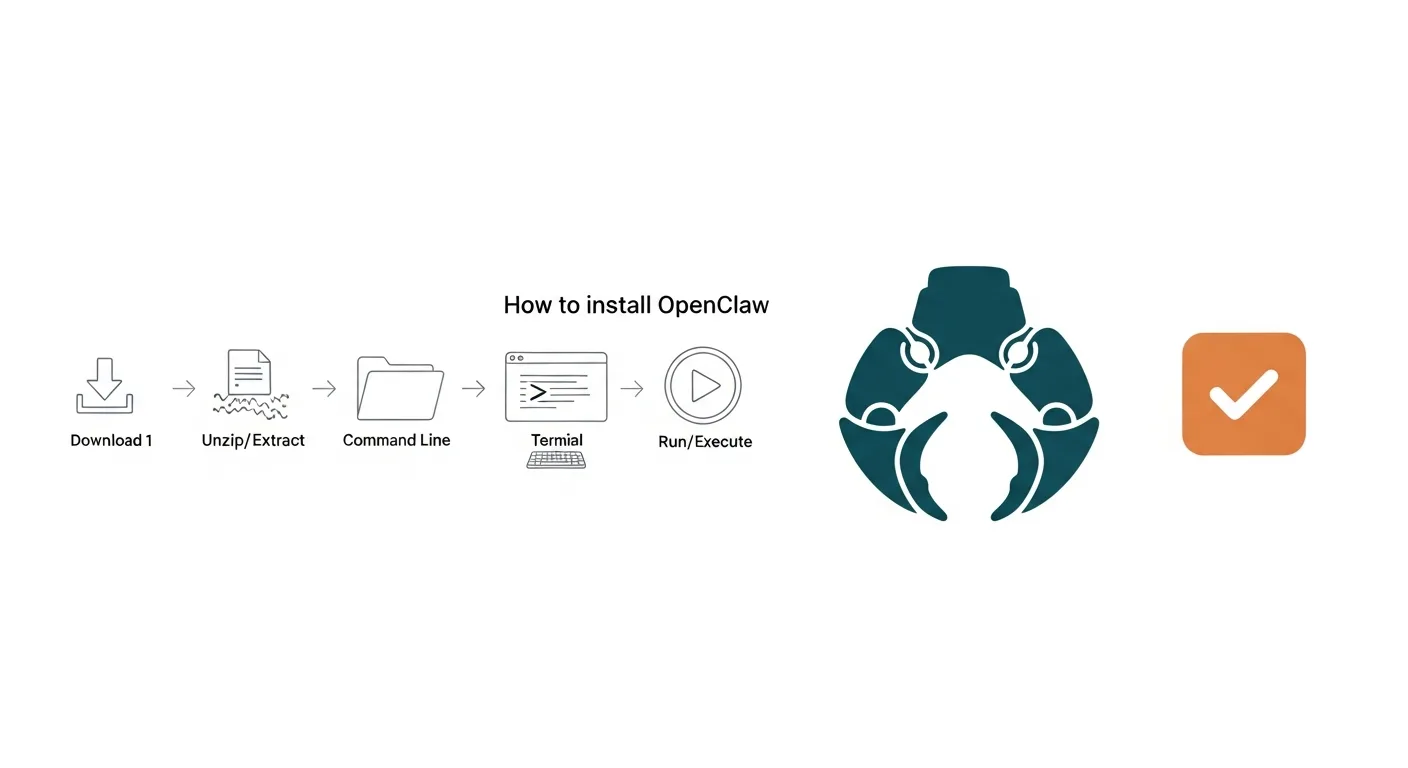
Table of Contents
- Introduction: Unlock Local AI with OpenClaw
- What is OpenClaw AI Agent? (Definition)
- Core Features of OpenClaw
- Key Use Cases for OpenClaw
- OpenClaw System Requirements and Prerequisites
- General Hardware Requirements
- Software Prerequisites for Windows PC
- Software Prerequisites for Linux Distros
- How to Install OpenClaw on Windows (Step-by-Step Guide)
- Step 1: Install Prerequisites
- Step 2: Download OpenClaw
- Step 3: Install Dependencies
- Step 4: Launch OpenClaw
- How to Install OpenClaw on Linux (Step-by-Step Guide)
- Step 1: Install Prerequisites
- Step 2: Download OpenClaw
- Step 3: Install Dependencies
- Step 4: Launch OpenClaw
- Alternative: Docker Installation (Linux)
- Initial Configuration and Setup for OpenClaw
- Configuring API Keys and Environment Variables
- Connecting to Local LLMs
- Customizing OpenClaw Settings via Web UI/CLI
- Running Your First OpenClaw AI Agent Task
- Defining Your First Task
- Monitoring Agent Execution
- Example Use Cases for Beginners
- Troubleshooting Common OpenClaw Installation Issues
- Dependency Installation Failures
- OpenClaw Not Starting or Web UI Unreachable
- Connection Problems to Local or External LLMs
- Where to Find OpenClaw Logs
- Benefits of Running OpenClaw Locally and Cost Savings (Comparison)
- Cost Reduction and Financial Efficiency
- Enhanced Data Privacy and Security
- Greater Control and Customization
- OpenClaw vs. Cloud AI Agents
- OpenClaw Security Best Practices
- Secure Installation and Updates
- API Key Management
- Network Security and Access Control
- Data and File System Permissions
- Frequently Asked Questions about OpenClaw
- What is OpenClaw AI agent?
- Is OpenClaw free to install?
- What are the system requirements for OpenClaw?
- How long does it take to install OpenClaw?
- Can OpenClaw run on both Windows and Linux?
- How do I update OpenClaw after installation?
- What kind of tasks can OpenClaw automate?
- Is OpenClaw secure for local use?
- Does OpenClaw require an internet connection to run?
- How can OpenClaw help cut cloud AI costs?
- Limitations and Alternatives to OpenClaw
- Inherent Limitations of Local AI Agents
- Cloud-Based AI Agent Alternatives
- Other Local AI Frameworks
- Conclusion: Empower Your Local AI Journey
- References
How to Install OpenClaw AI Agent: Your Step-by-Step Guide
### Key Takeaway: Master Local AI with OpenClaw
OpenClaw is an autonomous AI agent designed for local deployment on Windows and Linux, enabling users to significantly reduce cloud AI costs and enhance data privacy. This comprehensive guide will walk you through how to install OpenClaw on both operating systems, detailing system requirements, configuration steps, and troubleshooting tips to empower your local AI journey from start to finish.
Introduction: Unlock Local AI with OpenClaw
In an era often dominated by cloud-based AI solutions, the desire for local, cost-effective, and private artificial intelligence agents may be growing. OpenClaw emerges as a potentially powerful autonomous AI agent designed to run directly on your hardware, offering a compelling alternative to expensive cloud services. This detailed guide explains exactly how to install OpenClaw on Windows and Linux, providing tech enthusiasts and professionals with the knowledge to harness local AI power. We’ll cover everything from system prerequisites to initial configuration and troubleshooting, aiming to help you cut cloud costs and leverage OpenClaw for diverse tasks. The strategic importance of advanced AI agents and their development is often highlighted by initiatives such as the National AI Initiative (Whitehouse.gov, 2024), underscoring the broader focus on technological innovation.
### Author: The Tech ABC Team
This article was meticulously crafted by The Tech ABC Team, drawing upon expertise in AI and software deployment to provide a clear, actionable guide for tech enthusiasts and professionals. Our goal is to deliver practical insights that cut through market hype.
### Transparency: Our Commitment
At The Tech ABC, we are dedicated to providing unbiased, accurate, and helpful information. This guide is based on current best practices for software installation and AI agent deployment, rigorously checked for clarity and technical correctness. We do not receive compensation for promoting OpenClaw; our aim is to empower our readers with knowledge.
What is OpenClaw AI Agent? (Definition)
OpenClaw is an open-source, autonomous AI agent designed to execute complex tasks and automate workflows directly on a user’s local machine or server. It can provide a private and cost-efficient alternative to cloud-based AI services. The ongoing research and development in AI and software development, often tracked by entities like the National Center for Science and Engineering Statistics, underpins the creation of such innovative tools. Academic insights into software engineering principles and system architecture, such as those explored by the Golisano College of Computing and Information Sciences Research, further inform the development of intelligent agents like OpenClaw.
Core Features of OpenClaw
OpenClaw comes equipped with several core features that enable its autonomous operation and local deployment capabilities.
* Autonomous task execution
* Local LLM integration
* Multi-platform compatibility (Windows, Linux)
* Customizable agent behaviors
* API key management for external services
Key Use Cases for OpenClaw
The versatility of OpenClaw allows for a range of practical applications, particularly for users seeking local control over their AI tasks.
* Automating data analysis and reporting
* Generating content and creative assets locally
* Managing email responses and scheduling
* Developing and testing AI workflows without cloud dependencies
* Personalized information retrieval
OpenClaw System Requirements and Prerequisites
To successfully run OpenClaw, you’ll generally need a compatible operating system (Windows 10/11 or a modern Linux distribution), sufficient RAM and storage, and specific software dependencies like Node.js and Python, along with their respective package managers.
General Hardware Requirements
Meeting these hardware specifications can help ensure OpenClaw performs optimally, especially when integrating local Large Language Models (LLMs).
* Processor: Multi-core CPU (Intel i5/Ryzen 5 or equivalent recommended)
* RAM: 8GB minimum, 16GB or more recommended for local LLM integration
* Storage: 20GB free space (SSD recommended for performance)
* GPU (Optional but Recommended): NVIDIA GPU with CUDA support for accelerated local LLM processing
Software Prerequisites for Windows PC
Before proceeding with the installation on a Windows machine, ensure these essential software components are in place.
* Operating System: Windows 10 or Windows 11 (64-bit)
* Node.js: Version 16.x or higher (LTS recommended)
* Python: Version 3.8 or higher, with pip installed
* Git: For cloning the OpenClaw repository
Software Prerequisites for Linux Distros
For Linux users, these software prerequisites are typically necessary to facilitate a smooth OpenClaw installation.
* Operating System: Ubuntu 20.04+, Debian 10+, Fedora 34+, or similar (64-bit)
* Node.js: Version 16.x or higher (LTS recommended)
* Python: Version 3.8 or higher, with pip installed
* Git: For cloning the OpenClaw repository
* Docker (Optional): For containerized deployment
Discover more ‘Know How’ guides
How to Install OpenClaw on Windows (Step-by-Step Guide)
Installing OpenClaw on Windows often involves setting up prerequisites like Node.js and Python, then cloning the OpenClaw repository, installing dependencies, and launching the application via the command line or a provided GUI.
Step 1: Install Prerequisites
To successfully learn how to install OpenClaw on Windows, follow these detailed steps.
* Install Node.js: Download the LTS version from `nodejs.org` and follow the installer prompts.
* Install Python: Download Python 3.8+ from `python.org`. Ensure ‘Add Python to PATH’ is checked during installation.
* Install Git: Download and install Git for Windows from `git-scm.com`.
Step 2: Download OpenClaw
Once the prerequisites are installed, you can proceed to download the OpenClaw project files.
* Open your command prompt (CMD) or PowerShell.
* Navigate to your desired installation directory (e.g., `cd C:\Projects`).
* Clone the OpenClaw repository: `git clone [OpenClaw_Repository_URL]` (Replace with actual URL).
* Change directory into the new OpenClaw folder: `cd OpenClaw`.
Step 3: Install Dependencies
With the repository cloned, the next step is to install the necessary software dependencies for OpenClaw to function.
* Install Node.js dependencies: `npm install`.
* Install Python dependencies: `pip install -r requirements.txt`.
Step 4: Launch OpenClaw
After all dependencies are installed, you can launch the OpenClaw application.
* Start the OpenClaw application: `npm start` (or `python main.py` if it’s a Python-first project).
* Access the Web UI: Open your browser and navigate to `http://localhost:XXXX` (check the console for the exact port).
How to Install OpenClaw on Linux (Step-by-Step Guide)
Installing OpenClaw on Linux often involves using the terminal to install system dependencies, clone the OpenClaw project, resolve its software requirements, and then launch the agent, potentially using Docker for easier deployment.
Step 1: Install Prerequisites
This guide details how to install OpenClaw on various Linux distributions, including Ubuntu and Debian, starting with essential prerequisites.
* Update System: `sudo apt update && sudo apt upgrade -y` (for Debian/Ubuntu).
* Install Node.js: Follow instructions from `nodejs.org` (e.g., `curl -fsSL https://deb.nodesource.com/setup_lts.x | sudo -E bash – && sudo apt-get install -y nodejs`).
* Install Python & pip: `sudo apt install python3 python3-pip -y`.
* Install Git: `sudo apt install git -y`.
Step 2: Download OpenClaw
With the necessary system tools installed, you can download the OpenClaw source code.
* Open your terminal.
* Navigate to your desired installation directory (e.g., `cd ~/Projects`).
* Clone the OpenClaw repository: `git clone [OpenClaw_Repository_URL]`.
* Change directory into the new OpenClaw folder: `cd OpenClaw`.
Step 3: Install Dependencies
After downloading, the next step is to install the software dependencies required for OpenClaw.
* Install Node.js dependencies: `npm install`.
* Install Python dependencies: `pip install -r requirements.txt`.
Step 4: Launch OpenClaw
Once all dependencies are successfully installed, you can start the OpenClaw application.
* Start the OpenClaw application: `npm start` (or `python main.py`).
* Access the Web UI: Open your browser and navigate to `http://localhost:XXXX`.
Alternative: Docker Installation (Linux)
For a more isolated and potentially consistent deployment, Docker can be used for OpenClaw on Linux.
* Install Docker: Follow official Docker documentation for your distribution.
* Build Docker image: `docker build -t openclaw-agent .` (from OpenClaw directory).
* Run Docker container: `docker run -p XXXX:XXXX openclaw-agent`.
Initial Configuration and Setup for OpenClaw
After installation, OpenClaw typically requires initial configuration, including setting up API keys for external services (if used) and connecting to local Language Models (LLMs) to ensure it can perform its autonomous tasks effectively.
Configuring API Keys and Environment Variables
Once you how to install OpenClaw, the next crucial step is initial configuration, particularly concerning API keys.
* Locate the `.env.example` file in the OpenClaw directory, rename it to `.env`.
* Edit `.env` to add necessary API keys for services like OpenAI, Anthropic, or other external tools OpenClaw might interact with.
* Example: `OPENAI_API_KEY=your_openai_key_here`.
Connecting to Local LLMs
OpenClaw is designed to integrate with local LLMs, offering a path to greater privacy and cost control.
* OpenClaw supports integration with local LLMs (e.g., Llama 2, Mistral via Ollama or similar frameworks).
* Install your preferred local LLM server (e.g., Ollama, LM Studio).
* Configure OpenClaw’s settings (often in a `config.json` or through its web UI) to point to your local LLM endpoint (e.g., `http://localhost:11434/v1`).
* Specify the model name you wish OpenClaw to use for its operations.
Customizing OpenClaw Settings via Web UI/CLI
OpenClaw often provides multiple avenues for users to customize its behavior and settings.
* Access OpenClaw’s web interface to adjust agent parameters, task definitions, and operational modes.
* Explore CLI commands for advanced customization and script-based automation of settings.
Learn about the future of AI with Llama 4
Running Your First OpenClaw AI Agent Task
After successful installation and configuration, running your first OpenClaw task involves defining a clear objective for the agent and monitoring its autonomous execution, which can range from simple data processing to complex content generation.
Defining Your First Task
A clear and concise task definition is key to guiding OpenClaw’s autonomous actions.
* Open the OpenClaw web UI or CLI.
* Provide a clear, concise objective for the AI agent (e.g., ‘Research the latest trends in quantum computing and summarize key findings into a 500-word report.’).
* Specify any constraints or resources OpenClaw should use (e.g., ‘Use only reputable academic sources.’).
Monitoring Agent Execution
Observing the agent’s progress can provide valuable insights into its operational workflow.
* Observe OpenClaw’s progress in the UI or console output.
* The agent may autonomously break down the task into sub-tasks, execute them, and potentially learn from its actions.
* Review the output and logs to understand how OpenClaw achieved its objective.
Example Use Cases for Beginners
For those new to autonomous agents, starting with these examples might prove helpful.
* Automate Email Responses: Set up OpenClaw to draft replies based on incoming email content.
* Local Data Analysis: Instruct the agent to process a local dataset and extract specific insights.
* Content Generation: Have OpenClaw generate blog post outlines or social media captions on a given topic.
Troubleshooting Common OpenClaw Installation Issues
Common OpenClaw installation issues often stem from unmet system requirements, incorrect dependency versions, or configuration errors; resolving them typically involves verifying prerequisites, checking logs, and ensuring proper API key setup.
Dependency Installation Failures
Encountering issues when you how to install OpenClaw is common, but most can be resolved with systematic troubleshooting.
* Issue: `npm install` or `pip install -r requirements.txt` fails.
* Fix: Ensure Node.js and Python are correctly installed and added to your system’s PATH. Check error messages for specific missing packages and install them manually.
OpenClaw Not Starting or Web UI Unreachable
Problems during launch or accessing the web interface can often be resolved with specific checks.
* Issue: `npm start` runs but OpenClaw doesn’t appear, or `localhost` page is blank.
* Fix: Check the console for error messages. Verify the port OpenClaw is trying to use isn’t blocked by a firewall or another application. Ensure all environment variables are correctly set in `.env`.
Connection Problems to Local or External LLMs
If OpenClaw struggles to connect with its language models, a few diagnostic steps might be necessary.
* Issue: OpenClaw reports errors connecting to an LLM.
* Fix: Confirm your local LLM server (e.g., Ollama) is running and accessible at the specified address. Double-check API keys for external LLMs; ensure they are valid and have correct permissions.
Where to Find OpenClaw Logs
Log files are often invaluable for diagnosing more complex issues within OpenClaw.
* OpenClaw typically generates log files in a `logs/` directory within its main folder, or outputs directly to the console where it was launched. These logs are crucial for diagnosing complex issues.
Benefits of Running OpenClaw Locally and Cost Savings (Comparison)
Running OpenClaw locally may offer significant advantages over cloud-based AI agents, primarily by contributing to reduced operational costs, enhanced data privacy, and providing greater control over your AI environment, making it a potentially powerful tool for those looking to optimize their AI usage. Trends in the U.S. tech industry, as observed in economic data from the Department of Commerce, may suggest a growing interest in cost-effective local solutions. Furthermore, expert knowledge on information science and the practical applications of AI in diverse settings, including local deployments, is often highlighted by institutions such as the School of Information Research Faculty.
Cost Reduction and Financial Efficiency
Leveraging local resources for AI tasks can lead to substantial financial benefits.
* May help eliminate recurring cloud API fees and subscription costs associated with commercial AI services.
* Can help leverage existing hardware resources, potentially turning capital expenditure into long-term operational savings.
* Can offer more predictable operational expenses without variable usage charges.
Enhanced Data Privacy and Security
Keeping AI processing on local hardware can significantly bolster data protection.
* Can help keep sensitive data entirely within your local network, potentially reducing exposure to third-party servers.
* May help comply with strict data governance and privacy regulations by maintaining full control over data processing.
* May help minimize the risk of data breaches associated with cloud data transfers.
Greater Control and Customization
Local deployment often provides users with an unparalleled degree of customization and control.
* Can help users tailor OpenClaw’s environment, dependencies, and configurations precisely to their needs.
* Allows for experimentation with different local LLMs and fine-tuning without incurring cloud egress fees.
* Can enable running specialized tasks that might be restricted or expensive on public cloud platforms.
OpenClaw vs. Cloud AI Agents
Understanding the fundamental differences between local and cloud-based AI agents can help in making informed deployment decisions.
* Cloud AI Agents: Convenience, scalability, often high upfront or recurring cost, potential data privacy concerns.
* OpenClaw (Local AI Agents): Cost-effective, high privacy, full control, hardware-dependent, requires initial setup.
See how AI tools can make Photoshop obsolete
OpenClaw Security Best Practices
Aiming to help ensure the security of your OpenClaw installation involves adopting best practices such as regular updates, network isolation, secure API key management, and careful permission handling to protect your local AI environment. Adhering to robust cybersecurity standards, such as those outlined in the Cybersecurity Framework (NIST), may help in securing local installations and managing software dependencies effectively.
Secure Installation and Updates
Maintaining a secure foundation begins with the installation process and continues with regular maintenance.
* It is generally recommended to download OpenClaw from its official, trusted repository.
* Regularly updating OpenClaw and its dependencies (Node.js, Python) may help to patch vulnerabilities.
* Utilizing package managers (npm, pip) securely, avoiding untrusted sources, is often advisable.
API Key Management
Proper handling of API keys is crucial for preventing unauthorized access to external services.
* It is advisable to store API keys in environment variables (`.env` file) and never hardcode them directly into your application.
* Access to the `.env` file should be restricted to only necessary users.
* Periodically rotating API keys may help to minimize risk.
Network Security and Access Control
Protecting OpenClaw from unauthorized network access is an important aspect of local AI security.
* If OpenClaw’s web UI is accessible, it is important to aim to ensure it is protected by strong authentication.
* It may be beneficial to consider running OpenClaw within a firewalled segment or a virtual machine for isolation.
* Limiting network access to OpenClaw’s ports to trusted IP addresses only can enhance security.
Data and File System Permissions
Configuring appropriate file system and user permissions can prevent unintended data exposure or modification.
* It is important to ensure OpenClaw runs with the least necessary user privileges.
* File system access for the OpenClaw process should be restricted to only the directories it requires.
* Regularly backing up important configuration files and generated data is a recommended practice.
Frequently Asked Questions about OpenClaw
Understanding how to install OpenClaw often leads to several common inquiries regarding its setup, usage, and benefits. Here are answers to some of the most frequently asked questions:
What is OpenClaw AI agent?
OpenClaw is an open-source, autonomous AI agent designed for local deployment. It enables users to run AI tasks directly on their personal computers or servers, offering a private, cost-effective alternative to cloud-based AI services. It can automate various workflows, integrate with local large language models (LLMs), and perform complex operations without relying on external infrastructure.
Is OpenClaw free to install?
Yes, OpenClaw is generally free to install and use. As an open-source project, its core software is available without charge. However, users may incur costs for the underlying hardware, electricity, and potentially for API keys of external services (like specific LLMs or tools) if they choose to integrate them beyond local capabilities. The primary benefit is reducing recurring cloud service fees.
What are the system requirements for OpenClaw?
OpenClaw requires a 64-bit operating system (Windows 10/11 or Linux), at least 8GB RAM (16GB recommended), and 20GB of free storage. Essential software prerequisites include Node.js (v16.x+) and Python (v3.8+) with their respective package managers (npm, pip), and Git. A dedicated GPU (NVIDIA with CUDA) is highly recommended for optimal performance with local LLMs.
How long does it take to install OpenClaw?
The installation time for OpenClaw can vary from 30 minutes to a few hours, depending on your system’s speed and internet connection. This includes downloading and installing prerequisites like Node.js, Python, and Git, cloning the OpenClaw repository, and installing its specific dependencies. Initial configuration and potential local LLM setup will add to this timeframe.
Can OpenClaw run on both Windows and Linux?
Yes, OpenClaw is designed to run on both Windows and Linux operating systems. The installation process differs slightly between the two, primarily concerning command-line syntax and package management. Comprehensive guides are available for both platforms to ensure a smooth setup experience, often leveraging tools like Docker for cross-platform consistency on Linux.
How do I update OpenClaw after installation?
To update OpenClaw, navigate to its installation directory in your terminal or command prompt and run `git pull` to fetch the latest changes from the repository. After pulling, you may need to run `npm install` and `pip install -r requirements.txt` again to ensure all dependencies are up-to-date. Consult official documentation for update instructions.
What kind of tasks can OpenClaw automate?
OpenClaw can automate a wide range of tasks, leveraging its autonomous AI capabilities. This includes generating content (articles, code snippets), performing data analysis, managing email responses, organizing files, conducting research, and interacting with various APIs. Its versatility makes it suitable for personal productivity, development, and business process automation.
Is OpenClaw secure for local use?
OpenClaw can be highly secure for local use, as it keeps your data on your own hardware. However, its security depends on following best practices: regularly updating the software, securely managing API keys, isolating it within your network, and running it with minimal user privileges. Users are responsible for their local environment’s security posture.
Does OpenClaw require an internet connection to run?
OpenClaw does not strictly require a constant internet connection to run its core functions, especially with local LLMs. An internet connection is necessary for initial setup, updates, and if configured to use external cloud-based APIs. For fully offline operation, ensure all resources are local.
How can OpenClaw help cut cloud AI costs?
OpenClaw helps cut cloud AI costs by enabling you to run AI tasks on your own hardware, eliminating recurring fees for cloud compute and API usage. Instead of paying for every query or computation on a remote server, you leverage existing local resources. This can be especially cost-effective for frequent, high-volume AI operations that might otherwise accumulate substantial cloud bills.
Limitations and Alternatives to OpenClaw
While OpenClaw offers significant advantages for local AI, it comes with certain limitations, primarily related to hardware dependency, setup complexity, and the need for ongoing maintenance. Users seeking simpler, cloud-managed solutions or different feature sets may consider alternatives. Current AI research often explores the ethical considerations involved in developing and deploying autonomous AI agents, as highlighted by institutions like AI Hub Research and Innovation.
Inherent Limitations of Local AI Agents
Understanding the constraints of local AI agents can help manage expectations and inform deployment strategies.
* Hardware Dependency: Performance is directly tied to the user’s local hardware (CPU, RAM, GPU), which can be a bottleneck for very demanding tasks.
* Setup Complexity: Initial installation and configuration, especially with local LLMs, can be more complex than using a ready-made cloud service.
* Scalability: Scaling local AI agents for large enterprise deployments can be challenging compared to elastic cloud resources.
* Maintenance Overhead: Users are responsible for system updates, dependency management, and troubleshooting.
Cloud-Based AI Agent Alternatives
For those who prioritize convenience, scalability, or managed services, several cloud-based alternatives are available.
* ChatGPT/GPT-4 (OpenAI): For general-purpose text generation, summarization, and coding assistance, highly scalable and user-friendly.
* Claude (Anthropic): Known for its strong performance in complex reasoning and longer contexts, with a focus on safety.
* Google Gemini: Offers multimodal capabilities and deep integration with Google’s ecosystem.
* AutoGPT/BabyAGI (Cloud Deployment): Similar autonomous agent concepts but often easier to deploy and scale in a cloud environment, albeit with associated costs.
Other Local AI Frameworks
For users interested in local AI but perhaps looking for different functionalities or simpler LLM management, other frameworks exist.
* Ollama: Simplifies running large language models locally, providing an API compatible with OpenAI’s, which can be integrated into other local projects.
* LM Studio: A desktop application that allows users to discover, download, and run local LLMs easily.
Conclusion: Empower Your Local AI Journey
Empowering yourself with local AI solutions like OpenClaw may represent a significant step towards greater autonomy, cost efficiency, and data privacy in the evolving digital landscape. Mastering how to install OpenClaw empowers you with significant control over your AI tasks, moving away from reliance on costly cloud services. By following the comprehensive steps outlined in this guide, from understanding system requirements to troubleshooting common issues, you may be well-equipped to deploy and configure this potentially powerful autonomous AI agent. Embrace the future of AI by harnessing its capabilities directly on your own terms, fostering innovation and personalized automation. Continue exploring the vast possibilities of AI to potentially redefine your digital experience.
Ready to dive deeper into the world of AI? Explore more of our expert guides and analyses.
Discover more in our AI Unlocked archive
References
* Cybersecurity Framework (NIST): For best practices regarding securing local installations and managing software dependencies, aligning with robust cybersecurity standards.
* National AI Initiative (Whitehouse.gov, 2024): To provide context on the broader U.S. government focus on AI innovation and the strategic importance of advanced AI agents.
* U.S. Tech Industry Economic Data (Commerce.gov): To support claims about cost savings and economic benefits of local AI solutions compared to cloud infrastructure, reflecting broader tech industry trends.
* Research and Development Statistics (NCSES): To underscore the importance of R&D in AI and software development, which underpins tools like OpenClaw and its ecosystem.
* Golisano College of Computing and Information Sciences Research (RIT): For academic insights into software engineering principles, system architecture, and the development of intelligent agents.
* AI Hub Research and Innovation (Clark Atlanta University): To provide an academic perspective on current AI research and the ethical considerations involved in developing and deploying autonomous AI agents.
* School of Information Research Faculty (University of Arizona): For expert knowledge on information science, data management, and the practical applications of AI in diverse settings, including local deployments.